
GIGABYTE X470 AORUS ULTRA GAMING
4.4Editor score
8+3 Phase Hybrid PWM
Front Type-C USB Support
SLI and CrossFire Ready
This guide compares the top Amd Ryzen Gen 2 X470 Motherboards for performance, connectivity, and value to help you choose the right board for your build.
Selecting the right motherboard is crucial for any AMD Ryzen build. The X470 chipset offers robust power delivery and excellent connectivity for second-generation Ryzen processors. This guide helps you find the perfect match for your needs.
We have evaluated ten top-rated boards based on user feedback, technical specifications, and real-world performance. Our analysis focuses on power phases, cooling solutions, and essential features like M.2 support and USB connectivity.
Each pick highlights key strengths and potential trade-offs to inform your decision. Prices and availability change frequently, so verify current listings before purchasing. We update this guide regularly to reflect the latest market data.
4.4Editor score

4.3Editor score

4.6Editor score
This comparison table provides a quick overview of the key specifications and features for each of the ten selected motherboards. Use this to compare connectivity, power delivery, and form factor at a glance.


This motherboard stands out for its forward-thinking design and robust feature set. With a high rating from users, it delivers reliable performance for modern AMD Ryzen builds. The combination of PCIe 4.0 and WiFi 6E ensures your system stays relevant for years.
We may earn a commission when you buy through this link, at no additional cost to you.
The power solution is particularly impressive with 12+2 teamed power stages. This design ensures stable voltage delivery even under heavy loads or overclocking scenarios. The inclusion of high-quality alloy chokes and durable capacitors further enhances reliability and longevity.
While the price is higher than some alternatives, the features justify the investment. You get advanced networking and storage options that older chipsets lack. The only trade-off is ensuring you have the latest BIOS version for full compatibility with newer processors.
If you are building a high-performance PC that needs to handle future upgrades, this board is an excellent choice. It balances gaming features with productivity tools effectively. We recommend it for enthusiasts who value cutting-edge connectivity and stability.
The WiFi 6E and 2.5Gb Ethernet provide blazing-fast wired and wireless connections for streaming and gaming.
Dual M.2 slots allow you to install multiple high-speed NVMe SSDs without sacrificing SATA port availability.
We may earn a commission when you buy through this link, at no additional cost to you.
This board offers a premium experience for users demanding top-tier performance and cooling. It has garnered strong user ratings for its stability and build quality. The focus on thermal management makes it ideal for overclocking Ryzen processors.
We may earn a commission when you buy through this link, at no additional cost to you.
The 10+2 Phase IR Digital PWM design provides precise power control. This ensures your CPU receives clean power during intensive tasks. The Fins-Array Heatsink with Direct Touch Heatpipe effectively dissipates heat from the VRM area.
Audio quality is another standout feature thanks to the ESS 9018 DAC. Gamers and media enthusiasts will appreciate the clear and detailed sound output. However, the higher cost might be a consideration for budget-conscious builders.
We recommend this board for those who prioritize thermal performance and audio fidelity. It is well-suited for mid-to-high-end gaming rigs. The robust construction ensures long-term reliability for demanding applications.
The advanced heatsink design keeps temperatures low even during long gaming sessions or heavy workloads.
Built-in ESS DAC technology delivers studio-quality sound without needing an external sound card.
We may earn a commission when you buy through this link, at no additional cost to you.
The Prime X470-Pro is an excellent entry point for building a stable AMD system. Its high rating reflects consistent performance and ease of use. This board balances cost and features effectively for general users.
We may earn a commission when you buy through this link, at no additional cost to you.
ASUS 5-Way Optimization simplifies system tuning by automatically tuning your CPU and cooling. This is perfect for users who want performance without complex manual settings. The SafeSlot technology protects your GPU from physical damage.
While it lacks some advanced overclocking tools, it offers enough for most users. The audio codec provides clear sound for daily tasks and gaming. The main trade-off is less customization compared to gaming-focused boards.
We recommend this for anyone seeking a reliable and affordable platform. It is great for office PCs or casual gaming setups. The build quality and brand support add significant value to the purchase.
The UEFI BIOS dashboard allows for quick and easy adjustments without needing deep technical knowledge.
SafeSlot features an injection molding process to anchor PCIe slots securely against heavy graphics cards.
We may earn a commission when you buy through this link, at no additional cost to you.
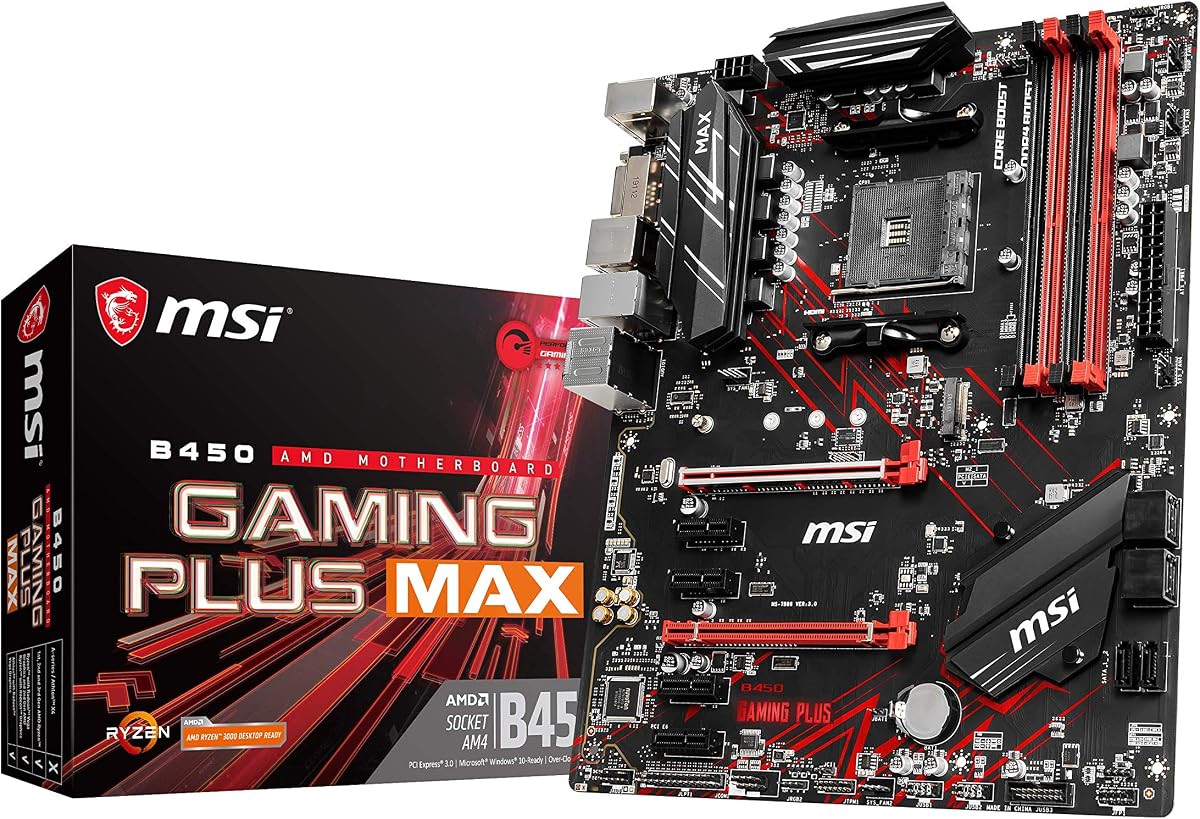
This board strikes a balance between performance and affordability. It is well-regarded for its ability to handle Ryzen processors efficiently. The hybrid PWM design ensures stable power for daily tasks and light gaming.
We may earn a commission when you buy through this link, at no additional cost to you.
The inclusion of a front panel USB-C port is a nice touch for modern cases. It makes connecting peripherals easier without reaching to the back. The support for multi-GPU setups adds flexibility for specialized workloads.
While it lacks some of the premium features of higher-end models, it covers the essentials well. Users should note that the USB selection is somewhat limited. This is a minor issue for most standard builds.
We suggest this board for builders who want a reliable platform without overspending. It fits well in mid-range gaming PCs. The durable construction ensures it will last through several component upgrades.
Front USB-C placement allows for easy access to high-speed charging and data transfer cables.
Supports both CrossFire and SLI configurations if you plan to use multiple graphics cards.
We may earn a commission when you buy through this link, at no additional cost to you.
For those needing a smaller board for a compact build, this is a strong contender. It offers essential features at a very competitive price. Users appreciate the straightforward design and reliable performance for entry-level systems.
We may earn a commission when you buy through this link, at no additional cost to you.
The 3+3 power phase is sufficient for standard Ryzen processors without heavy overclocking. The addition of PCIe 4.0 ensures compatibility with newer GPUs and storage devices. Two M.2 slots provide ample space for fast storage drives.
The cooling solution is basic, so thermal performance may vary under load. This is acceptable for casual users but might limit heavy multitasking. It is important to match this board with a capable CPU cooler.
We recommend this for budget builds or small form factor PCs. It offers great value for the price point. The compact size makes it easy to fit into smaller cases without sacrificing core functionality.
The Micro-ATX layout reduces footprint allowing for smaller and more portable PC builds.
Dual M.2 slots allow you to run an OS drive and a data drive simultaneously at high speeds.
We may earn a commission when you buy through this link, at no additional cost to you.
This board provides a solid foundation for everyday computing tasks. It is known for its stability and compatibility with a wide range of Ryzen CPUs. The balanced feature set makes it suitable for home and office environments.
We may earn a commission when you buy through this link, at no additional cost to you.
The 8+1 DrMOS power stages deliver efficient power to the CPU. This ensures smooth operation even during extended usage. The inclusion of WiFi 5 helps declutter your workspace by removing the need for an Ethernet cable.
While it lacks some high-end gaming features, it focuses on reliability and ease of use. The front panel USB-C ports are convenient for modern peripherals. The main trade-off is the older WiFi standard compared to newer models.
We suggest this board for users prioritizing function over form. It is an excellent choice for productivity PCs. The robust protection features add peace of mind for long-term usage.
Front and rear USB-C ports ensure you can connect the latest devices without adapters.
LANGuard and overcurrent protection help safeguard your components from power surges and electrical issues.
We may earn a commission when you buy through this link, at no additional cost to you.
This gaming board offers a mix of performance and aesthetics at a reasonable cost. It is well rated for stability and ease of use. The support for newer Ryzen series ensures it remains a viable option for modern systems.
We may earn a commission when you buy through this link, at no additional cost to you.
The 10+3 power phase design provides a robust platform for gaming workloads. Q-Flash Plus allows you to update the BIOS without installing a processor which is a huge convenience. RGB Fusion lets you sync lighting with other compatible gear.
Audio quality is standard but sufficient for general gaming needs. The lack of extensive rear USB ports may require a hub for many devices. This is a minor drawback for most typical setups.
We recommend this board for gamers who want style and substance. It fits well in mid-range builds. The BIOS update feature alone makes it a smart choice for future-proofing.
Q-Flash Plus lets you update firmware easily without needing a CPU installed in the socket.
RGB Fusion allows you to synchronize lighting effects with other GIGABYTE compatible components.
We may earn a commission when you buy through this link, at no additional cost to you.
This compact board is perfect for smaller cases without sacrificing speed. It has received positive feedback for its reliable performance. The inclusion of WiFi 6 makes it a strong choice for wireless networking.
We may earn a commission when you buy through this link, at no additional cost to you.
The HDMI 2.1 output supports high refresh rates for modern monitors. OptiMem technology improves memory stability and allows for faster speeds. The SafeSlot ensures your graphics card stays securely in place.
Due to its size, expansion options are limited compared to full ATX boards. This is acceptable for users who do not need many expansion cards. The VRM heatsink is adequate but not designed for heavy overclocking.
We suggest this for users building compact PCs with wireless needs. It balances size and performance well. The feature set is impressive for such a small board.
WiFi 6 support provides faster and more stable wireless connections for streaming and gaming.
HDMI 2.1 support allows you to connect to 4K displays at high refresh rates easily.
We may earn a commission when you buy through this link, at no additional cost to you.
This board is a reliable choice for those using Ryzen 2nd or 3rd gen processors. It has a high rating for durability and consistent performance. The feature set covers the basics well for many users.
We may earn a commission when you buy through this link, at no additional cost to you.
Turbo M.2 technology provides fast storage access for your operating system. Audio Boost technology delivers clear sound without external equipment. DDR4 Boost helps ensure memory runs at optimal speeds.
The main limitation is the lack of PCIe 4.0 which might limit future GPU speeds. However for most current applications this is not a bottleneck. It remains a cost-effective solution for specific builds.
We recommend this for users on a budget who do not need the latest PCIe features. It is a robust option for legacy builds. The audio and storage features are strong selling points.
Turbo M.2 ensures your SSDs run at maximum speeds without thermal throttling issues.
DDR4 Boost technology enhances signal quality for stable and faster memory performance.
We may earn a commission when you buy through this link, at no additional cost to you.
This board is a straightforward option for budget gaming rigs. It is recognized for its compatibility with a wide range of AMD CPUs. The design focuses on providing stable performance without unnecessary frills.
We may earn a commission when you buy through this link, at no additional cost to you.
The support for 3rd Gen Ryzen allows you to use powerful processors without breaking the bank. USB connectivity is adequate for most peripherals. The simple BIOS interface makes it easy for beginners to navigate.
Audio is basic but functional for gaming and general use. It lacks some advanced features like advanced wireless options. This is acceptable given the price point and target audience.
We suggest this for first-time builders looking for reliability. It is a safe choice for standard gaming setups. The value proposition is strong for those on a tight budget.
Compatibility with 3rd Gen Ryzen ensures you can use efficient and powerful desktop processors.
The straightforward layout and interface make assembly and setup much easier for novices.
We may earn a commission when you buy through this link, at no additional cost to you.
Choosing the right motherboard involves understanding several technical aspects that impact performance and longevity. This guide breaks down the key factors to consider when shopping.
Ensure the motherboard chipset matches your processor generation. For second-generation Ryzen, X470 is ideal as it supports overclocking and dual-channel memory well.
Always verify the CPU support list to guarantee compatibility before purchasing.
The VRM power delivery is critical for system stability. Look for boards with robust phase counts and quality heatsinks to prevent throttling under load.
A stronger power solution also future-proofs your build for potential CPU upgrades.
Check the number of PCIe slots available for graphics cards and expansion cards. Ensure there is enough space for your GPU and other add-ons.
Multi-GPU support is rare now but still relevant for specific workloads.
DDR4 memory compatibility is standard but check the maximum supported speed and capacity. Four slots offer better future flexibility than two.
High-speed memory support can improve system performance significantly.
Modern builds require fast storage. Look for M.2 slots that support NVMe SSDs for rapid boot times and file access.
Adequate SATA ports are also important for additional hard drives.
USB ports on the rear and front are essential for peripherals. Ensure you have enough Type-A and Type-C ports for your needs.
Front panel USB-C is becoming a standard requirement for modern cases.
Built-in Ethernet is standard but consider Wi-Fi if you prefer wireless connections. Wi-Fi 5 or 6 provides better speed and reliability.
Good networking hardware reduces latency for gaming and streaming.
Integrated audio codecs vary in quality. Higher-end boards often include dedicated DACs for clearer sound output.
If you use high-quality headphones or speakers, audio specs matter more.
Install the motherboard into your case using standoffs to prevent short circuits. Secure it gently to avoid bending the board or damaging sensitive components.
Regularly update your BIOS to the latest version for improved stability and security. Use the manufacturer provided tools for safe updates.
Keep your system clean from dust using compressed air. Dust buildup can trap heat and cause components to overheat over time.
Most X470 motherboards support third generation Ryzen processors after a BIOS update. Check the specific manufacturer website for updated CPU support lists to confirm compatibility before buying.
Yes, X470 chipsets are designed to support overclocking of AMD Ryzen processors. This allows you to push your CPU beyond stock speeds for better performance.
X470 offers better power delivery and support for dual-channel memory compared to B450. It is generally more robust for higher-end Ryzen builds.
No, these motherboards require DDR4 memory. DDR3 sticks are physically different and will not fit or work with DDR4 slots.
Standard stock coolers work for non-overclocked CPUs. If you plan to overclock, an aftermarket cooler is recommended for better thermal performance.
Some models include built-in Wi-Fi while others do not. Check the product specifications to see if wireless networking is included in the package.
We highlighted ten top picks ranging from budget-friendly options to premium gaming boards. Each offers unique strengths depending on your specific needs and budget.
Consider your CPU choice and future upgrade plans when making your selection. A robust power delivery system is often worth the investment for stability.
Prices fluctuate often so always check current listings before finalizing your purchase. Verify BIOS compatibility to ensure smooth operation with your chosen processor.