
4 Pack HDMI Dummy Plug 4K HDR
4.8Editor score
Industrial grade durability
Zero driver requirements
Universal cross platform use
Discover the best HDMI dummy plug options for headless setups. This guide compares top models for remote desktop, mining, and gaming performance today.
Choosing the right HDMI dummy plug ensures your graphics card stays active without a physical monitor. These devices simulate a display signal to unlock GPU features for remote work and mining tasks efficiently.
We evaluated ten top-rated models based on resolution support, build quality, and compatibility. Our analysis covers options ranging from basic emulators to advanced 4K HDR solutions for diverse professional needs.
Each pick highlights specific strengths like refresh rate support or durability. Prices and availability change frequently, so verify current details on the product pages before making your final purchasing decision online.
4.8Editor score
4.6Editor score

4.5Editor score
This table provides a quick overview of all ten selected models. Compare their key specifications and ratings side by side to find the perfect match for your specific headless computing requirements today.


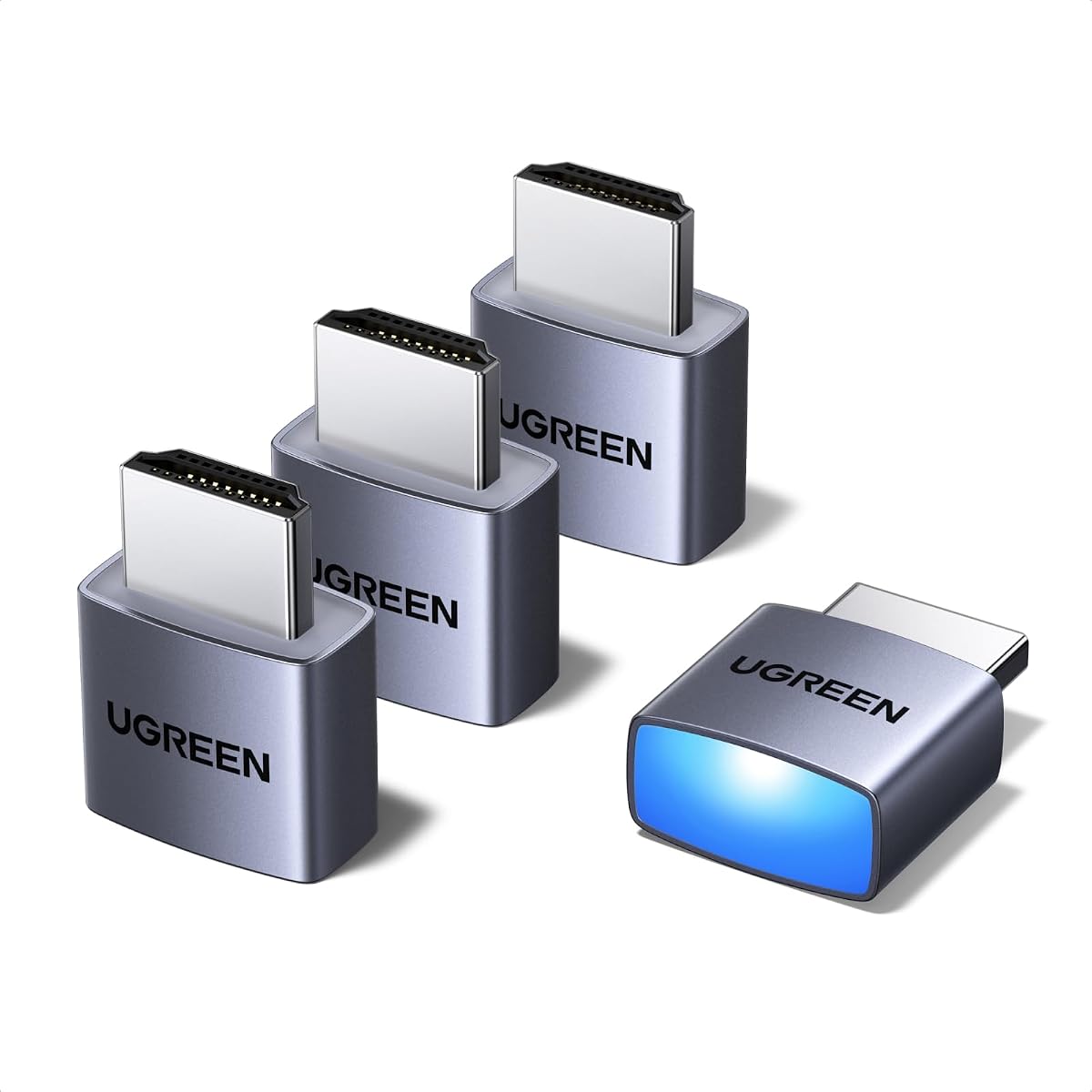
This UGREEN pack offers reliable performance with robust build quality. It maintains GPU activity for remote tasks effectively without requiring extra software or power sources for your setup.
We may earn a commission when you buy through this link, at no additional cost to you.
The aluminum casing ensures the device stays cool during long sessions. It supports 4K resolution which helps unlock full graphics capabilities for gaming or editing on headless systems.
While the LED indicator is useful, it cannot be turned off for dark rooms. The cost per plug is slightly higher but the durability justifies the investment for heavy users.
Ideal for server farms or home labs needing multiple emulators. This is a top choice for anyone wanting a balance of performance and physical reliability in their workflow.
The aluminum shell actively dissipates heat to prevent overheating during intensive tasks like mining or rendering.
Plug and play functionality means you can start your virtual display setup immediately without installing drivers.
We may earn a commission when you buy through this link, at no additional cost to you.
This option delivers high performance at a competitive price point. It is perfect for users needing multiple plugs for various headless setups without breaking the bank.
We may earn a commission when you buy through this link, at no additional cost to you.
The aluminum armor provides protection against physical damage and heat. It works seamlessly across different operating systems ensuring your GPU stays active for your workloads.
Some users might prefer more customization options. However the core functionality remains excellent for the cost making it a strong contender for budget conscious buyers.
Best for large scale deployments or multiple machines. Choose this if you need many units and want consistent quality across all your devices.
Get multiple units for less money allowing you to scale your headless infrastructure without high costs.
Industrial grade materials ensure longevity even in demanding server room environments.
We may earn a commission when you buy through this link, at no additional cost to you.
This advanced plug supports 4K at 120Hz which is rare in dummy plugs. It is ideal for users with HDMI 2.1 ports looking for high fidelity virtual displays.
We may earn a commission when you buy through this link, at no additional cost to you.
It works exceptionally well with streaming apps like Moonlight. The high refresh rate ensures smooth visuals even in remote gaming scenarios on headless PCs.
Not all graphics cards support HDMI 2.1 features fully. Ensure your hardware is compatible before purchasing to maximize the value of this premium product.
Best for enthusiasts and gamers using remote streaming. If you need high resolution and refresh rates for virtual work this is the top choice.
Supports 120Hz refresh rates enabling smoother visuals for gaming and fast moving applications remotely.
Designed to work perfectly with Moonlight and other streaming tools for seamless remote control.
We may earn a commission when you buy through this link, at no additional cost to you.
The DTech pack focuses on stability and signal quality. Gold plated connectors ensure the connection remains solid even during long periods of use.
We may earn a commission when you buy through this link, at no additional cost to you.
It is particularly good for macOS users who need to unlock display options. The compact design makes it easy to manage in dense server setups.
While effective it lacks some advanced features found in newer models. However for basic headless needs it performs exactly as expected without issues.
Best for Mac mini servers or home setups. If you need a few reliable plugs this set offers consistent performance and connectivity.
Gold plated contacts prevent corrosion and ensure a clean digital signal to your graphics card.
Specifically tested to solve headless display issues on macOS systems reliably.
We may earn a commission when you buy through this link, at no additional cost to you.
This model is extremely simple and easy to use. It sits low profile on the HDMI port making it nearly invisible once installed.
We may earn a commission when you buy through this link, at no additional cost to you.
It works with almost any graphics card without issues. This universality makes it a safe choice for general purpose headless tasks.
It does not support the highest refresh rates available. For basic remote desktop access this is sufficient but gamers might want higher Hz options.
Best for basic office or server use. If you want something that just works without any fuss this is a good pick.
The low profile design ensures it does not block other ports or stick out from your device.
Works with any standard HDMI output so you do not need to check specific GPU specs.
We may earn a commission when you buy through this link, at no additional cost to you.
This set includes a two year warranty which is rare for dummy plugs. It allows you to swap devices without worrying about immediate failure.
We may earn a commission when you buy through this link, at no additional cost to you.
It supports HDR which helps with color accurate displays on your virtual monitor. Hot swap support lets you test setups without rebooting your machine.
The lack of an LED indicator might be confusing for some. However the warranty gives peace of mind that the manufacturer stands by their product.
Best for businesses needing reliable support. If you want assurance on your purchase this warranty adds significant value.
The two year warranty covers defects ensuring you get a working unit for years.
Change or test different plugs without needing to restart your computer or system.
We may earn a commission when you buy through this link, at no additional cost to you.
This option supports a wide range of resolutions including 1440P at 144Hz. It is built with fresh solder and copper boards for better signal stability.
We may earn a commission when you buy through this link, at no additional cost to you.
The thick aluminum shell provides strong protection. It is designed for high performance systems where signal quality and durability matter most.
Setting up the default resolution might require driver tweaks. However the hardware itself is robust enough to handle intensive tasks effectively.
Best for setups requiring variable refresh rates. If you need 144Hz support this plug offers flexibility that others do not.
Uses brand new solder and full copper boards to prevent failure and improve conductivity.
Supports up to 144Hz allowing for smoother visuals in virtual environments.
We may earn a commission when you buy through this link, at no additional cost to you.
This HDMI 2.1 plug allows for 4K resolution at 120Hz. It is built with the latest tech to minimize heat and power usage significantly.
We may earn a commission when you buy through this link, at no additional cost to you.
It works great with portable devices like Steam Deck for streaming. The optimized design ensures stable connections for gaming on virtual displays.
Windows 11 may limit the refresh rate to 60Hz in some cases. Check your system compatibility to ensure you get the full 120Hz benefit.
Best for advanced gamers and streamers. If you need high fidelity remote gaming this plug provides the necessary bandwidth.
Extremely low power consumption keeps the device cool even during continuous use.
Specifically compatible with handheld consoles like Steam Deck for remote play.
We may earn a commission when you buy through this link, at no additional cost to you.
This bulk set provides eight units which is great for large farms. It defaults to 1440P ensuring high quality virtual displays out of the box.
We may earn a commission when you buy through this link, at no additional cost to you.
HDR support helps maintain color accuracy for your tasks. The build quality is consistent across all units ensuring reliable performance for every port.
Changing the default resolution might need software tweaks. However having eight working plugs reduces the need to buy extra later.
Best for large data centers or clusters. If you need many units this pack offers significant savings and consistency.
Eight units allow you to outfit multiple workstations or servers simultaneously.
Starts with 1440P ensuring better visual clarity for remote tasks immediately.
We may earn a commission when you buy through this link, at no additional cost to you.
This premium plug supports up to 8K resolution which is unmatched by others. It ensures your GPU is active at the highest possible fidelity for your system.
We may earn a commission when you buy through this link, at no additional cost to you.
It is perfect for future proofing your setup. Even if you do not use 8K now it prepares you for next gen displays and streaming.
The price is high but justified for professional needs. You must have an HDMI 2.1 port to unlock all these features effectively.
Best for professional studios or high end rigs. If you want the absolute best signal and resolution this is the top choice.
Handles high bandwidth data for 8K content ensuring no signal loss.
Ready for future displays and high bandwidth virtual environments.
We may earn a commission when you buy through this link, at no additional cost to you.
Selecting the right dummy plug depends on your specific hardware needs. This guide helps you understand key factors like resolution and compatibility to avoid buying the wrong adapter.
Ensure the plug supports the resolution you need for your virtual display. Most modern units handle 4K which unlocks full GPU power for rendering and streaming tasks.
Always check the max resolution and refresh rate before buying to match your GPU capabilities.
Newer HDMI versions like 2.1 offer higher bandwidth for 4K at 120Hz. Older units might cap out at lower refresh rates or resolutions which limits gaming performance.
Match the plug version to your graphics card port to avoid bottlenecks in your virtual display.
Look for aluminum casings which help dissipate heat during long usage. Cheap plastic units may overheat leading to signal drops or hardware failures.
A solid build ensures longevity especially in server rooms or mining rigs running 24/7.
Most plugs work with Windows but macOS users should verify specific compatibility. Some older Macs require specific EDID settings to detect the virtual monitor.
Read reviews to confirm the plug works with your specific OS version before purchasing.
Some plugs have status LEDs to show connection status. While useful they can be annoying in dark rooms if not dimmable.
Consider if you need visual confirmation or if a simple plug without lights is better for your setup.
If you need multiple units buying a pack is usually cheaper. Bulk sets ensure consistency across all your devices which is vital for server farms.
Calculate the cost per unit to see if the bundle offers better value than single purchases.
Some manufacturers offer warranties which can protect you from early failures. Good support channels help resolve setup issues quickly.
Choose a brand with a reputation for reliable support to minimize downtime.
Start by inserting the dummy plug into your graphics card HDMI port firmly. Ensure it is fully seated to avoid connection issues or signal drops during use.
Once connected check your display settings to confirm the virtual monitor is active. You may need to adjust resolution manually if the system defaults to a lower setting.
Avoid bending or twisting the plug as the internal pins are fragile. Clean the connector occasionally with a dry cloth to prevent dust buildup that could cause problems.
Most dummy plugs work with standard HDMI outputs on any graphics card. However some very old or proprietary GPUs may not support the EDID data correctly. Check product compatibility lists before buying.
Yes many users use these devices to keep GPU miners active. The plug creates a virtual display which allows the GPU to render frames even without a physical monitor attached.
No most dummy plugs are plug and play devices. They rely on standard HDMI protocols so your system recognizes them immediately without needing extra software.
This often happens if your OS defaults to a lower resolution. You can manually change the display settings to 4K to unlock full GPU performance.
Yes streaming apps like Moonlight use the virtual display to send graphics to other devices. Ensure your plug supports the refresh rate needed for smooth streaming.
They consume negligible power similar to any HDMI connector. You do not need a separate power source for these small devices.
Most work well with macOS but some versions might need specific settings. Look for models that explicitly mention Mac support to avoid issues.
Removing the plug usually turns off the virtual display and may deactivate GPU rendering. It is best to install it permanently if you rely on it.
We have covered top models from budget packs to high fidelity 8K options. Each plug offers different benefits depending on your specific remote desktop or gaming needs.
Prioritize build quality and resolution support to ensure long term reliability. A good dummy plug should stay cool and maintain stable signals without requiring much attention.
Remember to check current prices as deals change often on Amazon. Select the one that fits your budget and system specs for the best experience.