
HUANUO Laptop Desk Mount – 17' to 32' Monitor Arm
4.5Editor score
Affordable ergonomic solution
240 cooling holes included
Simple C-clamp installation
Finding the right laptop tray desk mount can transform your workspace by elevating your screen to eye level and freeing up valuable desk space for a cleaner environment.
We have evaluated ten top-rated models based on build quality, adjustability, cooling features, and ease of installation to help you choose the perfect fit for your setup.
Each pick highlights unique strengths and potential trade-offs so you can make an informed decision, but remember that product availability and pricing may change over time.
4.5Editor score
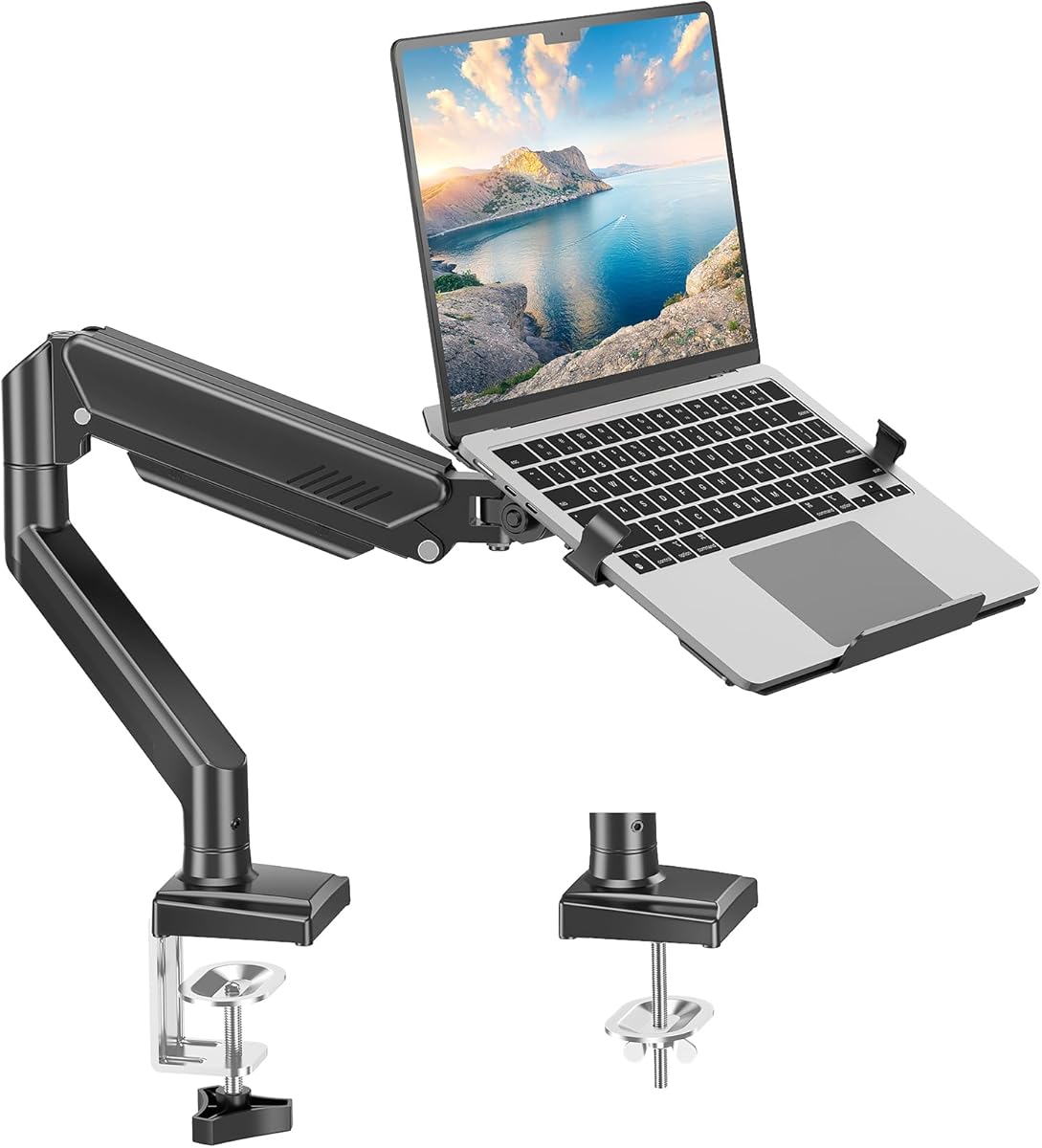
4.4Editor score

4.6Editor score
As an Amazon Associate we earn from qualifying purchases.
Below is a side-by-side comparison of the ten selected laptop tray desk mount options to help you quickly identify the model that best fits your specific needs and budget.


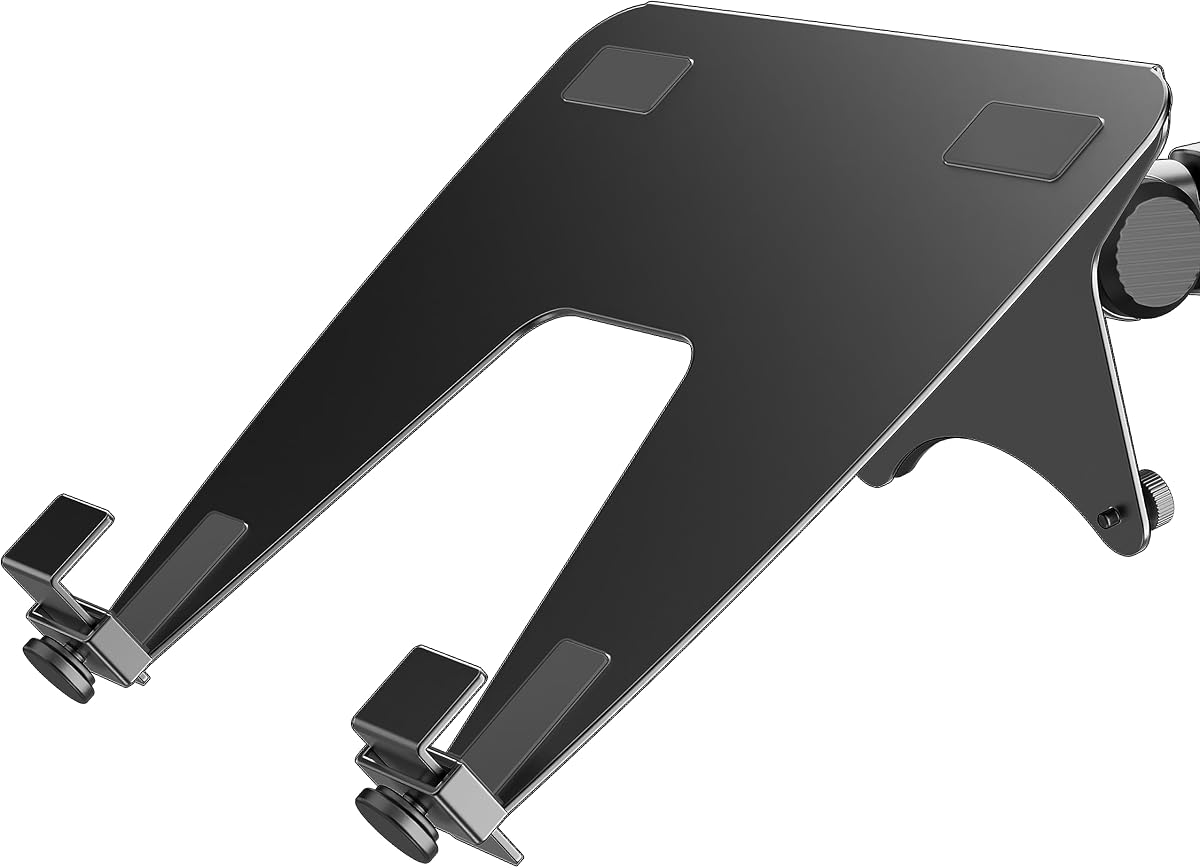
The MOUNT PRO Laptop Arm Mount stands out as our top pick for its versatile 2-in-1 design and full-motion adjustment capabilities that accommodate both laptops and monitors seamlessly.
We may earn a commission when you buy through this link, at no additional cost to you.
Its stable aluminum construction supports devices up to 22 lbs while the ventilated tray with anti-slip pads ensures your laptop stays cool and secure during long work sessions or gaming.
While it does not support curved screens and the tray should not rotate to a vertical position for safety, these minor trade-offs are acceptable given its strong build quality and ease of setup.
Anyone looking for a reliable way to elevate their screen and free up desk space will find this mount an excellent investment for improving their daily workflow and ergonomic comfort.
Simply remove the tray to switch from laptop mode to supporting monitors ranging from 13 to 32 inches with standard VESA patterns for maximum flexibility.
The ventilated tray maximizes airflow to prevent overheating while six anti-slip pads and latches keep your device firmly in place during movement.
We may earn a commission when you buy through this link, at no additional cost to you.
The HUANUO Laptop Desk Mount offers exceptional value for budget-conscious buyers who still want a sturdy and adjustable solution for their workspace needs.
We may earn a commission when you buy through this link, at no additional cost to you.
Its ventilated tray featuring 240 cooling holes helps prevent overheating while the 15 inch pole allows for significant height adjustments to reduce neck and eye strain.
Although the cable management clips are basic and it is designed for wooden desks, these limitations are minor compared to its affordable price and reliable performance.
Students and home office workers seeking an ergonomic setup without breaking the bank will appreciate this mount's ability to transform their desk into a tidy and efficient workspace.
The tray design includes 240 holes that allow air to circulate freely beneath your device to keep it running cool during intense tasks.
By elevating your laptop you free up valuable space underneath for your keyboard and mouse while routing wires along the arm to keep things neat.
We may earn a commission when you buy through this link, at no additional cost to you.
The monTEK 2-in-1 Laptop and Monitor Desk Mount delivers premium performance with its durable steel and aluminum construction that ensures stability for even the heaviest devices.
We may earn a commission when you buy through this link, at no additional cost to you.
Its full motion adjustable arm allows for precise positioning while the ergonomic detachable tray supports laptops from 12 to 18 inches and can be removed for monitor use up to 32 inches.
While it comes at a slightly higher price and setup may require some patience, the robust build quality and versatile features justify the investment for professional users.
Designers and power users who need a reliable and flexible mounting solution for their high-end laptops will find this model offers the stability and adjustability they require.
Made from durable steel and aluminum this mount provides a solid foundation that prevents wobbling and ensures your device remains secure at any angle.
The dual-mode design lets you switch seamlessly between laptop and monitor setups maximizing desk space while maintaining an organized and clutter-free environment.
We may earn a commission when you buy through this link, at no additional cost to you.
The WALI Adjustable Laptop Desk Mount provides a reliable solution with its dual mounting options that allow for either a C-clamp or Grommet installation on various desk types.
We may earn a commission when you buy through this link, at no additional cost to you.
Its high-grade arms offer extensive extension and rotation while the ventilated cooling design ensures your laptop stays cool during prolonged use without overheating issues.
Although the mount plates are detachable which may be less convenient for some and height adjustment is limited to 16 inches the overall ergonomics remain strong for most users.
This mount is a solid choice for those seeking a dependable option with good support and the ability to customize their viewing experience to reduce strain effectively.
Choose between a C-clamp or Grommet mount depending on your desk thickness to ensure a secure and stable setup without damaging your workspace surface.
Customize your viewing angle with tilt swivel and rotation options that help maintain a healthy posture and reduce fatigue during long work sessions.
We may earn a commission when you buy through this link, at no additional cost to you.
The VIVO Single Laptop Notebook Desk Mount Stand is designed for users who want a straightforward and effective way to elevate their devices without complicated installation steps.
We may earn a commission when you buy through this link, at no additional cost to you.
It supports devices up to 17 inches and offers full articulation including tilt swivel and rotation while integrated cable clips keep your workspace looking tidy and professional.
The heavy-duty C-clamp can feel bulky and the grommet option has thickness limitations yet these are minor issues given the overall flexibility and solid build of the stand.
Anyone needing a versatile stand that doubles as a monitor mount and requires minimal setup effort will find this VIVO model a practical and reliable addition to their office.
Secure your mount to your desk choice using the included C-clamp or grommet base without needing to drill holes or use permanent modifications to your furniture.
Keep power and AV cords organized with detachable clips on the arms and center pole to prevent tangles and maintain a clean desk environment.
We may earn a commission when you buy through this link, at no additional cost to you.
This HUANUO model is particularly strong for users who want to switch between a laptop and a larger monitor since it supports displays up to 32 inches with robust stability.
We may earn a commission when you buy through this link, at no additional cost to you.
The 14 by 12 inch ventilated tray helps keep your laptop cool while the arm extends fully to provide excellent flexibility for finding your ideal viewing position.
It is important to note that it fits wooden desks only and screws must be tightened carefully to avoid loosening over time but these are minor points of caution.
Professionals with wooden desks looking for a reliable dual-purpose mount will appreciate its capacity to handle heavier devices and its straightforward setup process.
Whether you use a 13 inch notebook or a 32 inch monitor the arm adapts to your device with proper VESA compatibility and sufficient weight support.
The breathable tray design avoids overheating by allowing airflow around your laptop ensuring it performs efficiently even during demanding computing tasks.
We may earn a commission when you buy through this link, at no additional cost to you.
The HUANUO 2 in 1 Function Laptop Mount offers impressive flexibility with a full range of motion that lets you adjust tilt swivel and rotation to suit any task.
We may earn a commission when you buy through this link, at no additional cost to you.
Its ventilated tray keeps your notebook cool while anti-slip pads and Velcro straps ensure your device remains secure during use preventing unwanted movements or slips.
While the grommet and C-clamp options have specific thickness ranges the pre-assembled arm makes setup quick and hassle-free for most standard desk configurations available.
Users needing a versatile and secure mounting solution with extensive movement options will find this model an excellent fit for creating a dynamic and ergonomic workstation.
Six anti-slip pads along with Velcro straps provide a secure hold on your laptop keeping it stable even when you adjust the arm to different angles.
The VESA mounting plate and laptop arm come pre-assembled allowing you to attach the mount to your desk with minimal effort and time investment.
We may earn a commission when you buy through this link, at no additional cost to you.
This VIVO model offers a unique approach by allowing you to rotate the tray 360 degrees and store it under your desk for a clean and uncluttered workspace surface.
We may earn a commission when you buy through this link, at no additional cost to you.
The rotating clamp secures your laptop tightly while the C-Clamp holds everything in place without damaging your desk top as long as it is within the thickness limit.
It requires about 31 inches of clearance for full rotation and supports up to 11 lbs which is lighter than other options but ideal for lighter portable laptops easily.
If you want a discreet solution that saves visible desk space and allows for ergonomic typing angles this tray provides a smart and functional design for your desk.
Pivot the tray a full 360 degrees to customize your placement and keep your device ready for use without taking up permanent desktop real estate.
Rotate the tray under your desk when not in use to free up space and maintain a minimalist look while keeping your laptop accessible when needed.
We may earn a commission when you buy through this link, at no additional cost to you.
The Suptek Single Laptop Notebook Desk Mount is designed to help you reduce neck and shoulder strain by positioning your screen at an optimal height and angle comfortably.
We may earn a commission when you buy through this link, at no additional cost to you.
It offers a fully adjustable arm with significant rotation and tilt while integrated cable and slot management keeps your workspace organized and free of loose wires or tangles.
Although the weight capacity is slightly lower than some premium models and tray details vary this mount remains an effective solution for standard laptops and small monitors alike.
Workers seeking an ergonomic improvement to their desk setup will find this mount helps maintain healthy posture while keeping their essential equipment tidy and within easy reach.
Position your monitor at the optimal viewing height and distance to relieve fatigue and improve comfort during long hours of work or gaming sessions.
Manage cables effectively with included clips and slots to prevent mess and ensure a professional and efficient desk environment for your daily tasks.
We may earn a commission when you buy through this link, at no additional cost to you.
This ergounion tray is ideal for users who already own a VESA monitor arm and need a heavy-duty laptop attachment that can support larger gaming laptops without wobbling.
We may earn a commission when you buy through this link, at no additional cost to you.
It features a U-shaped hollow design for heat dissipation and secure bottom-edge clips that ensure all your side ports remain accessible without any cable obstruction at all.
The 100x100mm VESA pattern requirement and recommendation for a desk mat in desktop mode are specific considerations but the industrial-grade steel offers reliable long-term durability.
Anyone wanting to upgrade a standard monitor arm into a full laptop workstation will find this tray a strong and secure addition that protects their device during use.
Crafted from heavy-duty alloy steel this tray is built to hold even the heaviest laptops securely ensuring your device stays safe and jitter-free during typing.
Secure bottom-edge clips replace side clamps to keep your USB HDMI and power ports fully accessible for a cleaner and more flexible cable management setup.
We may earn a commission when you buy through this link, at no additional cost to you.
Choosing the right laptop tray desk mount requires evaluating several key factors to ensure it fits your device and workspace needs effectively.
Ensure the mount supports the size and weight of your laptop or monitor as most models fit up to 17 inch devices and can hold around 22 lbs comfortably.
Always check the product specifications against your device to confirm it will remain stable and secure when raised to eye level.
Most mounts come with both C-clamp and Grommet options but you must verify your desk thickness matches the required range for a secure installation.
Wooden desks are typically required so check if your furniture material is compatible before purchasing to avoid installation issues.
Look for mounts that offer tilt swivel and rotation adjustments to find the perfect viewing angle that reduces neck and eye strain over time.
The ability to adjust height is crucial for positioning your screen at the optimal level for a comfortable and healthy sitting posture.
Durable materials like aluminum or steel ensure the mount remains stable without wobbling even when you extend the arm or adjust angles frequently.
Strong construction prevents wear and tear over time which is essential for maintaining safety and performance during daily use.
A ventilated tray with holes or hollow designs helps airflow reach your laptop to prevent overheating during long work sessions or gaming.
Proper cooling extends the lifespan of your device so prioritize models with dedicated airflow features if you use your laptop heavily.
Integrated clips or guides along the arms help keep your power and data cords organized and out of the way for a tidy workspace.
Good cable management prevents clutter and makes it easier to adjust your setup without tangling wires or disconnecting connections.
Choose a model that comes with clear instructions and necessary tools so you can assemble it quickly without professional help or extra purchases.
Pre-assembled parts or simple clamp mechanisms save time and effort making it easier to get your ergonomic setup running immediately.
Some mounts offer a 2-in-1 design that lets you use a tray for laptops or remove it to support monitors with standard VESA patterns.
This flexibility is ideal if you switch between devices often or want to future-proof your workspace for different screen options.
To use your laptop tray desk mount effectively start by securing it firmly to your desk using the provided C-clamp or Grommet base ensuring the desk thickness matches the required range.
Position your laptop on the tray and secure it with any provided anti-slip pads or clips then adjust the arm to tilt swivel or rotate until the screen is at eye level for comfortable viewing.
Regularly check and tighten the joints and clamps to prevent wobbling over time clean the surfaces with a soft cloth to remove dust and avoid placing heavy objects on the tray to maintain stability.
Most laptop tray desk mounts work with desk thicknesses ranging from 0.39 inches to 3 inches but always check the specific product manual for exact limits before purchasing.
Generally these mounts are designed for wooden desks only so using them on metal or glass surfaces may not be secure and could lead to instability or damage.
Choose a tray with ventilated holes or a hollow design to allow airflow beneath the laptop and avoid placing thick mats under the tray that might block heat dissipation.
Some mounts do not support curved screens so verify the product specifications to confirm compatibility if you plan to use a curved monitor instead of a flat laptop.
Most models can support up to 22 lbs which is sufficient for standard laptops and monitors but always check the limit if you have a heavy gaming laptop or large display.
Yes most models include all necessary tools and hardware such as clamps screws and cable clips so you can install them quickly without needing extra accessories.
The MOUNT PRO Laptop Arm Mount offers the best overall balance of versatility and ergonomic features making it our top pick for those seeking reliable dual-device support.
When selecting a model prioritize factors like build quality adjustability and ventilation to ensure your workspace remains organized and comfortable during long daily sessions.
Remember to check current availability and details before purchasing as product offerings may change and the best choice depends on your specific desk and device needs today.