
Brother HL-L3220CDW
3.9Editor score
Compact professional design
Affordable entry price
Reliable duplex feature
This guide compares the top duplex color laser printers for office and home use, evaluating speed, connectivity, print quality, and reliability to help you
Finding the right duplex color laser printer can transform your workspace efficiency. These machines handle double-sided printing automatically, saving paper and time while delivering vibrant professional results for documents and graphics.
We evaluated ten top models based on speed, connectivity options, and user reviews. Our analysis focuses on how well each printer handles daily office demands while maintaining consistent output quality across various document types.
Each pick highlights specific strengths like wireless ease or high volume capacity. Remember that product availability and pricing fluctuate, so verify current details before making your final purchasing decision.
3.9Editor score

4.2Editor score

4.4Editor score
Below you will find a detailed side-by-side comparison of all ten selected models, highlighting their key specifications and distinct features to assist your selection process.


The Canon Color imageCLASS MF753Cdw II stands out as a top choice for modern offices requiring versatile printing solutions. With a solid user rating, it offers seamless integration of print, scan, copy, and fax functions.
We may earn a commission when you buy through this link, at no additional cost to you.
Its standout quality is the ability to handle color duplex printing effortlessly. This saves significant paper and reduces waste while maintaining high-quality output for professional documents and marketing materials.
Wireless connectivity ensures smooth operation across multiple devices without cluttering desks with cables. The interface is intuitive, allowing staff to navigate settings quickly and print jobs efficiently.
While the cost is higher than basic models, the efficiency gains justify the investment for active workspaces. It is ideal for teams needing reliable multifunction capabilities.
By combining multiple functions into one unit, this printer streamlines daily workflows and reduces the need for separate devices.
Automatic two-sided printing reduces paper consumption significantly over time, making it an environmentally friendly and budget-conscious choice.
We may earn a commission when you buy through this link, at no additional cost to you.
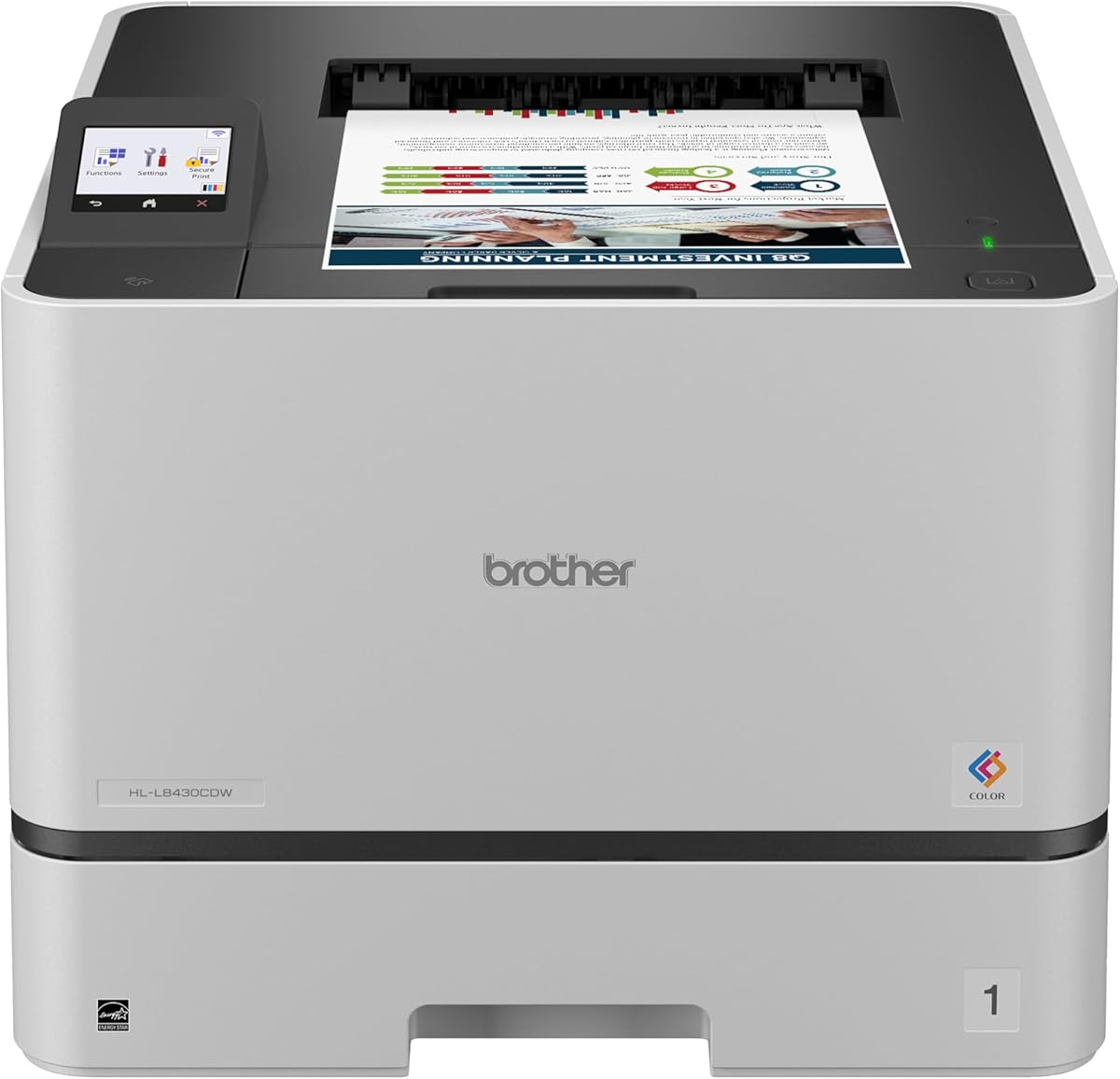
The Brother HL-L3220CDW provides excellent value for home offices needing professional color results without breaking the bank. It delivers consistent performance suitable for small business document requirements.
We may earn a commission when you buy through this link, at no additional cost to you.
Key strengths include its automatic duplex printing and generous 250-sheet paper tray. These features minimize interruptions and allow users to focus on work rather than reloading paper frequently.
Wireless capabilities enable printing from smartphones and laptops easily. Security protocols help protect sensitive business documents during transmission over local networks.
Users prioritizing cost over raw speed will find this model satisfying. It is a practical choice for those needing essential laser color quality on a budget.
Seamless wireless connections allow team members to print directly from their devices without complex network configurations.
The straightforward design reduces the likelihood of jams and makes toner replacements simple for non-technical users.
We may earn a commission when you buy through this link, at no additional cost to you.
This Canon model is designed for users who only need robust printing capabilities without additional multifunction complexity. It excels at delivering quick color output for busy work environments.
We may earn a commission when you buy through this link, at no additional cost to you.
The high speed of 26 ppm ensures that waiting times are minimal. This efficiency is crucial during peak hours when multiple team members need to print documents rapidly.
Setting up the wireless connection is straightforward, allowing rapid deployment in office settings. The large toner capacity helps reduce the frequency of replacements.
While it lacks scanning features, the focus on speed and reliability makes it a strong contender for dedicated printing stations. It is suitable for teams using separate scanners.
With rapid processing and printing times, this unit keeps workflow moving without delays caused by slower machinery.
Certified for energy efficiency, this printer helps reduce overall office utility costs while maintaining high output standards.
We may earn a commission when you buy through this link, at no additional cost to you.
The Brother MFC-L3720CDW combines essential office tools into one reliable package. It delivers professional-quality laser output that enhances document presentation and clarity.
We may earn a commission when you buy through this link, at no additional cost to you.
Its productivity power comes from the auto document feeder and intuitive touchscreen interface. Users can manage cloud services directly from the device, simplifying document workflows significantly.
Mobile integration allows remote management and monitoring of toner levels. This convenience helps prevent unexpected shortages and downtime during critical printing tasks.
This unit is ideal for small businesses needing a balance of features and performance. It supports modern workflows by connecting easily with various cloud platforms.
Direct access to cloud services enables users to scan and save files directly to online storage without using a computer.
Dual-band networking ensures stable connections even in busy office environments with many competing Wi-Fi signals.
We may earn a commission when you buy through this link, at no additional cost to you.
For high demand environments, this Brother model offers exceptional speed and security. It is designed to handle heavy workloads while maintaining crisp color output consistently.
We may earn a commission when you buy through this link, at no additional cost to you.
The advanced security features protect sensitive business data during printing and scanning processes. Triple layer security ensures networks and devices remain safe from unauthorized access.
A large touchscreen simplifies complex tasks like scanning to cloud or email. The speed of 33 ppm ensures that high volume jobs are completed rapidly.
This printer is best suited for established businesses prioritizing security and efficiency. The investment pays off through reduced downtime and enhanced document safety.
Integrated security protocols and NFC readers ensure that only authorized personnel can access specific print jobs or sensitive documents.
EPEAT Gold rating and recycled materials reflect a commitment to sustainability alongside high performance standards.
We may earn a commission when you buy through this link, at no additional cost to you.
This Brother unit is a reliable workhorse for small offices needing steady performance. It delivers dependable results for daily printing tasks without frequent errors.
We may earn a commission when you buy through this link, at no additional cost to you.
The speed of 27 ppm ensures efficient throughput. Combined with automatic duplex printing, it reduces paper usage while speeding up job completion times.
Users can print from various cloud apps directly via the touchscreen. This flexibility supports modern work habits where documents are stored online.
It is a solid choice for those needing Ethernet connectivity alongside wireless. The refresh trial adds value by potentially lowering initial toner costs.
Integrated cloud services allow quick printing of documents from sources like Google Drive without needing a PC intermediate step.
Consistent digital color printing ensures that every page looks professional, which is crucial for client-facing materials.
We may earn a commission when you buy through this link, at no additional cost to you.
The Canon MF665Cdw offers a balanced approach for home and office users needing fax and scanning. Its speed ensures minimal waiting time for document processing.
We may earn a commission when you buy through this link, at no additional cost to you.
A large touchscreen with customizable access helps users find features quickly. The first print time is quick, keeping workflow smooth during busy periods.
Chromebook compatibility makes it an excellent choice for schools or modern home offices. A three-year warranty provides peace of mind regarding longevity.
It is well-suited for users who value flexibility and support. The high yield toner helps manage ongoing operational costs effectively.
The application library allows users to tailor the display to their most used functions, speeding up daily tasks.
A three-year limited warranty ensures that users have long-term protection against potential manufacturing defects.
We may earn a commission when you buy through this link, at no additional cost to you.
This model simplifies office needs by removing fax functions while keeping print scan and copy intact. It delivers quick results that keep tasks moving forward.
We may earn a commission when you buy through this link, at no additional cost to you.
The 26 ppm speed ensures that pages are ready quickly. High yield toner reduces the need for frequent changes, which helps maintain consistent output.
Easy wireless setup means staff can get started immediately without IT assistance. Mobile printing options ensure that documents can be sent from anywhere.
It is an ideal choice for those needing basic multifunction tools. The warranty adds value by protecting the purchase over a long period.
By focusing on core tasks like printing and copying, the device remains easy to use without unnecessary complexity.
High capacity toner options mean fewer replacements are needed, saving money over the lifespan of the printer.
We may earn a commission when you buy through this link, at no additional cost to you.
HP continues to be a trusted choice for professional printing needs. This model offers vivid colors that make documents stand out in a meeting.
We may earn a commission when you buy through this link, at no additional cost to you.
Dual-band Wi-Fi with self-reset helps maintain connectivity. If the network drops, the printer automatically attempts to reconnect, ensuring availability.
The TerraJet toner provides consistent quality throughout the cartridge life. It is designed to deliver vibrant results that reflect well on business branding.
Users should note the strict cartridge policies before buying. However, for those valuing brand support, this is a reliable option.
HP printers are known for consistent performance and support, giving users confidence in their daily operations.
Self-resetting wireless technology minimizes downtime by automatically resolving common connection errors without user intervention.
We may earn a commission when you buy through this link, at no additional cost to you.
Designed for demanding business environments, this printer handles high volume without compromising quality. The speed ensures that large jobs are processed quickly and efficiently.
We may earn a commission when you buy through this link, at no additional cost to you.
Security features like NFC readers help protect documents. This is vital for offices handling sensitive information that requires secure handling protocols.
Expandable trays mean the printer can grow with your needs. The eco-friendly certification shows a commitment to sustainable manufacturing and energy use.
It is a great choice for teams needing durability and speed. The low-cost printing options help manage budgets over the long term.
With expandable trays, you can increase paper capacity to match growing office demands without replacing the machine.
Built-in value with standard toner and options for high-yield replacements helps keep per-page costs low.
We may earn a commission when you buy through this link, at no additional cost to you.
Selecting the right printer requires understanding specific needs and features that impact daily use. This guide covers key factors to consider before purchasing.
Speed is measured in pages per minute and affects how quickly jobs are completed. Look for models that offer at least 20 ppm for smooth workflow without bottlenecks.
Quality depends on resolution and toner type. Ensure the printer produces crisp text and vibrant graphics to meet professional standards.
Wireless connectivity allows printing from various devices without cables. Dual-band Wi-Fi offers better stability in busy offices with many signals.
Consider if you need Ethernet for direct network connections or NFC for secure mobile access. These options enhance flexibility for team usage.
A larger paper tray reduces the frequency of refills. Standard trays hold around 250 sheets, but expandable options are available for high-volume users.
Check for multipurpose trays if you often print on envelopes or specialty media to avoid manual feeding every time.
Decide if you need scanning copying and faxing or just printing. All-in-one models save space but may cost more than single function units.
If your workflow requires frequent scanning, ensure the ADF capacity supports your needs to avoid slow manual feeding.
Business printers should include security protocols to protect sensitive data. Look for features like encrypted transmission and secure release printing.
Advanced models may offer NFC card readers to ensure only authorized staff can access printed documents from the output tray.
Evaluate the cost per page by checking toner yield. High-capacity cartridges may have a higher upfront cost but save money over time.
Check if the printer uses standard or proprietary toners. Proprietary options can sometimes be more expensive to replace than generic alternatives.
A longer warranty period provides peace of mind against defects. Check if the warranty covers parts and labor for a reasonable duration.
Customer support availability is crucial for resolving issues quickly. Ensure the brand offers reliable channels for technical assistance.
Consider the physical footprint of the printer to ensure it fits your workspace. Compact designs are better for home offices with limited room.
A user-friendly interface with a touchscreen simplifies operation. A well-designed layout helps staff navigate settings without confusion.
To ensure optimal performance, always load paper correctly into the tray. Avoid overfilling the cassette to prevent paper jams and ensure smooth feeding during print jobs.
Clean the scanner glass and exterior regularly to maintain print quality. Dust and debris can affect scanning results so use a soft lint-free cloth for cleaning.
Keep firmware updated to benefit from security patches and performance improvements. Most modern printers offer automatic updates but verify settings in the menu regularly.
Yes, duplex printing saves paper and reduces costs over time. It also looks more professional for documents like reports and brochures. Most modern laser printers make this feature standard.
Use the printer's setup menu to connect to your Wi-Fi network. Most brands provide a mobile app to guide you through this process. Ensure your device is on the same network.
Standard toner usually yields around 2,000 to 3,000 pages. High-capacity cartridges can last significantly longer and reduce the frequency of replacements.
Yes, most modern models support mobile printing via apps like AirPrint or Mopria. You can send documents directly from your smartphone or tablet without a computer.
Replacement depends on usage volume. Monitor the toner level via the printer display or mobile app to know when to order new cartridges.
Laser printers are generally faster and better for text documents. Inkjets may be better for high-quality photos. For office use, lasers are often more cost-effective.
Turn off the printer and open the doors to remove stuck paper gently. Ensure paper is loaded correctly and not wrinkled to avoid future jams.
A touchscreen simplifies navigation and allows direct cloud access. It makes it easier to customize shortcuts and manage print settings efficiently.
We reviewed ten models ranging from budget-friendly to high-end business solutions. Each offers unique strengths depending on your specific workflow requirements and office size.
Prioritize speed and connectivity if you manage a busy team. For home offices, reliability and cost-effectiveness might be more important factors to consider.
Always verify current pricing and availability before purchasing. Models and features change frequently so checking latest details ensures you get the best value.