
Pezin & Hulin Bamboo Charging Station
4.3Editor score
Natural bamboo construction
Includes five cables
Holds six devices
Explore our expert guide comparing the top charging docks for multiple smartwatches to find the perfect organizer for your devices.
Finding the right charging dock for multiple smartwatches ensures your devices stay powered and organized. A good dock prevents tangled cables and keeps your desk tidy.
We compared ten top-rated docks based on port count, build quality, and compatibility. This list covers options for Apple, Android, and mixed-device setups.
Each pick highlights unique features and strengths. Note that prices and availability change frequently, so check current listings before purchasing.
4.3Editor score

4.6Editor score

4.4Editor score
Here is a side-by-side comparison of all ten selected charging docks to help you choose the best fit.


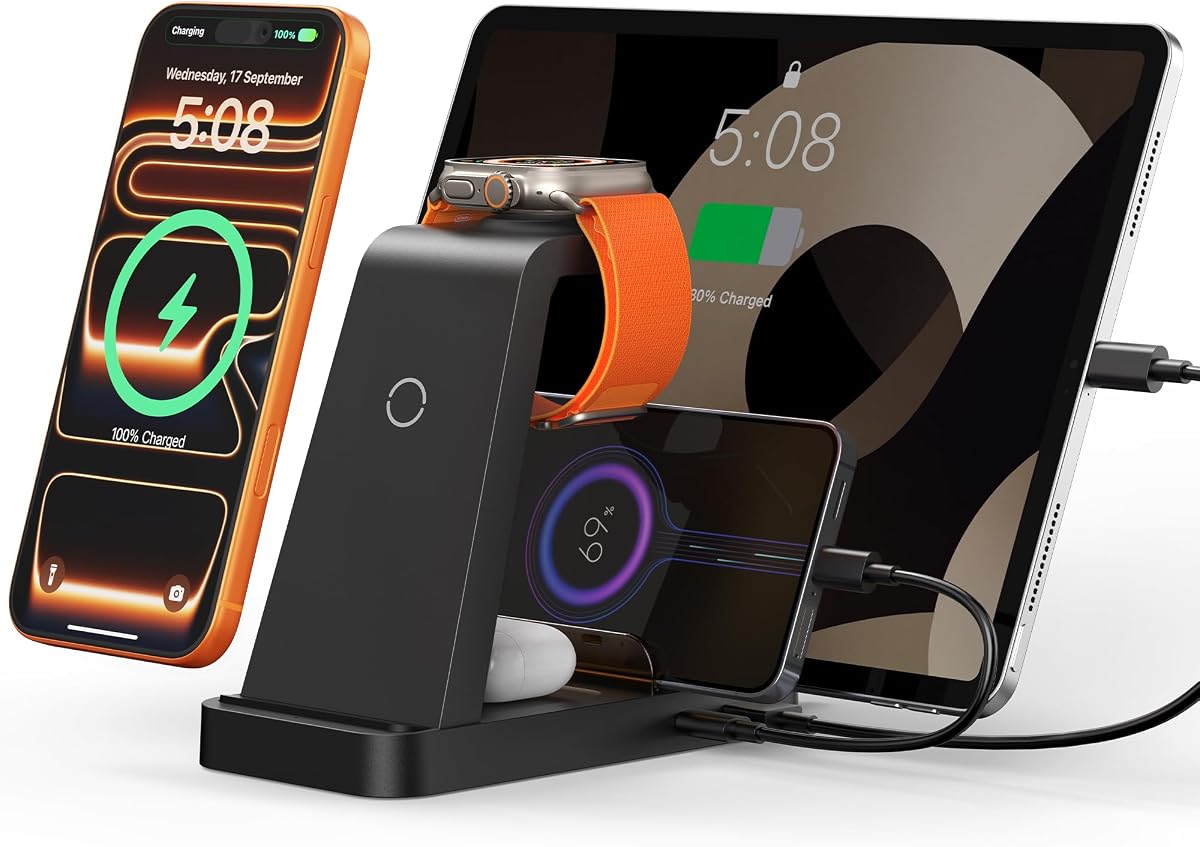

This powerful dock offers a 320W output with ten ports for simultaneous charging. It earns top marks for its speed and versatility.
We may earn a commission when you buy through this link, at no additional cost to you.
The five USB-C and five USB-A ports support fast charging up to 65W. Eight cables are included for convenience and organization.
Its size may be too large for small desks. Also, the Apple watch holder is present but does not include the cable.
This dock is ideal for families or offices with many devices needing quick, reliable charging daily.
The 65W USB-C ports can boost phones from 20% to 80% in just thirty minutes.
Built-in smart chips detect devices to prevent overcharging and ensure safe current delivery.
We may earn a commission when you buy through this link, at no additional cost to you.
This bamboo station blends style and function while holding six devices. It is a solid choice for those who prefer natural materials.
We may earn a commission when you buy through this link, at no additional cost to you.
The package includes a USB charger, five cables, and an extra hanging stand for a smartwatch. The magnetic base simplifies assembly.
Five ports may not suffice for very large households. The lack of an on-off switch can be inconvenient.
Choose this if you want an attractive, eco-friendly organizer for moderate device needs.
The wide base compartment hides cables and hubs to keep your desk looking clean.
Removable covers and magnetic bases make this unit easy to assemble and disassemble.
We may earn a commission when you buy through this link, at no additional cost to you.
A standout choice, this station features a smart cooling fan to manage heat during extended charging sessions. It supports up to ten devices.
We may earn a commission when you buy through this link, at no additional cost to you.
Ten ports split between USB-C and USB-A allow for versatile connections. Adjustable dividers accommodate thicker cases easily.
The fan might generate noise in quiet spaces. The white plastic finish could show dirt over time.
Perfect for high-usage environments where heat management is crucial for device longevity.
The heat dissipation system activates automatically to protect against overheating and short circuits.
Eleven sturdy dividers let you customize the layout for different tablet and phone sizes.
We may earn a commission when you buy through this link, at no additional cost to you.
This upgraded version features stronger magnetic bases and durable bamboo construction. It keeps your desk neat and organized.
We may earn a commission when you buy through this link, at no additional cost to you.
With five ports and included cables, it meets the needs of most standard setups. The removable cover aids setup.
It lacks a dedicated watch holder found in other models. Slots are not as adjustable as some competitors.
Ideal for users who want a sturdy bamboo option with reliable organization.
Durable bamboo prevents cracking compared to plastic baffles in other stations.
A compact structure fits well in various areas like offices or bedrooms.
We may earn a commission when you buy through this link, at no additional cost to you.
This dock adds warmth to any space with its natural bamboo design. It organizes up to eight devices effectively.
We may earn a commission when you buy through this link, at no additional cost to you.
The magnetic base ensures stability. Six short cables are included, but you must supply your own adapter.
Customer ratings are lower than average. The lack of an adapter increases total cost.
Choose this if aesthetics are a priority and you already have compatible adapters.
Elegant bamboo construction adds a warm touch to home or office settings.
The magnetic base keeps devices secure and prevents slips or falls.
We may earn a commission when you buy through this link, at no additional cost to you.
Designed to be portable, this station fits easily into bags or small corners. It provides six smart USB ports.
We may earn a commission when you buy through this link, at no additional cost to you.
It includes a Type-A to Type-C adapter for watch support. Each slot has a silicone pad to protect devices.
The watch cable is not included. Six ports limit simultaneous charging for larger groups.
Great for travelers or those with fewer devices needing a reliable portable solution.
Compact dimensions make it easy to carry for use in hotels or offices.
Silicone pads in each slot prevent scratches and sliding.
We may earn a commission when you buy through this link, at no additional cost to you.
This portable station uses wireless charging to reduce cable clutter. It folds flat for easy transport.
We may earn a commission when you buy through this link, at no additional cost to you.
It supports iPhone, Apple Watch, and AirPods. Indicator lights show charging status clearly.
Wireless charging requires thin cases. Some Android devices may lack support.
An excellent choice for travelers wanting wireless convenience on the go.
The unit folds 180 degrees for compact storage in bags.
Overheat and foreign object detection protect your devices during use.
We may earn a commission when you buy through this link, at no additional cost to you.
This station comes with seven short cables covering most legacy devices. It charges up to five devices simultaneously.
We may earn a commission when you buy through this link, at no additional cost to you.
A power switch gives a quick visual indication. Removable dividers adapt to different sizes.
Lack of USB-C support limits modern high-speed charging. Dividers may require adjustment.
Suitable for households with older devices needing a simple, cable-included setup.
Includes iOS, Android, and Type-C cables to cover various needs.
The power switch offers a clear indication of status.
We may earn a commission when you buy through this link, at no additional cost to you.
Designed specifically for Apple devices, this dock supports iPhone, Apple Watch, and AirPods wirelessly. It includes a 36W adapter.
We may earn a commission when you buy through this link, at no additional cost to you.
The stand holds the iPhone upright. Vents help dissipate heat effectively.
Removing cases is required for charging. Limited to Apple ecosystem mostly.
Ideal for Apple users seeking a streamlined wireless setup.
The 36W adapter charges up to five devices in two to three hours.
Sixteen air vents help keep devices cool during operation.
We may earn a commission when you buy through this link, at no additional cost to you.
This multifunctional dock adds an alarm clock and night light to your desk. It charges iPhone and Apple Watch wirelessly.
We may earn a commission when you buy through this link, at no additional cost to you.
Brightness levels adjust for sleep. The magnetic hold ensures stability.
AirPods need cable charging. Samsung and Android phones are not supported.
Best for Apple users wanting a bedside clock with charging.
Includes a digital alarm clock with adjustable brightness and snooze.
Seven color night light options create a warm atmosphere.
We may earn a commission when you buy through this link, at no additional cost to you.
Selecting the right dock requires considering power, ports, and compatibility.
Determine how many devices you need to charge at once. If you have many gadgets, a dock with at least six to ten ports is ideal.
Choose enough ports to avoid swapping cables frequently.
Look for a station with enough total wattage to handle simultaneous charging without slowing down. Higher wattage ensures faster charging.
Check that USB-C ports support fast charging standards for modern devices.
Materials like flame-retardant ABS or bamboo offer durability and style. A sturdy base prevents tipping when devices are heavy.
Prioritize models with anti-slip pads for added safety.
Ensure the dock has a dedicated spot or magnetic support for your specific smartwatch. Some docks include watch stands but not cables.
Verify if the dock supports the charging style of your watch.
Having cables included saves extra purchases. Check that the types match your devices, such as USB-C, Lightning, or Micro USB.
A good set of cables makes setup immediate and convenient.
Overheat and overcharge protection are vital for safety. Smart chips can detect devices and manage current automatically to prevent damage.
Look for certifications like FCC or CE to ensure reliability.
The dock should fit your desk space. Adjustable dividers help manage different device sizes and keep the layout flexible.
A compact design is better for travel or small rooms.
Balance cost with features. A slightly higher price may be worth the extra cables and safety features. Warranty terms can vary.
Review warranty options to ensure long-term support.
First, plug the dock into a power source and connect the adapter securely. Check that all ports are functioning before placing devices.
When placing devices, align them with the dividers or stands. Ensure cables are not twisted or pinched.
Regularly wipe the dock with a dry cloth to remove dust. Avoid using liquids directly on the unit to prevent damage.
Many docks support fast charging if they include USB-C ports with Power Delivery. Check product specs to confirm compatibility with your device.
Yes, most docks with USB-A and USB-C ports work with both. Some models focus on Apple but include universal cables for Android devices.
Wireless docks often require thin cases for charging. Wired stations usually allow thick cases. Check the product details for limits.
This varies by model. Some include watch holders but not cables. Always read the package contents carefully before purchasing.
Use a dry or slightly damp cloth to wipe the surface. Do not soak the unit in water as electronics are not waterproof.
Most modern docks have overcharge protection. However, unplugging them when not in use is best practice for energy savings.
Some docks include the adapter, while others require you to supply one. Check if the product states the adapter is included.
Contact customer support immediately. Many brands offer replacement cables to maintain the convenience of the dock system.
Our top picks range from the 320W Charging Station for power to the 50W 6 Port Charger for portability. Each offers unique advantages.
Prioritize what matters most to you, such as port count, cable inclusions, or smartwatch support. Balance your needs with your desk space.
Remember to check current prices and availability before buying. A good dock keeps your tech organized and powered for daily use.