
Acer 21.5in FHD 1920×1080 100Hz Office Monitor KB220Q H2bi
4.6Editor score
100Hz Refresh Rate
Adaptive Sync Support
ZeroFrame Design
1ms Response Time
Finding the right display is crucial for productivity and entertainment. An HDMI LED monitor offers sharp visuals and reliable connectivity for various setups. We analyzed key features like refresh rate and color accuracy to help you choose the perfect screen for your needs today.
Our team evaluated ten top-rated models based on real-world performance and user feedback. We compared panel types, connectivity options, and ergonomic features across different price points. This list covers everything from budget-friendly office screens to high-performance gaming displays available now.
Each pick highlights specific strengths such as eye care technology or fast response times. We include detailed specs and pros to help you decide quickly. Remember that product availability and pricing can change frequently so verify details before making your final purchase decision online.
4.6Editor score

4.7Editor score

4.6Editor score
As an Amazon Associate we earn from qualifying purchases.
This side-by-side comparison highlights the key specifications of all ten selected monitors to help you find the best fit for your specific workflow and budget requirements quickly.





This Dell monitor stands out with its impressive 144Hz refresh rate and IPS panel technology. It delivers fluid visuals for both gaming and work while maintaining consistent colors across wide viewing angles. The TÜV certification adds peace of mind for users concerned about eye strain during long sessions.
We may earn a commission when you buy through this link, at no additional cost to you.
The 1ms MPRT ensures that fast-moving images remain sharp without distracting ghosting effects. Users will appreciate the AMD FreeSync support which reduces screen tearing during intense gaming scenarios. The thin bezels create a modern look that fits well in any office or home setup.
While the stand only offers tilt adjustment which some users might miss full height or pivot options. The lack of a USB hub limits connectivity convenience compared to higher-end models. However these trade-offs are acceptable given the strong performance and competitive positioning in the market.
Recommend this Dell monitor for anyone seeking a balance between performance and eye comfort. It is ideal for casual gamers and professionals who need reliable visuals without breaking the bank. The combination of IPS quality and high refresh rate makes it a versatile choice for daily use.
The 144Hz refresh rate ensures smooth scrolling and rapid frame updates. This reduces motion blur significantly compared to standard 60Hz displays.
TÜV Rheinland 3-star certification confirms low blue light emissions. This helps protect vision during extended daily usage periods.
We may earn a commission when you buy through this link, at no additional cost to you.
The Acer KB220Q offers exceptional value with a 100Hz refresh rate at a budget-friendly price. Its ZeroFrame design maximizes screen real estate making it great for multi-monitor setups. Fast response times ensure that competitive gaming remains smooth and responsive without lag.
We may earn a commission when you buy through this link, at no additional cost to you.
Adaptive-Sync technology matches your graphics card output to prevent screen tearing. This feature enhances the gaming experience significantly without requiring expensive hardware upgrades. The Full HD resolution provides crisp text and clear images for office productivity tasks.
The stand is basic and only supports tilt which limits ergonomic flexibility. Additionally VA panels may show slight color shifting at extreme angles compared to IPS. These drawbacks are minor considering the aggressive pricing and strong performance features included.
Choose this monitor if you need high performance on a tight budget. It suits students and casual gamers who prioritize refresh rate over premium build quality. The compact size and modern design fit well in small desks or shared workspaces.
Get 100Hz smoothness without paying premium prices. This makes high frame rates accessible to more users.
Thin bezels on three sides create a seamless look. Perfect for dual monitor configurations.
We may earn a commission when you buy through this link, at no additional cost to you.
This Dell Plus monitor combines high refresh rates with a fully ergonomic stand for ultimate comfort. The Ash White finish adds a stylish touch that stands out in modern offices. Integrated speakers provide convenient audio without needing external devices on your desk.
We may earn a commission when you buy through this link, at no additional cost to you.
The 4-star TÜV certification offers superior eye comfort protection for long workdays. Users can adjust height pivot and swivel to find the perfect viewing angle. This flexibility reduces neck strain and improves posture significantly over time.
The price is higher than basic models which might deter budget-conscious shoppers. Also the port selection is limited compared to some competitors offering USB hubs. These factors are justified by the premium build and comprehensive ergonomic features.
Select this monitor for professional environments where comfort and style matter most. It is ideal for users who spend hours at their desk daily. The combination of features makes it a top-tier choice for productivity and visual wellness.
Adjust height tilt pivot and swivel for perfect posture. This flexibility supports healthy work habits.
4-star TÜV certification reduces eye strain effectively. Ideal for extended daily usage sessions.
We may earn a commission when you buy through this link, at no additional cost to you.
The Sceptre E248W delivers excellent color accuracy with 99% sRGB coverage at a low price. It includes two HDMI ports and VGA allowing flexible connectivity for various devices. Built-in speakers save space while providing decent audio for casual media consumption.
We may earn a commission when you buy through this link, at no additional cost to you.
FPS and RTS game modes are custom settings optimized for specific gaming scenarios. Blue Light Shift technology helps reduce eye strain during late-night sessions. The 100Hz refresh rate ensures smooth visuals that enhance the gaming experience significantly.
The chassis feels lightweight which might not be as sturdy as premium options. Lack of USB ports limits peripheral connectivity options for users with multiple devices. However the feature set remains strong for the price point offered.
Recommend this for budget gamers who need good color and connectivity options. It fits well in setups with multiple consoles or PCs requiring HDMI inputs. The combination of specs and price makes it a competitive choice in the entry-level segment.
Custom settings for FPS and RTS games optimize display output. This improves visual clarity in competitive scenarios.
Two HDMI ports plus VGA offer broad device support. Connect multiple sources without needing dongles.
We may earn a commission when you buy through this link, at no additional cost to you.
This 27 inch monitor provides a larger viewing area for enhanced productivity. It maintains the 99% sRGB color accuracy found in its smaller sibling. VESA wall mounting allows users to save desk space or create a custom setup.
We may earn a commission when you buy through this link, at no additional cost to you.
The stand tilts forward and backward to help find a comfortable viewing angle. Two HDMI ports ensure you can connect multiple devices easily. Built-in speakers provide convenient audio for video calls or casual viewing.
The refresh rate is lower than the premium gaming options which may affect fast games. Stand stability is basic and might wobble on uneven surfaces. However the screen size and color performance offer great value for general use.
Choose this for office work or media consumption where screen size matters most. It suits users who want a larger display without paying extra for high refresh rates. The wall mount option adds flexibility for clean workspace designs.
27 inch size offers more room for multitasking. Ideal for spreadsheets and document work.
VESA compatibility allows wall mounting easily. Saves desk space for a cleaner look.
We may earn a commission when you buy through this link, at no additional cost to you.
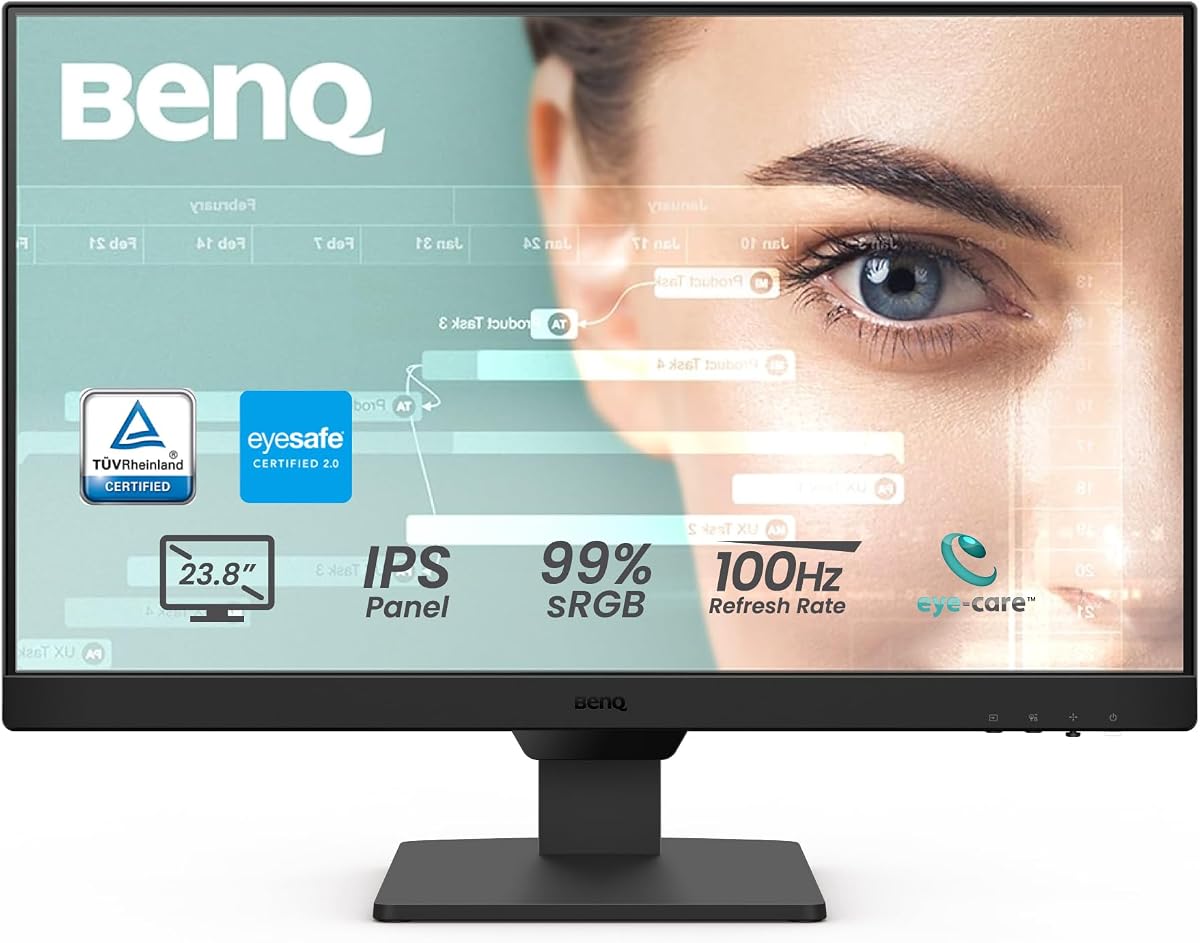
The BenQ GW2490 focuses heavily on eye health with its proprietary Eye-Care Tech. It filters harmful high-energy blue light while keeping colors vivid and natural. Adaptive brightness adjusts the screen based on ambient light conditions automatically.
We may earn a commission when you buy through this link, at no additional cost to you.
With an IPS panel users get consistent colors across wide viewing angles. The 100Hz refresh rate ensures smooth motion for casual gaming. Thin bezels and a VESA mount option make it versatile for various environments.
The stand only tilts which restricts ergonomic adjustment for some users. Contrast is standard for IPS panels which might not deliver deep blacks. Despite this the eye care features are robust and well-suited for prolonged use.
Ideal for users prioritizing visual comfort during long work sessions. It works well in offices or homes where eye strain is a concern. The adaptive brightness feature reduces the need to manually adjust settings often.
Filters harmful blue-violet radiation effectively. Helps maintain health during extended viewing.
Adjusts screen light based on environment. Reduces glare and improves comfort.
We may earn a commission when you buy through this link, at no additional cost to you.
This Philips monitor uses a VA panel to deliver deeper blacks and better contrast than IPS options. It is excellent for media consumption and graphic work where accurate gradients matter. The virtually bezel-free design creates a clean modern look on any desk.
We may earn a commission when you buy through this link, at no additional cost to you.
Flicker-Free technology reduces screen flickering that often causes eye fatigue. EasyRead mode provides a paper-like experience for reading long documents. The wide viewing angles ensure consistency when viewing from the side.
VA panels can have slower response times which might blur fast action slightly. Port selection is minimal compared to other models with USB hubs. However the visual quality and comfort features stand out strongly.
Choose this for users who value image depth and readability over pure gaming speed. It fits well in home offices where comfort is key. The sleek design enhances the aesthetic of any workspace setup.
Produces brighter whites and deeper blacks. Ideal for immersive viewing.
Flicker-Free and EasyRead modes protect vision. Great for long document reading sessions.
We may earn a commission when you buy through this link, at no additional cost to you.
The Dell P2425H is a solid choice for business environments demanding reliability. It features a fully adjustable stand with height and swivel capabilities. The high contrast ratio ensures images are sharp and clear for daily tasks.
We may earn a commission when you buy through this link, at no additional cost to you.
Build quality is robust ensuring longevity in busy office settings. The straightforward design focuses on core functionality without unnecessary bloat. Users appreciate the plug and play simplicity of the setup process.
It lacks some modern gaming features like high refresh rates or USB hubs. The price point is higher than consumer-grade models due to professional focus. But the durability and ergonomics justify the investment for heavy users.
Select this for corporate deployments or professional workstations. It suits users who need a dependable screen that lasts years. The ergonomic features support health standards in busy work environments.
Built to withstand daily professional use. Ensures stability over long periods.
Height and swivel adjustments support posture. Essential for long work days.
We may earn a commission when you buy through this link, at no additional cost to you.
The BenQ BL2490 features a high-quality anti-glare coating that reduces reflections effectively. It supports DisplayPort for versatile connectivity alongside dual HDMI ports. The 100Hz refresh rate delivers smooth motion for general use and light gaming.
We may earn a commission when you buy through this link, at no additional cost to you.
Color support is comprehensive with 16.7 million colors available for rendering. The brightness is sufficient for well-lit offices without needing extra adjustments. Build quality feels solid for daily office tasks.
The response time is average which limits competitive gaming performance. Stand adjustments are limited to tilt only. However the glare reduction makes it a great choice for bright environments.
Ideal for users working near windows or bright lights. It provides clear visibility even in challenging lighting conditions. The combination of brightness and anti-glare makes it practical for offices.
Reduces reflections from windows and lights. Improves visibility in bright rooms.
Includes DisplayPort for diverse device support. Connects with many modern PCs.
We may earn a commission when you buy through this link, at no additional cost to you.
This LG monitor brings immersive features like HDR10 support for enhanced visuals. The 120Hz refresh rate ensures fluid gameplay and smooth scrolling. Black Stabilizer brightens dark scenes to help spot details in shadowed areas.
We may earn a commission when you buy through this link, at no additional cost to you.
IPS panel technology guarantees vibrant colors from any angle. The slim base and borderless design create a clean aesthetic for modern desks. Dynamic Action Sync minimizes input lag for responsive controls during gameplay.
The stand lacks height adjustment which might require a riser for ergonomics. The OSD menu is basic and may be slow to navigate. Despite this the visual features make it a strong contender for gamers.
Select this for users wanting immersive gaming and media features. It suits casual gamers who prioritize visual flair over ergonomics. The slim design keeps the desk looking tidy and modern.
Enhances color depth and brightness. Creates richer viewing experiences.
Black Stabilizer and Action Sync improve gameplay. Essential for competitive edge.
We may earn a commission when you buy through this link, at no additional cost to you.
Choosing the right monitor involves balancing performance needs with budget constraints. We break down the essential factors to help you make an informed decision.
Refresh rate determines how many frames per second the display shows. Higher rates like 120Hz or 144Hz provide smoother motion for gaming and scrolling. Response time measures how quickly pixels change color. Fast response times reduce ghosting in fast-paced content.
Prioritize 120Hz or higher for gaming to avoid motion blur. Look for 1ms or similar fast speeds for competitive play.
IPS panels offer the best color accuracy and viewing angles. VA panels deliver deeper blacks and higher contrast ratios. TN panels are faster but lack color quality. Choose based on whether you prioritize color or contrast.
Select IPS for creative work and wide angles. VA is better for movies and dark room viewing.
HDMI is standard for most consoles and PCs. Ensure the monitor has enough HDMI ports for your devices. DisplayPort offers higher bandwidth for high refresh rates. USB hubs add convenience for connecting peripherals directly.
Verify you have enough HDMI ports for all inputs. Check for DisplayPort if you need high refresh rates.
Adjustable stands improve comfort and reduce neck strain. Look for height tilt pivot and swivel options. VESA mounts allow alternative mounting solutions like arms. Fixed stands limit positioning options but save desk space.
Choose monitors with height and pivot adjustments for health. VESA mounts add flexibility if you want a custom setup.
Blue light filters and flicker-free tech protect your vision. Certifications like TÜV verify these features meet safety standards. Adaptive brightness adjusts screen light to ambient conditions. These features are crucial for long daily sessions.
Prioritize monitors with TÜV certification if you work daily. Look for low blue light modes to reduce fatigue.
Thick bezels may be durable but take up space. Thin bezels offer a modern look and better multi-monitor setups. Build materials should feel sturdy to prevent wobbling. The aesthetic should match your workspace theme.
Pick thin bezels for a clean look. Ensure the chassis feels stable during daily use.
Built-in speakers save desk space and simplify setup. They are usually adequate for calls and basic media. External speakers provide better sound quality if needed. Consider your audio needs before buying monitors without them.
Check if integrated speakers meet your requirements. External audio is best for music or movies.
Budget models focus on core performance without extras. Mid-range options balance features and cost effectively. Premium monitors offer better build and ergonomics. Decide which features matter most to your specific use case.
Focus on specs that match your main tasks. Don't pay for features you won't use regularly.
Start by connecting the power cable securely to ensure stable operation. Use the included HDMI cable to connect your device to the port labeled for best compatibility.
Calibrate display settings using the built-in OSD menu. Adjust brightness and color temperature to reduce eye strain and match your room lighting.
Keep the screen clean with a microfiber cloth. Avoid harsh chemicals and press too hard on the panel to maintain longevity.
Yes most monitors support standard HDMI input for consoles. However ensure the refresh rate matches your console's output for best results. Some older consoles might work best with 60Hz screens.
A 144Hz refresh rate updates the screen 144 times per second. This creates significantly smoother motion for fast-paced games and scrolling. It reduces motion blur and makes movement look more natural to the eye.
Choose IPS if you need accurate colors and wide viewing angles. VA panels offer deeper blacks and higher contrast. Ideal for media consumption. Your choice depends on whether you prioritize color fidelity or contrast depth.
Several models include built-in speakers for basic audio needs. They save space but may lack rich sound quality. If you need premium audio, you should connect external speakers instead.
Enable low blue light modes and adjust brightness to match room lighting. Take regular breaks to rest your eyes. Monitors with TÜV certification provide extra protection against harmful light emissions.
Yes monitors with 99% sRGB coverage are suitable for editing. Ensure the panel is IPS for color consistency. Check calibration results before finalizing high-precision work.
We highlighted top picks like the Dell SE2426H and Acer KB220Q for their standout features. Each model offers distinct strengths whether you need high refresh rates or premium ergonomics.
Prioritize your specific use case when selecting a monitor. Gamers should look for refresh rates while office workers need eye care and adjustability.
Always check current product details and availability before finalizing your purchase. Prices and stock can change so verify your choice aligns with your needs today.