
Adesso Easy Touch 630Ub
4.2Editor score
IP67 waterproof rating
Large durable keys
Plug and play
Finding the right input device is crucial for smooth point of sale operations. A reliable keyboard ensures quick transaction processing and reduces employee fatigue during long shifts.
We evaluated ten top rated models based on build quality, key layout, and connectivity options. Our analysis focuses on features that matter most in retail and service environments.
Each pick highlights unique strengths suitable for different business needs. Please note that product availability and pricing can change frequently on major retail platforms.
4.2Editor score

4.2Editor score
As an Amazon Associate we earn from qualifying purchases.
The following table provides a side by side overview of all ten models. It highlights key specifications to help you compare features at a glance.


This compact keyboard from Cherry is a strong contender for POS setups. It holds a solid rating and combines typing and pointing in one unit. The design prioritizes efficiency in tight workspaces.
We may earn a commission when you buy through this link, at no additional cost to you.
The integrated touchpad eliminates the need for a separate mouse. This saves valuable counter space in busy retail environments. The spill resistant build protects against accidental liquid spills during service.
While it offers essential functionality, it lacks advanced programmable keys. Some users might prefer more customization options. However, for basic entry tasks, it performs reliably.
This model is ideal for small businesses needing a clean layout. It suits counter setups where space is at a premium. Choose this for a straightforward and durable solution.
The built in touchpad reduces clutter on crowded countertops.
Spill resistance ensures longevity in fast paced service areas.
We may earn a commission when you buy through this link, at no additional cost to you.
This waterproof keyboard stands out for harsh environments. It is rated to withstand submersion making it perfect for food service or industrial use. The large keys enhance readability and speed.
We may earn a commission when you buy through this link, at no additional cost to you.
The IP67 rating means it can handle spills and wash downs. This is critical for kitchens or outdoor kiosks. The durable membrane switches ensure long term performance despite rough handling.
It lacks a numeric pad or advanced multimedia keys. Users needing complex data entry might find it limiting. Yet for basic input, it offers great value.
Choose this if durability is your top priority. It suits wet or messy work areas where standard keyboards fail. A reliable choice for demanding conditions.
IP67 rating allows for easy cleaning and spill resistance.
Large keys improve typing accuracy in low light.
We may earn a commission when you buy through this link, at no additional cost to you.
This keyboard integrates card reading directly into the input device. It is designed for high volume point of sale transactions. The relegendable keys allow custom labeling for specific apps.
We may earn a commission when you buy through this link, at no additional cost to you.
The magnetic stripe reader streamlines checkout by reducing hardware. Staff do not need to swipe cards elsewhere. This speeds up customer throughput significantly.
It is priced higher than standard options. Budget conscious buyers might prefer simpler models. However, the added functionality often justifies the investment.
This is best for retailers processing many card payments daily. It suits environments where speed and convenience are paramount. A premium tool for serious operations.
Built in reader eliminates need for external swipe devices.
Relegendable keys can be labeled for specific functions.
We may earn a commission when you buy through this link, at no additional cost to you.
This model offers extensive key functionality for complex systems. With 169 keys it supports rich applications. The magnetic stripe reader adds convenience for payment processing.
We may earn a commission when you buy through this link, at no additional cost to you.
The 42 relegendable keys allow deep customization. Users can map specific functions to individual keys. This is useful for specialized inventory or POS software.
The size might be bulky for small counters. It requires dedicated space to operate effectively. Consider your desk layout before choosing.
Select this for heavy duty commercial environments. It suits businesses needing detailed data entry. A robust option for advanced workflows.
169 keys provide room for complex application shortcuts.
Magnetic reader simplifies the checkout process.
We may earn a commission when you buy through this link, at no additional cost to you.
This keyboard combines a full layout with a touchpad. The quiet scissor switches reduce noise in shared work areas. It is a practical all in one solution for offices.
We may earn a commission when you buy through this link, at no additional cost to you.
The integrated touchpad reduces peripheral clutter. Users can navigate without reaching for a mouse. The multimedia keys offer quick access to volume or media.
The touchpad is functional but basic. It may not replace a mouse for precise tasks. Also it lacks specific spill protection features.
It is great for administrative POS tasks. Choose this if you need typing speed and media control. A versatile pick for mixed environments.
Scissor switches provide a quiet typing experience for teams.
Combined input device saves desk space effectively.
We may earn a commission when you buy through this link, at no additional cost to you.
This is a standard full size keyboard known for reliability. It holds a high rating among users for comfort and durability. The spill resistant feature adds protection against accidents.
We may earn a commission when you buy through this link, at no additional cost to you.
Setup is simple with plug and play USB. No driver installation is needed to start typing. The deep profile keys provide a comfortable typing feel.
It lacks a touchpad or extra function keys. Users will need a separate mouse for navigation. However, the core typing experience is solid.
Ideal for simple data entry tasks. It suits offices where simplicity is key. A dependable workhorse for daily use.
Deep profile keys reduce fatigue during long shifts.
No drivers required for immediate setup and use.
We may earn a commission when you buy through this link, at no additional cost to you.
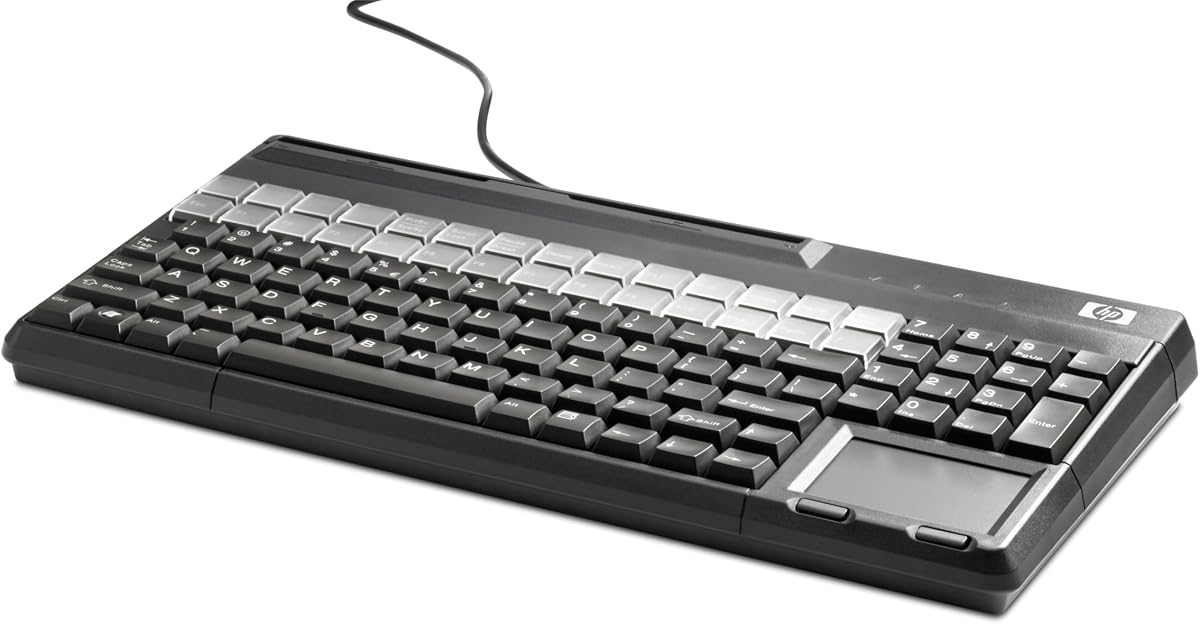
This model offers significant programmability for custom workflows. It includes a touchpad to save counter space. The layout supports many custom commands for specialized software.
We may earn a commission when you buy through this link, at no additional cost to you.
Users have reported mixed experiences with setup and comfort. Some find the touchpad useful while others prefer separate peripherals. Check compatibility with your POS software.
The low rating suggests potential issues with quality or usability. It is best for advanced users who need customization. Casual users might prefer simpler options.
Consider this for specialized industrial applications. It suits systems requiring unique key mappings. Ensure you have the right software support first.
Programmable keys support complex application commands.
Touchpad integration saves physical desk space.
We may earn a commission when you buy through this link, at no additional cost to you.
This keyboard includes a smartcard reader for secure access. It is ideal for government or high security environments. The PIN entry feature ensures safe authentication.
We may earn a commission when you buy through this link, at no additional cost to you.
Security protocols like FIPS 201 are supported. This meets strict compliance standards for data protection. The design is thin and professional looking.
It is not a general purpose keyboard. Its value lies in security features. Average retailers may not need this level of protection.
Choose this for secure ID verification tasks. It suits public sector or financial applications. A specialized tool for safety conscious organizations.
Integrated smartcard reader ensures safe data access.
FIPS 201 approval meets strict government standards.
We may earn a commission when you buy through this link, at no additional cost to you.
This model features mechanical switches for long life. The compact design fits tight industrial spaces well. It supports both USB and PS/2 for legacy systems.
We may earn a commission when you buy through this link, at no additional cost to you.
The MX black switches provide a linear tactile feel. Users enjoy fast response times during data entry. The gold contacts ensure reliable signal over time.
The switches are not silent and may be noisy. Also PS/2 may require adapters for modern PCs. Check your interface before buying.
It suits factories or server rooms. It is a workhorse for 24/7 use. Choose this for mechanical reliability.
MX switches offer over 100 million actuations.
PS/2 adapter included for older systems.
We may earn a commission when you buy through this link, at no additional cost to you.
This wireless keyboard offers freedom from cables. It is ideal for setups where a desk is cluttered. The battery life lasts up to two years.
We may earn a commission when you buy through this link, at no additional cost to you.
Connection is stable with the included USB receiver. No software installation is required. The spill resistant design adds a layer of protection.
Wireless requires battery management. You must replace AA cells periodically. Also ensure you have a free USB slot.
It is great for flexible workspaces. Choose this if you prefer a cable free experience. A convenient tool for mobile tasks.
No cables to clutter your counter or desk.
Long life reduces frequent battery changes.
We may earn a commission when you buy through this link, at no additional cost to you.
Selecting the right keyboard requires understanding your specific operational needs. This section breaks down key factors to consider before purchasing.
Consider how many keys you need for your workflow. Full size models include numeric pads while compact ones save space. Ensure the layout matches your software requirements.
Choose a layout that minimizes typing errors and maximizes speed.
POS environments often involve spills or heavy use. Look for spill resistant or waterproof ratings like IP67. Mechanical switches generally last longer than membrane ones.
Prioritize build quality to reduce replacement costs over time.
Decide between wired and wireless based on your setup. Wired USB is reliable while wireless reduces cable clutter. Check for legacy PS/2 support if needed.
Ensure your computer has compatible ports for the chosen interface.
Some keyboards include touchpads or card readers. These features can streamline operations by combining devices. However they may add to the total cost.
Evaluate if integrated tools are worth the extra investment for your case.
Employees type for long periods so comfort is vital. Look for adjustable tilt or ergonomic designs. Deep profile keys often reduce finger fatigue.
Prioritize user comfort to maintain productivity throughout shifts.
Advanced systems may need relegendable or programmable keys. This allows mapping shortcuts for complex tasks. Check if drivers are available for configuration.
Custom keys can significantly speed up repetitive processes in retail.
Ensure the keyboard works with your POS operating system. Most support Windows but some may be needed for Linux. Compatibility issues can hinder setup and use.
Verify system requirements before finalizing your purchase decision.
Prices vary widely based on features and build. Set a budget that balances cost with necessary features. Sometimes paying more upfront saves money on replacements.
Focus on value rather than the lowest initial price tag.
To start using your new keyboard simply connect the USB or wireless receiver. Ensure the operating system recognizes the device before typing. Most models are plug and play and require no software.
Clean the surface regularly to maintain hygiene and performance. Use a damp cloth to wipe spills immediately. Avoid harsh chemicals that might damage the plastic or labeling.
For keyboards with touchpads or card readers follow the manual for calibration. Test these features periodically to ensure they function correctly. Proper maintenance extends the lifespan of your device.
A suitable POS keyboard typically features a compact layout to save counter space. It often includes spill resistance or waterproofing for durability. Connectivity options like USB ensure easy integration with standard terminals.
Wireless is not required but offers flexibility for certain setups. Wired connections are often more reliable in high interference areas. Choose based on your desk layout and need for mobility.
Mechanical keyboards offer better durability for heavy use. They provide a tactile feel that reduces typing errors. However they are pricier than standard membrane models.
Yes many office keyboards work fine for basic tasks. Ensure it is spill resistant and has a full layout if needed. Specialized POS units offer features like card readers.
Unplug the keyboard and wipe it with a soft damp cloth. Ensure no water enters the ports before reconnecting. The IP67 rating allows for light washing in many cases.
These are keys that can have labels changed or mapped differently. They allow businesses to customize shortcuts for their specific software. This flexibility helps streamline daily workflows.
High quality models last several years with daily use. Mechanical ones often outlast standard office options. Proper care and spill protection extend their usable life significantly.
We have reviewed ten diverse options ranging from rugged waterproof units to specialized card readers. Each model offers unique benefits depending on your specific industry and workflow needs.
Prioritize durability and layout efficiency to ensure smooth operations. Investing in a quality device reduces downtime and improves employee satisfaction over time.
Check current availability and verify compatibility with your system before buying. Prices and stock levels can change so ensure you select the best fit for your business.