
FT232RL Diagnostic Scanner Kit
4.0Editor score
Compatible with Evinrude E-TEC
Basic diagnostic functions included
Affordable entry-level option
Compare top boat engine marine diagnostic tools for accurate engine health, fault codes, and maintenance tracking across major brands in this expert guide.
Choosing the right diagnostic tool for your boat engine is crucial for maintaining performance and avoiding costly breakdowns on the water. Modern marine engines rely heavily on complex electronics, making professional-grade scanners essential for efficient troubleshooting and repair tasks.
This guide compares ten real products designed for marine diagnostics, ranging from brand-specific kits to universal scanners. We evaluated coverage, features, ease of use, and value to help you find the best solution for your specific vessel and engine type.
Each pick highlights key capabilities, pros, and cons to guide your decision. Prices and availability may change frequently, so always check the latest details on the product pages before purchasing your marine diagnostic equipment today.
4.0Editor score

4.8Editor score
4.5Editor score
The following table provides a side-by-side comparison of all ten products covered in this guide. Use this overview to quickly identify compatibility, key features, and ratings before diving into the detailed reviews.


The iCarsoft MarineScan X9 stands out as the top choice for comprehensive marine diagnostics. It supports over 35 mainstream marine brands, including Mercury, Yamaha, and Volvo, making it incredibly versatile for different engine types. Its 40+ service functions cover nearly all routine maintenance and repair issues.
We may earn a commission when you buy through this link, at no additional cost to you.
This tool delivers OEM-grade multi-system diagnosis, allowing you to read and clear fault codes for engines, wiring, sensors, and control units. The bidirectional actuation test function is particularly valuable as it lets you actively control components like fuel pumps and trim tabs without disassembly. This helps confirm part functionality and avoid unnecessary part replacement.
While the tool is powerful, not all maritime vessels can perform all functions. For example, Toyota inboard engines only allow OBD2 functions. It is important to check the service list for your specific vessel before purchase. Additionally, ensure you obtain the latest diagnostic software updates for full functionality.
This scanner is ideal for marine repair shops and yacht owners who need reliable performance in variable temperature and humidity conditions. With an 8-hour battery life and a 10-inch HD touchscreen, it is designed for long days in the workshop or at the dock. It provides professional-grade diagnostics in a portable package.
Reads and clears fault codes for engines, wiring, and sensors to locate hidden failures quickly.
Actively controls components like fuel pumps and solenoid valves to verify functionality without disassembly.
We may earn a commission when you buy through this link, at no additional cost to you.
The Mercury Marine SmartCraft Connect Mobile is designed specifically for owners of Mercury outboard engines. It enables wireless connectivity with the Mercury Marine app, replacing the older Vesselview Mobile App. This allows you to stream live engine data, fuel tracking, and digital gauges directly to your mobile device.
We may earn a commission when you buy through this link, at no additional cost to you.
Installation is straightforward for single Mercury engines, with a plug-and-play Under Cowl setup. You can track maintenance within the app and even share engine data with a preferred dealer to streamline service visits. This connectivity feature helps you stay informed about your engine's health in real time.
However, this system is limited to Mercury engines and requires the use of the Mercury Marine app. For users with different brands, this tool will not be compatible. Additionally, Avator 7.5e installations should be handled by a dealer, which may add complexity for some users.
This product is best suited for Mercury engine owners who prioritize convenience and real-time monitoring. It offers a user-friendly way to access engine data without needing a dedicated diagnostic tablet. While it may not offer deep fault code reading like other tools, it excels at daily tracking and maintenance.
Connects wirelessly to your mobile device for live engine data and fuel tracking.
Allows you to track maintenance schedules and share data with your preferred dealer.
We may earn a commission when you buy through this link, at no additional cost to you.
The YamahaMarine Y.D.S. Diagnostic Kit is tailored for Yamaha Outboard engines and PWC. It supports all Yamaha EFI 4-Stroke Outboards, HPDI Outboards, and popular Jet Ski models up to 2017. This kit provides full functionality for both DIY enthusiasts and professional marine repair shops.
We may earn a commission when you buy through this link, at no additional cost to you.
It includes everything you need for complete engine diagnostics, such as the YDS Diagnostic device, USB cables, software on a flash drive, and a user manual. You can read fault codes, test engine components, and perform real-time analyses without needing dealer-only access, making it ideal for home mechanics.
One consideration is that the software license is single-use. After activation, the product is non-returnable and non-transferable. Additionally, it is limited to specific Yamaha models, so it will not work with other brands. However, it offers a 24-month warranty and lifetime access to software updates.
This kit is perfect for Yamaha owners who want an affordable and complete diagnostic solution. It empowers users to troubleshoot issues independently and save on dealer visits. With its comprehensive hardware and software included, it provides reliable performance for maintaining Yamaha engines.
Includes the YDS device, cables, software, and manuals for immediate use.
Allows users to perform diagnostics without requiring dealer-only access.
We may earn a commission when you buy through this link, at no additional cost to you.
The Suzuki Marine Outboard Diagnostic Kit is designed for accurate diagnostics on Suzuki engines. It features SDS 8.8 software and functions as an ECU/EMM scanner tool. You can read and reset fault codes, read EMM module identification, and test sensors and actuators in real time.
We may earn a commission when you buy through this link, at no additional cost to you.
One of its standout features is the ability to generate graphics of engine operation. This visual representation helps you understand how the engine is performing and identify issues more easily. It also supports reading sensors and actuators in real time, providing detailed insights.
However, this kit is limited to Suzuki models, so it will not be useful for other brands. Additionally, it relies on the specific SDS 8.8 software, which may require updates to maintain compatibility with newer models. Overall, it is a solid choice for Suzuki owners.
This tool is ideal for those who need reliable diagnostics for their Suzuki outboard. It offers essential functions like code reading and live testing, which are critical for troubleshooting. With its ability to generate engine graphics, it provides a deeper level of insight than basic code readers.
Tests sensors and actuators in real time to verify proper functionality.
Generates graphics of engine operation for easier issue identification.
We may earn a commission when you buy through this link, at no additional cost to you.
The Evinrude Diagnostic kit + EvDiag offers essential diagnostic capabilities for Evinrude engines. It allows you to read and reset fault codes, read the EMM module identification, and test sensors and actuators in real time. It also generates graphics of engine operation for better visualization.
We may earn a commission when you buy through this link, at no additional cost to you.
This kit is useful for basic troubleshooting tasks. You can perform real-time tests on sensors and actuators, which helps identify problems without disassembly. The graphics feature provides a visual overview of engine performance, making it easier to spot anomalies.
However, it includes a single-use software license, meaning it is non-returnable and non-transferable after activation. While it covers basic needs, it may lack advanced features found in higher-end kits. This makes it a good entry-level option for Evinrude owners.
If you are looking for a straightforward way to diagnose issues with your Evinrude engine, this kit is a reliable choice. It provides the fundamental tools needed for code reading and testing. Just be aware of the single-use license terms before purchasing.
Reads and resets fault codes to clear error messages and track issues.
Tests sensors and actuators in real time to verify their operation.
We may earn a commission when you buy through this link, at no additional cost to you.
The CodeMate Tester is designed for MEFI-1 through MEFI-4 marine EFI systems. It checks the integrity of sensors and controls, and can be used as a system Malfunction Indicator Lamp display and trouble code tool. It also serves as a base spark timing tool.
We may earn a commission when you buy through this link, at no additional cost to you.
This tool is particularly useful for older engines that use MEFI systems. It helps you diagnose issues by checking sensor integrity and displaying trouble codes. The ability to use it as a spark timing tool adds extra value for maintenance tasks.
However, it is not for use with MEFI-5, MerCruiser PCM-555, ECM-555, Volvo Penta EGC or other marine EFI systems. This limitation means it is only suitable for specific older engines. If you have a newer model, this tool may not be compatible.
For owners of older MEFI engines, this tester is a practical and affordable solution. It provides essential diagnostic features like code reading and sensor checks. Just ensure your engine uses a compatible MEFI version before purchasing.
Checks the integrity of sensors and controls to identify potential issues.
Can be used as a base spark timing tool for engine tuning.
We may earn a commission when you buy through this link, at no additional cost to you.
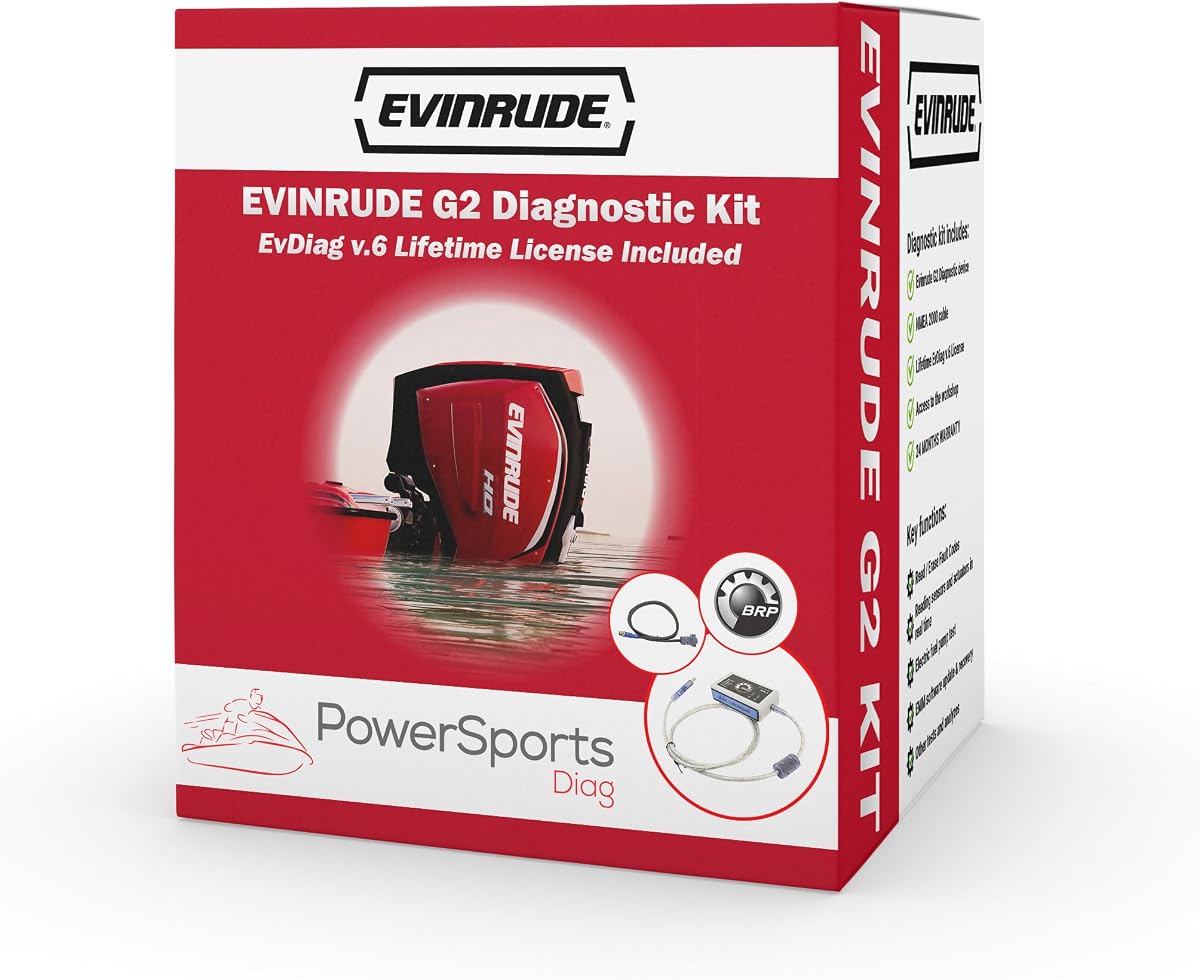
The Evinrude G2 Diagnostic Kit is a professional-grade tool for E-TEC G2 outboard engines. It uses genuine EvDiag v.6 software to perform diagnostics, tests, and parameter updates. The kit includes the diagnostic device, NMEA 2000 cable, USB flash drive, manuals, and unlimited software updates.
We may earn a commission when you buy through this link, at no additional cost to you.
You can access real-time engine data, run injector tests, reset fault codes, and update EMM software. One of its key features is the ability to export detailed engine reports in PDF format, which is useful for record-keeping or sharing with dealers. It also comes with a full 24-month warranty.
This kit is compatible with Windows 7 to Windows 11 systems, making it accessible for most users. However, it includes a single-use software license, meaning it is permanently tied to your engine data upon activation. It is also a premium product with a higher price point.
This is an excellent choice for professional service shops and at-home technicians who need comprehensive E-TEC G2 diagnostics. With unlimited updates and detailed reporting capabilities, it ensures your engine stays in top condition. It is a robust and reliable option for serious maintenance.
Performs professional-level diagnostics, tests, and parameter updates on G2 engines.
Exports detailed engine reports in PDF format for record-keeping and analysis.
We may earn a commission when you buy through this link, at no additional cost to you.
The FT232RL Diagnostic Scanner Kit is a budget-friendly option for Evinrude owners. It is compatible with E-TEC, FICHT, and DI models manufactured from 1999 to 2020. It supports basic functions like reading and clearing fault codes and viewing real-time data streams.
We may earn a commission when you buy through this link, at no additional cost to you.
The kit includes a diagnostic scanner cable, a 6-foot extension cable, and a blue USB adapter for PC connection. It supports drivers and software that can run on Windows XP through Windows 10. Installation is simple, requiring you to insert the USB drive and follow video instructions.
While it is affordable, note that only basic functions are available for G2 versions. For older models, it provides sufficient diagnostic capabilities. If you need advanced features, you may need to consider a more premium kit. This option is great for basic troubleshooting.
This scanner is ideal for users on a budget who need to perform basic diagnostic tasks on their Evinrude engines. It covers a wide range of models and includes necessary cables for connection. It is a cost-effective solution for reading fault codes and viewing real-time data.
Works with E-TEC, FICHT, and DI models from 1999 to 2020.
Supports reading and clearing fault codes and viewing real-time data.
We may earn a commission when you buy through this link, at no additional cost to you.
The USB Diagnostic Tool Scanner KIT is designed for Evinrude E-Tec/Fitch outboard engines. It is an easy-to-use software program specifically designed for troubleshooting these engines. It allows you to collect engine data, determine active faults, and run engine tests to diagnose problems efficiently.
We may earn a commission when you buy through this link, at no additional cost to you.
This tool works on any Windows PC, Laptop, or Tablet running Windows XP, 7, 8.1, or 10. It supports all Evinrude E-tec/Fitch models from 1999 to 2020. This broad compatibility makes it a versatile option for many Evinrude owners who need basic diagnostic tools.
However, it is limited to Evinrude models and requires a Windows PC. If you use a Mac or Linux system, this tool will not work. Also, it does not support other brands. For Evinrude users, it provides a straightforward way to diagnose engine issues.
This kit is suitable for those who need a simple and reliable diagnostic tool for Evinrude engines. It offers essential features like fault detection and engine tests. With its wide model support, it is a practical choice for home mechanics.
Features an easy-to-use software program for troubleshooting outboard engines.
Collects engine data and determines active faults for efficient diagnosis.
We may earn a commission when you buy through this link, at no additional cost to you.
The YDS 1.33 SDS 8.70 diagnostic set is designed to fit Yamaha, Suzuki, and Evinrude outboard engines. It includes various cables and adapters, including a Bootstrap tool for Evinrude EMM updates. It also comes with workshop manuals in PDF format for guidance.
We may earn a commission when you buy through this link, at no additional cost to you.
This kit allows you to read diagnostic codes, activate fuel pumps, test injectors and ignition coils, and view all sensor readings. It can save all data to your computer. The Bootstrap cable is particularly useful for updating and restoring the EMM in Evinrude outboards.
While it covers multiple brands, it is a third-party kit, which may lead to software variations or compatibility issues with newer models. It also lacks official manufacturer support. However, it is a cost-effective way to get diagnostic capabilities for multiple engine types.
This set is ideal for users who own engines from Yamaha, Suzuki, or Evinrude and want a single diagnostic solution. It offers a wide range of functions, from code reading to EMM updates. With its included cables and manuals, it is a comprehensive option.
Fits Yamaha, Suzuki, and Evinrude outboards with various included cables.
Includes a Bootstrap cable for EMM updates and recovery on Evinrude engines.
We may earn a commission when you buy through this link, at no additional cost to you.
Selecting the right diagnostic tool requires understanding your engine type and needs. This guide covers key factors to help you make an informed decision.
Ensure the tool is compatible with your specific engine brand. Many scanners are brand-specific, such as those for Mercury, Yamaha, or Evinrude. Universal tools exist but may have limitations. Always check the supported brands list before purchasing to avoid buying an incompatible tool.
Verify that the tool covers your engine model year. Some tools only support models up to a certain year, while others are updated more frequently. Matching compatibility is crucial for accurate readings.
Look for tools that offer more than just code reading. Advanced features like bidirectional testing, live data streaming, and parameter resetting are valuable. These allow you to test components and view real-time performance data. The more functions the tool has, the better it is for troubleshooting.
Consider if the tool can perform maintenance functions like oil resets or injector coding. These capabilities can save you money by reducing the need for dealer visits. Ensure the functions match your maintenance needs.
The interface should be user-friendly, especially for DIY users. Tools with large touchscreens and clear menus are easier to navigate. Check if the tool includes a user manual or guide for setup. Complexity can hinder your ability to diagnose problems quickly and effectively.
Portability is also a factor. If you need to use the tool at the dock, a wireless or handheld device is preferable. Heavy or bulky tools may be difficult to use in tight spaces. Choose a tool that fits your workflow.
Regular software updates ensure the tool remains compatible with new engine models. Look for tools that offer free or affordable updates. Some provide lifetime updates, which add long-term value. Without updates, the tool may become obsolete quickly.
Check how updates are delivered. Some tools allow updates via USB, while others may require a PC connection. A seamless update process ensures you always have the latest features. This keeps your tool relevant over time.
Consider how the tool connects to your engine. Some use wired connections, while others offer wireless options. Wireless tools provide more flexibility but may be less reliable. Wired connections are stable but can limit mobility. Choose based on your preference and engine requirements.
Ensure the connection type matches your engine's port. Some engines require specific cables or adapters. Check if these are included in the kit. Missing adapters can increase the overall cost and delay usage.
A good warranty protects your investment. Look for tools with at least a one-year warranty. Some manufacturers offer longer terms, such as two years. This ensures you are covered if the tool malfunctions. Support availability is also important for troubleshooting issues.
Check if the manufacturer offers technical support. Email or phone support can help if you encounter problems. Some provide online forums or guides. Reliable support adds confidence to your purchase and helps resolve issues quickly.
Professional tools often have more advanced features like bidirectional tests and detailed reporting. DIY tools may be simpler but sufficient for basic code reading. Determine your skill level and needs. If you plan to do professional work, invest in a more capable tool.
Advanced features may require more knowledge to use effectively. Ensure you have the necessary skills to interpret the data. For complex issues, professional tools provide deeper insights. Choose based on your expertise level.
Price varies significantly between basic and advanced tools. Set a budget that aligns with your needs. Sometimes a slightly more expensive tool offers better long-term value due to features and updates. Don't sacrifice essential features for a lower price.
Consider the total cost, including any required accessories or software licenses. Some kits include everything, while others require additional purchases. A complete kit may cost more upfront but save money over time.
To begin using your diagnostic tool, ensure your engine is in a safe and stable state. Connect the tool to the engine's diagnostic port according to the manufacturer's instructions. Some tools may require a PC for software installation, while others connect directly. Always read the manual before starting to avoid connection errors.
Once connected, power on the engine and the tool. Navigate to the diagnostic menu to read fault codes. Clear existing codes after repairs to ensure accurate monitoring. Use live data features to observe engine parameters in real time. This helps identify issues that may not trigger a code immediately.
Maintain your tool by keeping it clean and dry. Store it in a protective case to prevent damage from moisture or impact. Update the software regularly to access new features and compatibility. Regular care extends the life of your tool and ensures reliable performance.
No, many tools are designed for specific brands like Mercury or Yamaha. Universal tools exist but may have limited features. Always check compatibility before purchasing. Using an incompatible tool may result in inaccurate readings.
Reading codes identifies stored error codes in the engine. Bidirectional testing allows you to control and verify components like fuel pumps. This helps confirm part functionality without disassembly. Both features are useful for comprehensive troubleshooting.
Some tools offer wireless connectivity with mobile devices, like the SmartCraft Connect. Others may require a PC or a dedicated tablet. Check if the tool supports your device. Mobile compatibility adds convenience for quick checks on the water.
Update the software whenever new versions are available. This ensures compatibility with newer engines and access to new features. Some tools offer automatic updates. Regular updates prevent obsolescence and improve performance.
Basic tools are user-friendly for DIY users. Advanced tools may require more knowledge to interpret data correctly. Consider taking a course or reading guides. Familiarity improves your ability to diagnose issues effectively.
Check the connection cables and ports for damage or dirt. Ensure the tool is powered on and in the correct mode. Consult the manual for troubleshooting steps. If issues persist, contact the manufacturer for support.
Most tools are not fully waterproof but are designed to be moisture-resistant. Keep them dry and store in a case. Exposure to water can damage the electronics. Use a waterproof case for added protection during boat use.
In summary, the iCarsoft MarineScan X9 leads as the top choice due to its wide brand support and advanced features. The Mercury SmartCraft Connect offers seamless connectivity for Mercury owners, while the Evinrude G2 Kit provides professional-grade capabilities for G2 engines.
When choosing a tool, prioritize compatibility with your engine brand and the functions you need most. Features like bidirectional testing and live data can save you time and money. Consider your skill level and whether you need professional-grade capabilities or basic code reading.
Prices and availability are subject to change, so always verify current details on the product pages. Investing in the right diagnostic tool ensures your engine runs smoothly and helps you troubleshoot issues effectively. Choose a tool that aligns with your maintenance goals and budget.