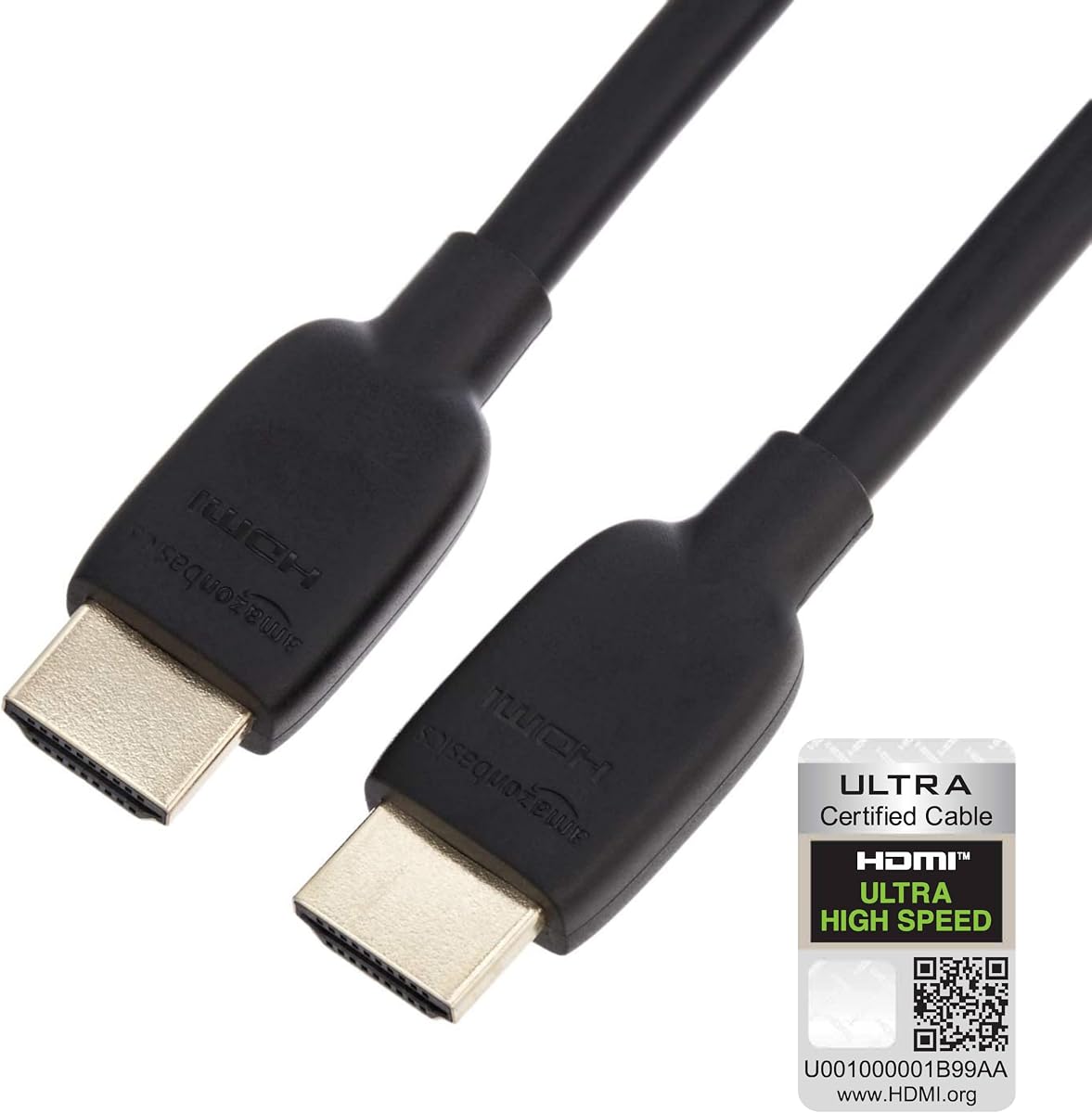
Amazon Basics HDMI 2.1 Cable
4.7Editor score
48Gbps Ultra High Speed
Gold-Plated Connectors
Flexible PVC Jacket
Compare the top HDMI cables for dual monitors in October 2026 featuring 4K 8K speeds gaming features and durability to optimize your workstation setup today.
Finding the right HDMI cable for dual monitors ensures smooth performance across screens. You need high bandwidth and reliable connectivity to avoid flickering or lag during critical tasks.
We evaluated ten leading HDMI cables based on speed ratings build quality and compatibility. Our list covers options for gaming professional work and general home office needs.
Each pick highlights key features and real world performance. Prices vary by retailer so check current listings before purchasing to ensure you get the best deal available.
4.7Editor score

4.8Editor score

4.6Editor score
This side-by-side comparison highlights key specifications for each cable including bandwidth resolution support and build materials to help you choose the right fit for your dual monitor setup.



The UGREEN 8K HDMI 2.1 cable stands out as a top choice for dual monitor setups requiring high fidelity. It holds a strong rating for reliability and performance across demanding tasks.
We may earn a commission when you buy through this link, at no additional cost to you.
Its 48Gbps bandwidth ensures uncompressed video transmission which is critical for dual 4K or 8K displays. The dynamic HDR support enhances color accuracy making it ideal for creative work.
While it costs more than basic options the durability justifies the investment. The nylon braided jacket and aluminum alloy case resist wear better than standard PVC cables.
Buy this if you need consistent performance for gaming or professional video editing. It delivers the speed and stability required for modern high-resolution setups.
The 48Gbps speed allows for seamless multi-monitor setups without frame drops or signal loss.
Premium materials ensure the cable lasts longer even with frequent bending or movement.
We may earn a commission when you buy through this link, at no additional cost to you.
Amazon Basics offers a reliable HDMI 2.1 option at an entry-level price. It meets the essential specs for dual monitor connectivity without extra cost.
We may earn a commission when you buy through this link, at no additional cost to you.
The 48Gbps bandwidth supports 8K video and 4K at 120Hz which covers most high-end displays. Gold-plated connectors resist corrosion for stable connections over time.
The 3-foot length is a limitation for larger desks but perfect for short connections. The PVC jacket is flexible but less durable than braided alternatives.
This is the ideal choice for budget-conscious users needing standard performance. It provides certified speed without premium features or higher costs.
You get certified HDMI 2.1 performance without paying for unnecessary extra features.
The short length keeps clutter to minimum on desks with limited space.
We may earn a commission when you buy through this link, at no additional cost to you.
Belkin delivers a premium HDMI 2.1 cable designed for high-fidelity audio and video. It is well-suited for users prioritizing certified performance and durability.
We may earn a commission when you buy through this link, at no additional cost to you.
The dual-layer shielding minimizes interference ensuring stable signal transmission across dual monitors. Dolby Vision support enhances color depth making it excellent for media consumption.
While the price is higher the reliability and brand reputation offer peace of mind. The 6.6-foot length balances flexibility with reach for most setups.
Choose this if you want a certified high-end solution with proven stability. It excels in environments where signal integrity and visual quality are paramount.
Dolby Vision certification ensures consistent color and brightness across compatible displays.
Dual-layer shielding protects the signal from electromagnetic interference in complex setups.
We may earn a commission when you buy through this link, at no additional cost to you.
Highwings offers a convenient 2-pack solution perfect for dual monitor setups needing identical certified performance. Both cables meet the 48Gbps ultra high speed standard.
We may earn a commission when you buy through this link, at no additional cost to you.
The nylon braided design with aluminum alloy shells resists wear and bending. This ensures long-lasting performance across both screens in a workspace or gaming rig.
The anti-bending tail design prevents connector damage which is a common failure point. Game mode support enhances variable refresh rates for smoother visuals.
This is a smart pick for users wanting two matching cables at a reasonable price. It balances durability and speed effectively for most dual screen needs.
Includes two cables matching perfectly for a consistent dual monitor connection.
Anti-bending design and nylon weave protect against physical stress over time.
We may earn a commission when you buy through this link, at no additional cost to you.
Silkland provides a certified HDMI 2.1 cable focused on high fidelity audio and video. It supports dynamic HDR and advanced audio formats for immersive experiences.
We may earn a commission when you buy through this link, at no additional cost to you.
The E-Braid technology ensures signal stability eliminating flickering common in lower quality cables. HDCP compliance ensures access to protected content without issues.
While the connector is slightly larger it offers robust protection for the internal wiring. The nylon braiding adds a premium feel and extra durability.
This cable is best for users prioritizing audio visual fidelity over budget. It delivers a cinematic quality output suitable for home theater or professional setups.
Support for Dolby Atmos and DTS:X provides rich sound across compatible systems.
Specialized braiding and magnetic beads prevent interference during transmission.
We may earn a commission when you buy through this link, at no additional cost to you.
Acer HDMI 2.1 cable is designed to handle high-speed gaming requirements for dual screens. It supports 4K at 240Hz and 8K at 60Hz seamlessly.
We may earn a commission when you buy through this link, at no additional cost to you.
VRR support reduces screen tearing ensuring smooth visuals during fast-paced action. The high-purity copper core maintains signal integrity over the 6.6-foot length.
The braided jacket offers protection against daily wear in high-traffic areas. It is compatible with major consoles and PCs for flexible setups.
This is an excellent option for gamers needing high refresh rates across monitors. It delivers the speed required for competitive play without lag.
Variable Refresh Rate minimizes tearing for smoother competitive gameplay visuals.
Handles 120Hz to 240Hz refresh rates for fluid motion on modern displays.
We may earn a commission when you buy through this link, at no additional cost to you.
UGREEN HDMI 2.1 Certified Cable delivers uncompressed video and rich color accuracy. It supports 8K at 60Hz ensuring future-proof performance for dual displays.
We may earn a commission when you buy through this link, at no additional cost to you.
The cable supports 4X vivid colors compared to standard HDMI improving visual clarity. Dynamic HDR ensures accurate contrast and brightness for realistic images.
With tested endurance for over 20K bends it offers reliable longevity. Nickel-plated connectors resist oxidation maintaining strong signal transmission.
Ideal for users needing stable high-speed connectivity for media or design. It balances performance and durability effectively for professional daily use.
Dynamic HDR and high bandwidth ensure precise color representation on both screens.
Enhanced durability allows frequent bending without compromising internal wiring.
We may earn a commission when you buy through this link, at no additional cost to you.
PowerBear offers a 10-foot HDMI cable ideal for setups where devices are spaced apart. It supports 4K at 60Hz and includes Ethernet and ARC for media.
We may earn a commission when you buy through this link, at no additional cost to you.
The braided nylon jacket and gold connectors ensure durability and signal stability. CL3 rating makes it safe for in-wall installation in home offices.
While it lacks 8K speeds it covers standard 4K needs reliably. The length provides flexibility for routing cables behind desks or walls.
This is a practical choice for standard dual monitor setups needing reach. It offers reliable performance for general use without HDMI 2.1 speeds.
CL3 rating allows safe installation inside walls for clean cable management.
The 10-foot length bridges gaps between distant desktop towers and monitors.
We may earn a commission when you buy through this link, at no additional cost to you.
AVACON provides a DisplayPort to HDMI cable for connecting legacy monitors. It allows older DP-equipped PCs to connect to HDMI displays easily.
We may earn a commission when you buy through this link, at no additional cost to you.
Supports 4K at 30Hz which works for productivity but not high refresh gaming. Gold-plated connectors ensure stable connection at the display end.
Note that this is uni-directional working only from DP source to HDMI screen. This limits flexibility if you need to reverse the signal path.
Use this for connecting older computers to new monitors. It is cost-effective for standard workloads where high refresh rates are not needed.
Bridges older DisplayPort computers to modern HDMI displays effectively.
Gold plating resists corrosion to maintain signal integrity over time.
We may earn a commission when you buy through this link, at no additional cost to you.
This 2-pack offers two DisplayPort to HDMI cables for dual monitor setups. Each supports 4K resolution and provides stable connectivity for workstations.
We may earn a commission when you buy through this link, at no additional cost to you.
Braided construction and gold-plated connectors enhance longevity and signal quality. It works with major PC brands supporting extended display configurations.
Ideal for offices needing two monitors connected to a single PC with DP ports. The set saves cost compared to buying individual adapters.
Choose this for productivity-focused dual setups. It ensures stable audio and video transmission for daily professional tasks reliably.
Perfect for extended desktop mode supporting multitasking across two screens.
Buying a 2-pack is often cheaper than purchasing two separate cables.
We may earn a commission when you buy through this link, at no additional cost to you.
Selecting the right HDMI cable requires checking bandwidth, length, and build quality to match your dual monitor setup's needs.
For dual monitors you need sufficient bandwidth to handle high resolution on both screens. Look for 48Gbps HDMI 2.1 cables to support 4K or 8K resolutions simultaneously.
Higher bandwidth ensures smooth video without lag or dropped frames especially for gaming.
Check that the cable supports the resolution and refresh rate of your monitors. Dual 4K setups require 4K at 60Hz or 120Hz capability.
Ensure the cable is certified for the required resolution to avoid display issues.
Measure the distance between your computer and monitors to pick the right length. Avoid using excessively long cables as signal quality can degrade over distance.
Select the shortest length that reaches comfortably to maintain optimal performance.
Look for durable materials like braided nylon and aluminum alloy shells. These protect the internal wiring from bending and wear over time.
Higher build quality extends the cable's lifespan reducing replacement costs.
Ensure the connectors match your devices and are gold-plated for better conductivity. Corrosion resistant connectors prevent signal loss due to oxidation.
Gold plating helps maintain stable audio and video transmission.
Confirm the cable works with your monitors and source devices like PCs or consoles. Most HDMI 2.1 cables are backward compatible with older devices.
Universal compatibility ensures flexibility if you upgrade your setup later.
Check for features like ARC or eARC if you need audio return for soundbars. Some dual monitor setups rely on audio pass-through from HDMI cables.
Enhanced audio channels provide better sound integration with your displays.
Choose cables with official Ultra High Speed certification to guarantee performance. Unofficial cables may claim specs but fail to deliver reliable speeds.
Certification ensures the cable meets industry standards for speed and stability.
Connect the cable from your source device to the monitor ensuring a snug fit at both ends. Check that your display settings match the cable's supported resolution.
Avoid sharp bends or running cables near heat sources to prevent internal damage. Use clips or cable ties to manage strain along the length of the cord.
Dust connectors occasionally with a dry cloth to remove debris that can block signals. Replace the cable if you notice flickering or loss of audio or video.
Yes if you plan to run both monitors at 4K resolution or higher refresh rates. HDMI 2.1 provides the 48Gbps bandwidth needed to handle high data loads without compromising performance.
The best length depends on your desk layout but 6.6 feet is a common standard. This length provides enough slack to avoid tension while keeping the path clean and simple.
Typically no because HDMI carries one video signal per cable. You will need two separate cables or a dual output graphics card to connect two monitors independently.
Yes HDMI 2.0 can handle 4K at 60Hz but 2.1 is needed for higher refresh rates. If you plan to use 120Hz or 8K you should upgrade to HDMI 2.1 for best results.
Check that your HDMI cables are fully seated and compatible with your displays. Replace older cables with certified ones to rule out bandwidth limitations causing flickering.
Yes you can use extenders or switch to fiber optic HDMI cables for long runs. Standard copper cables may degrade if used beyond recommended lengths without boosters.
Branded cables often offer better quality control and certification guarantees. While generic options exist branded ones provide peace of mind regarding performance and durability.
HDMI is standard for TVs and most monitors while DisplayPort is common on PCs. Both support high video but DisplayPort often allows higher refresh rates at lower costs.
We recommend the UGREEN 8K HDMI 2.1 for balanced performance and reliability. It offers certified speed and durability ideal for both work and entertainment setups.
Prioritize bandwidth and build quality when selecting cables to ensure long-term stability. Avoid cheap options that lack certification to prevent display issues.
Check current listings to confirm availability and the best deals. Prices may fluctuate so act quickly when you find a suitable option for your needs.