
ARESGAME AGV Series 500W Power Supply
4.4Editor score
500W Continuous Output
80 Plus Bronze Certified
5 Year Warranty Included
This guide compares the best cheap power supply for gaming PC options to help you find reliable efficiency and performance without overspending on your build.
Finding a cheap power supply for gaming PC that balances cost and reliability can be challenging. You need efficient power delivery, safety protections, and enough wattage to run your components without crashing or overheating during intense gaming sessions.
We compared ten top-rated budget power supplies based on efficiency ratings, modular options, fan noise, and warranty coverage. Each pick offers distinct advantages for different build sizes and component requirements while keeping costs low for budget-conscious gamers.
Each pick highlights key specs, pros, and cons to help you decide quickly. Remember that prices change frequently due to sales and availability, so check the current listings before finalizing your purchase to ensure you get the best deal possible.
4.4Editor score

4.6Editor score

4.6Editor score
This side-by-side comparison helps you evaluate key specifications across all ten budget power supplies. Review wattage, efficiency ratings, and protection features to find the model that best fits your specific gaming hardware and case dimensions.



The Thermaltake SMART 600W is an entry level option for budget builds needing stable power delivery. It carries 80 Plus certification and meets Intel ATX standards for broad compatibility.
We may earn a commission when you buy through this link, at no additional cost to you.
Its active PFC improves efficiency under typical loads while the 12V rail supports modern components like GPUs and CPUs effectively. Industry grade protections shield against power spikes and short circuits.
The non modular design can lead to cable clutter inside smaller cases. Also 600W limits high end GPU support without careful component selection to avoid overloading the unit.
This PSU suits basic gaming PCs where cost is a primary concern. It provides reliable baseline performance for budget builds requiring decent protection without advanced features.
The 80 Plus certification ensures at least 80% efficiency under typical loads reducing wasted energy and heat.
Standard ATX 12V compliance ensures it fits most mid tower and full tower cases without modification or custom brackets.
We may earn a commission when you buy through this link, at no additional cost to you.
This 1000W fully modular unit delivers extreme power headroom for high end gaming rigs with top tier GPUs. It supports ATX 3.1 and PCIe 5.1 for next gen hardware readiness.
We may earn a commission when you buy through this link, at no additional cost to you.
The dual color 12V-2×6 cable ensures safe GPU connections while 80 Plus Gold efficiency minimizes energy waste. Japanese 105C capacitors promise stability and long term durability for esports builds.
Its fully modular design allows only necessary cables to be used simplifying cable management significantly. However its larger dimensions may not fit compact or mini ITX enclosures comfortably.
This PSU is ideal for power users wanting longevity and peak performance. It justifies the premium cost for those building with current or future high demand components.
Native support for PCIe 5.1 ensures your PSU can handle the power spikes expected from modern high end graphics cards safely.
The fully modular design removes unnecessary cables improving airflow and creating a cleaner look inside your PC case.
We may earn a commission when you buy through this link, at no additional cost to you.
The ARESGAME AGV Series 500W stands out as the most affordable option with decent protection features. It delivers 500W continuous output with 80 Plus Bronze certification for efficient operation.
We may earn a commission when you buy through this link, at no additional cost to you.
Its heavy protection suite includes OVP UVP OPP and SCP safeguarding components from electrical issues. The 120mm ultra quiet fan maintains good cooling without adding noise to your gaming setup.
The fixed non modular cables may create clutter in larger cases and limit airflow. Also 500W restricts GPU choices mostly to mid-range models or integrated graphics setups.
Best suited for entry level builds where budget is tight. It offers reliable power delivery and safety features that exceed its price point impressively.
Multiple layers of protection ensure your components stay safe from power surges and short circuits during daily operation.
The 120mm fan runs quietly ensuring your gaming experience remains immersive without fan noise distractions.
We may earn a commission when you buy through this link, at no additional cost to you.
The CORSAIR RM750e balances performance and future readiness well for mid range builders. It is fully modular and meets Intel ATX 3.1 standards for modern component support.
We may earn a commission when you buy through this link, at no additional cost to you.
A specially calculated fan curve keeps noise low even at full load while 105C capacitors ensure steady power delivery. Modern standby compatibility offers fast wake from sleep times.
Its modular design simplifies cable management but its price exceeds basic budget options. High efficiency and reliability make it a strong contender for long term use.
Ideal for builders seeking reliability and future proofing without breaking the bank. It offers excellent value for those planning mid range gaming setups.
Compatibility with modern standby means faster wake times and better power efficiency during low load periods.
The rifle bearing fan runs quietly ensuring noise does not distract during intense gaming sessions or content creation.
We may earn a commission when you buy through this link, at no additional cost to you.
The Segotep 650W delivers 80 Plus Gold efficiency at an affordable price point for mid range builds. A single 12V output provides stable high amperage for demanding gaming workloads.
We may earn a commission when you buy through this link, at no additional cost to you.
Four PCI-E 6+2 pin connectors support current 40 series graphics cards effectively. Global voltage adaptation means this PSU works worldwide making it versatile for international users or travelers.
Non modular cables may require extra management inside cases but the cleaner cable separation improves airflow significantly. It lacks some premium features like cable combs but performs well.
This unit fits builders wanting gold efficiency without modular costs. It handles mid tier GPUs and CPUs reliably with solid global compatibility features.
Global voltage adaptation allows the PSU to function safely across different countries without manual voltage switches.
Four PCI-E connectors provide flexibility for multiple high performance graphics cards in demanding setups.
We may earn a commission when you buy through this link, at no additional cost to you.
The GAMEMAX RGB-850-SE combines high wattage power delivery with customizable RGB lighting. It is fully modular with 80 Plus Gold efficiency for efficient cooling and energy use.
We may earn a commission when you buy through this link, at no additional cost to you.
RGB lighting syncs with motherboard software creating a cohesive aesthetic look for gaming builds. The 140mm fan stays quiet while maintaining excellent heat dissipation for stable operation.
Its ATX 3.0 readiness ensures compatibility with high performance GPUs. The modular cables reduce clutter but you need space for the larger chassis size and airflow.
Best for gamers who want visual customization alongside solid power. It balances aesthetics and performance well for those prioritizing style without sacrificing efficiency.
Sync the PSU RGB lights with your motherboard to create a unified and immersive visual theme across your gaming rig.
With 850W capacity this unit handles powerful GPUs and multi component systems without strain or overheating.
We may earn a commission when you buy through this link, at no additional cost to you.
The MSI MAG A650BN offers a compact design with 650W power ideal for smaller cases or budget builds. It carries an excellent rating and includes active PFC design for efficiency.
We may earn a commission when you buy through this link, at no additional cost to you.
DC DC circuit design ensures stable voltages for sensitive components. The low noise fan keeps operation quiet even under gaming loads while industrial level protection guards against electrical faults.
Non modular cables may clutter cases but the compact form factor suits micro ATX and mini ITX builds well. It lacks premium features but delivers consistent reliable performance for everyday use.
A great choice for small form factor builds needing reliable power. It offers excellent value and protection features within a compact package.
DC DC circuit design ensures consistent voltage delivery protecting your components from fluctuations during peak usage.
This compact PSU fits easily into smaller cases perfect for space constrained builds or portable gaming rigs.
We may earn a commission when you buy through this link, at no additional cost to you.
The MSI MAG A650BE improves cable management with semi modular connectors while keeping a compact footprint. It maintains the high rating and low noise performance of its sibling model.
We may earn a commission when you buy through this link, at no additional cost to you.
Essential cables remain fixed while optional ones detach reducing clutter. Active PFC and DC DC design ensure efficiency and stable voltages under gaming workloads.
It fits smaller cases well but fixed cables limit full modular flexibility. The slight cost increase over fully non modular units buys better cable management.
Perfect for users wanting semi modular convenience without full premium costs. It delivers reliable power and excellent airflow in compact builds.
Connect only necessary cables for a cleaner case while keeping essential power connections fixed for stability.
The compact design ensures the unit fits smaller enclosures without compromising performance or protection features.
We may earn a commission when you buy through this link, at no additional cost to you.
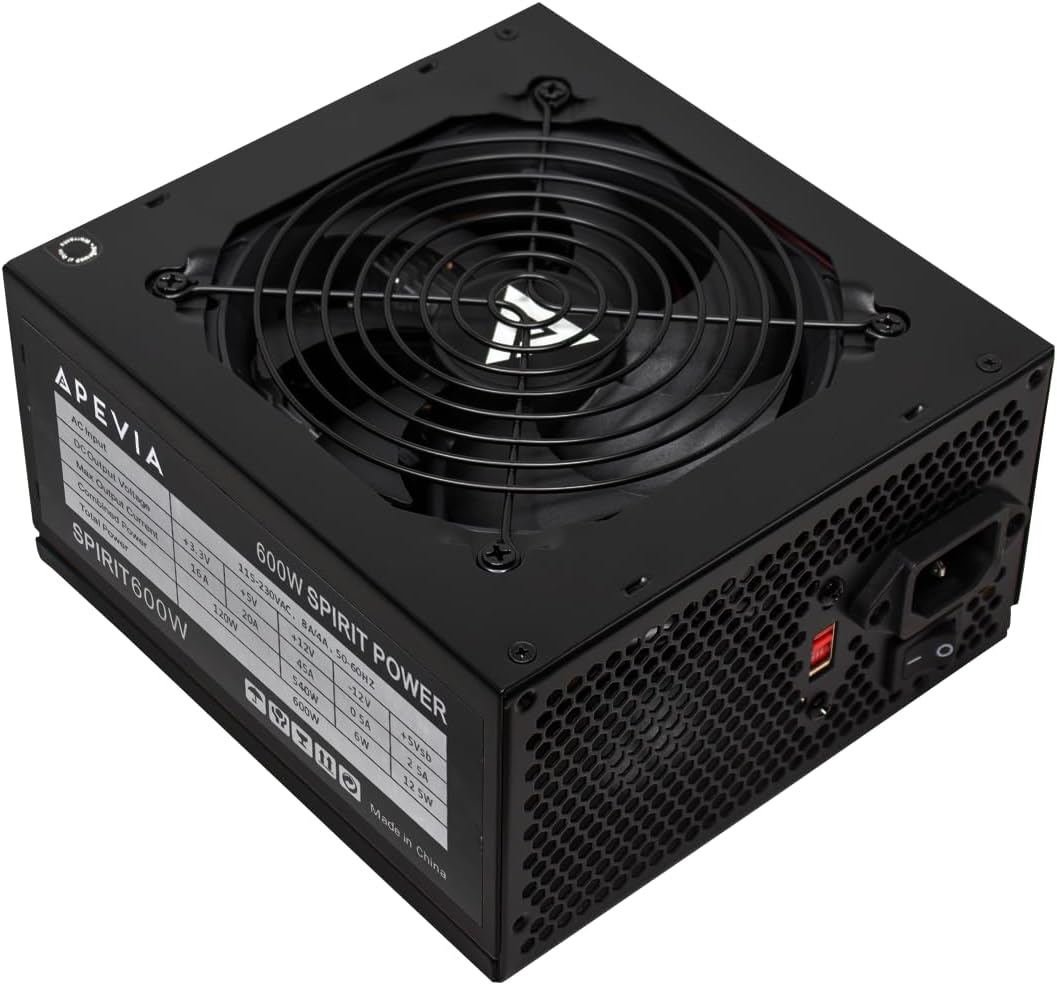
The Apevia SPIRIT600W provides basic reliable power with extensive protection features for budget systems. It offers auto thermal fan control and split connectors for motherboard and GPU flexibility.
We may earn a commission when you buy through this link, at no additional cost to you.
Its 120mm fan adjusts speed based on heat ensuring quiet operation when idle. Heavy duty protections cover all common electrical faults protecting your hardware effectively during use.
Split connectors simplify connections but the lack of 80 Plus certification means lower efficiency. Cable design remains basic which may clutter cases compared to modular units.
Best for entry level builds where cost matters most. It offers essential safety and reliable operation for basic gaming setups without frills.
Split connectors adapt easily to 4pin or 8pin needs ensuring compatibility with various motherboards and graphics cards.
Built in protections guard against over voltage short circuits and power surges ensuring your system stays safe from electrical damage.
We may earn a commission when you buy through this link, at no additional cost to you.
The Segotep GM850 combines high wattage and modern ATX 3.1 readiness for top performance. It includes a native 12VHPWR cable enabling direct high efficiency GPU connections safely.
We may earn a commission when you buy through this link, at no additional cost to you.
Fully modular flat white cables improve airflow and cable management significantly. 80 Plus Gold efficiency reduces energy costs and heat while the DC DC structure ensures stable power.
Its native 12VHPWR support simplifies next gen GPU setups reducing adapters and potential failure points. This unit costs more than basics but delivers excellent reliability and efficiency.
Best for builders seeking future ready power with solid efficiency. It supports modern GPUs and high end components without needing additional adapter cables.
A native cable ensures safe and efficient power delivery to modern GPUs requiring the new 12VHPWR standard without adapters.
Flat white cables improve airflow and create a cleaner look while the modular design removes unneeded connectors easily.
We may earn a commission when you buy through this link, at no additional cost to you.
Choosing the right budget power supply requires understanding wattage, efficiency, and protection features. This guide explains key factors to help you pick a reliable unit for your specific gaming hardware.
Determine your system's total wattage needs by summing CPU and GPU TDPs plus a safety buffer. Budget units often advertise peak but not continuous wattage which affects real stability.
Always select a PSU with at least 20 percent headroom above your calculated needs to ensure stable performance during gaming loads.
Efficiency ratings like 80 Plus Bronze or Gold indicate how much power converts to useful output versus wasted heat. Higher efficiency lowers electricity bills and heat inside your case.
For budget builds Bronze is acceptable but Gold offers better long term savings and lower operating temperatures.
Non modular units have all cables permanently attached which can cause clutter and restrict airflow in smaller cases. Modular designs allow you to connect only what you need.
Semi modular options offer a middle ground with essential cables fixed but others detachable. Consider case size and airflow when choosing cable type.
Look for OVP OCP OPP and SCP protections to guard components from electrical issues. Cheap PSUs may lack these leading to risky conditions during power surges or faults.
Prioritize units with full protection suites to ensure hardware longevity and avoid costly component replacements due to power issues.
Noise levels impact your immersion during gaming so check fan size and speed control. Larger fans move more air at lower speeds keeping noise lower.
Select units with auto thermal control to reduce noise during idle periods when the system doesn't need maximum cooling.
A longer warranty signals manufacturer confidence in build quality. Many budget options offer five years while premium models may offer ten years of coverage.
Prioritize brands with responsive support teams to simplify claims if the unit fails during the warranty period.
Measure your case's PSU bay to ensure compatibility. Some high wattage units are longer than standard sizes and won't fit compact enclosures.
Verify clearance with case fans and drive bays to avoid fitting issues or airflow obstruction during installation.
Check the number and type of PCIe and CPU power connectors your GPU and motherboard require. Budget units may lack the right connectors for newer high end GPUs.
Ensure the PSU provides enough PCIe connectors for current and future upgrades to avoid relying on unsafe adapters.
Install your PSU with the fan facing down if your case has a bottom vent for better airflow. Ensure cables are routed neatly to avoid blocking intake fans or drive bays inside the case.
Check connections regularly for dust buildup or loose contacts especially after cleaning. Dust can block fan movement causing overheating and reducing PSU lifespan over time.
Avoid turning the PSU on and off frequently as sudden changes can stress internal components. Allow your system to shut down fully before unplugging or rebooting to maintain stable power flow.
Yes if it has proper protection features like OVP and SCP. Avoid extremely cheap generic models without certifications because they may damage components. Stick to branded units with at least Bronze efficiency and full protection suites for safe gaming.
Most budget gaming builds with mid tier GPUs need 500 to 650W. High end GPUs require 750W or more. Calculate total system load and add twenty percent headroom to ensure reliable performance under heavy gaming.
Certification ensures efficiency and reduces wasted heat. While basic builds may work without it certified units save on electricity bills and run cooler. Bronze or Gold certification offers good value for most gamers.
Yes but cable management may be difficult. Use cable ties and routing channels to hide excess cables. If space is tight consider a modular PSU to improve airflow and simplify installation.
ATX 3.1 means the PSU handles power spikes from modern GPUs safely. It supports native PCIe 5.1 cables and high power excursions. This standard is useful for high end GPU owners but not strictly required for budget builds.
A quality budget PSU can last five to seven years with proper care. Dust buildup and overheating can shorten this lifespan. Regular cleaning and proper airflow help extend the operational life significantly.
This guide highlighted ten reliable cheap power supplies balancing cost and performance. Whether you need basic 500W delivery or future ready 1000W capacity options exist for every budget.
Prioritize safety features efficiency ratings and connector availability when picking your PSU. A reliable power supply protects your hardware better than saving a few dollars on an unreliable unit.
Prices change frequently so check current listings before buying to confirm the best deal available. Ensure you select a unit that matches your case dimensions and GPU requirements.