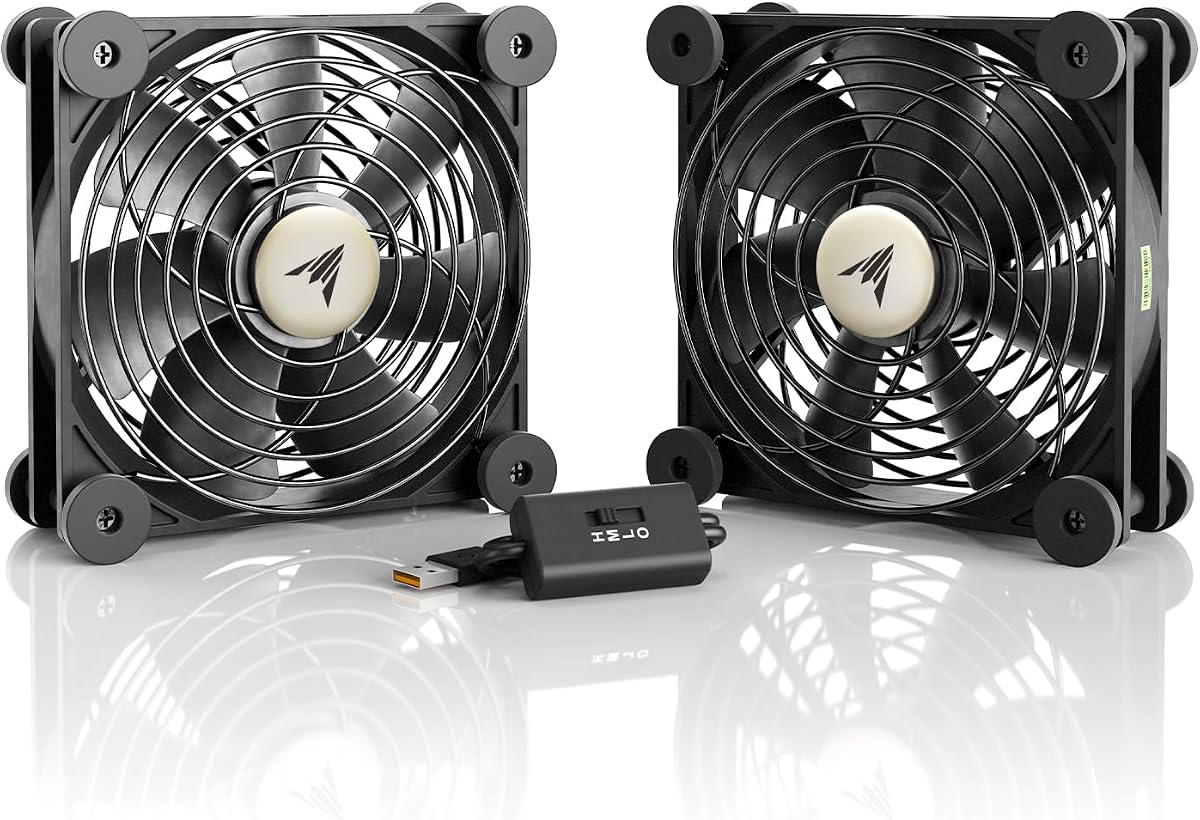
AC INFINITY MULTIFAN S7
4.7Editor score
Ultra-quiet USB powered
Multi-speed controller included
Dual ball bearing lifespan
Overheating can severely damage your AV receiver and shorten its lifespan. A dedicated cooling fan ensures proper airflow and maintains optimal operating temperatures for your electronics.
We evaluated ten top-rated cooling solutions based on noise levels, airflow capacity, installation ease, and build quality to find the most effective options for your setup.
Each pick highlights key specs and benefits to help you choose wisely. Prices and availability change often, so check current listings before making your final purchase decision.
4.7Editor score

4.8Editor score

4.4Editor score
As an Amazon Associate we earn from qualifying purchases.
The following table provides a side-by-side comparison of all ten cooling solutions. Review airflow, noise levels, power options, and mounting styles to find the perfect match for your AV cabinet.
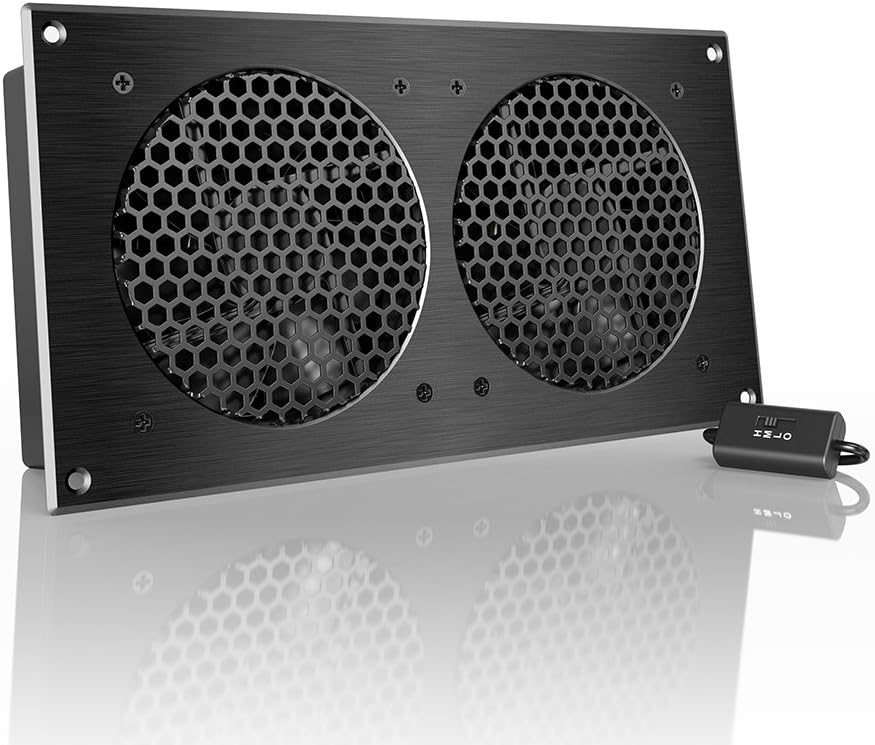


The AC INFINITY AIRCOM S7 stands out as the top choice for AV receivers. With a 4.8 rating, it delivers whisper-quiet cooling while maintaining high airflow efficiency for demanding equipment.
We may earn a commission when you buy through this link, at no additional cost to you.
Its dual-ball bearing fans and PWM-controlled motors ensure reliable performance. The top-exhaust design pushes hot air away from sensitive components effectively without disrupting your home theater setup.
While it costs more than basic fans, the longevity and thermal control features justify the investment. It protects your receiver from overheating issues that could shorten its operational life.
Ideal for audiophiles and home theater enthusiasts, this fan provides peace of mind. Its programmable modes adapt to your specific heat needs automatically.
The 19 dBA noise rating ensures the fan stays inaudible even during quiet movie scenes.
Programming features allow thermal trigger modes to activate cooling only when needed.
We may earn a commission when you buy through this link, at no additional cost to you.
The AC INFINITY MULTIFAN S7 offers exceptional value for budget-conscious buyers. Rated 4.7, it provides reliable cooling using USB power found on many modern AV receivers.
We may earn a commission when you buy through this link, at no additional cost to you.
Features include dual ball bearings with a lifespan of 67,000 hours and a multi-speed controller. These specs ensure longevity and flexible noise management for your cabinet.
While it delivers less airflow than larger systems, it suits smaller setups well. The plug-and-play USB design simplifies installation without needing extra power outlets.
Buyers seeking a simple, low-cost solution will appreciate this model. It effectively reduces heat buildup without adding significant noise to your listening environment.
Simply plug into a USB port behind your receiver to start cooling instantly.
The speed controller lets you set lower RPMs for silent nighttime operation.
We may earn a commission when you buy through this link, at no additional cost to you.
The Noctua NV-FS2 is a high-end solution for those prioritizing acoustic perfection. With a 4.4 rating, it combines state-of-the-art fans with premium accessories for optimal cooling.
We may earn a commission when you buy through this link, at no additional cost to you.
It includes NF-A12x25 PWM fans, silicone gaskets to reduce vibrations, and a power supply. This comprehensive kit ensures your AV receiver stays cool without mechanical rattles.
The investment is significant compared to standard fans, but the build quality reflects Noctua's reputation. You gain reliable performance and a professional finish in your media setup.
Enthusiasts who value silence and precision will find this kit worth the cost. It provides a complete cooling ecosystem tailored to sensitive electronics.
Extra-soft silicone gaskets offset design to minimize vibrations transfer to furniture.
Includes power supply, adapters, and extension cables for flexible placement options.
We may earn a commission when you buy through this link, at no additional cost to you.
This 120mm fan offers simplicity by plugging directly into standard wall outlets. It has a 4.7 rating and delivers powerful airflow without needing extra power supplies.
We may earn a commission when you buy through this link, at no additional cost to you.
Its brushless motor operates silently, making it suitable for home theater environments. An included inline speed controller gives you manual control over fan RPMs.
The unit is versatile enough for DIY ventilation setups beyond just AV cabinets. It is a practical choice if you have available wall space near your equipment.
Buyers looking for a no-fuss cooling solution will appreciate the direct power design. Just plug it in and adjust the speed to match your cooling needs.
Plugs into any standard 110V-240V outlet without requiring additional adapters.
Adjust the dial to balance noise levels with airflow intensity easily.
We may earn a commission when you buy through this link, at no additional cost to you.
This fan is designed to fit existing cabinet door gaps without cutting holes. With a 4.0 rating, it offers a non-destructive way to cool enclosed AV electronics.
We may earn a commission when you buy through this link, at no additional cost to you.
It uses USB 5V power and provides up to 77.12 CFM airflow. The slim profile allows it to slide into tight spaces behind furniture doors.
Installation is quick and tool-free, protecting the integrity of your expensive cabinetry. It is perfect for renters or those who avoid permanent modifications.
Anyone needing airflow improvement without structural changes should consider this option. It effectively exhausts hot air from your AV receiver cabinet safely.
Protects your furniture by utilizing existing door gaps for mounting.
Powered by USB 5V for easy connection to existing electronics.
We may earn a commission when you buy through this link, at no additional cost to you.
An ultra-slim fan that fits narrow cabinets where traditional units fail. It holds a 4.4 rating and provides quiet cooling for AV receivers and network equipment.
We may earn a commission when you buy through this link, at no additional cost to you.
The no-drill installation mounts securely using existing vents or gaps. USB power simplifies the setup so you can start cooling immediately.
This model excels in tight spaces like media consoles with limited clearance. It ensures your electronics stay cool without adding bulk to your setup.
Ideal for modern home theaters with sleek furniture designs. It delivers efficient airflow while maintaining the aesthetic integrity of your room.
Designed to fit narrow cabinets where standard fans cannot be installed.
Provides efficient airflow with low operating noise for AV receivers.
We may earn a commission when you buy through this link, at no additional cost to you.
A quick-install solution for those who value furniture integrity. With a 4.2 rating, this fan attaches to door edges without drilling holes.
We may earn a commission when you buy through this link, at no additional cost to you.
It pulls heat away from AV receivers and gaming consoles silently. The optimized design excels where standard fans fail in tight spaces.
Setup takes under 60 seconds with included mounting brackets. It effectively maintains peak performance for electronics in cramped quarters.
Suitable for renters and DIY enthusiasts who want simple cooling. Just plug it into USB power and enjoy immediate thermal protection.
Attach using non-destructive brackets in under 60 seconds without tools.
Specialized design excels where standard fans fail in tight spaces.
We may earn a commission when you buy through this link, at no additional cost to you.
Two fans in one package deliver efficient cooling for multiple devices. Rated 4.3, it uses dual 140mm fans to move ample air quietly.
We may earn a commission when you buy through this link, at no additional cost to you.
It offers low, medium, and high speed settings to customize airflow. The compact size fits easily in crowded AV cabinets and entertainment centers.
While it uses sleeve bearings instead of ball bearings, it is effective for moderate needs. It suits setups needing extra cooling without high costs.
This unit is perfect for game consoles and routers alongside your AV receiver. It reduces heat buildup in tight spaces effectively.
Dual 140mm fans provide higher airflow than single fan units.
Low, medium, and high speed settings customize airflow.
We may earn a commission when you buy through this link, at no additional cost to you.
A large dual-fan unit designed to cool multiple heat-generating devices. With a 4.3 rating, it offers ample air movement to prevent overheating.
We may earn a commission when you buy through this link, at no additional cost to you.
Features L/M/H speed controls and hydraulic bearings for long-lasting quiet operation. The included USB extension cable allows flexible placement near your gear.
Its compact slim profile fits in crowded shelves and network racks. It delivers high airflow when set to maximum during summer or heavy use.
Ideal for those needing serious cooling without complex wiring. Plug it into any USB port and enjoy effective thermal protection.
Dual 120mm fans move ample air to cool multiple devices simultaneously.
Includes USB extension cable for better placement options.
We may earn a commission when you buy through this link, at no additional cost to you.
A sleek cabinet fan with a brushed black finish for modern home theater. Rated 4.7, it combines style with efficient cooling for enclosed electronics.
We may earn a commission when you buy through this link, at no additional cost to you.
The Turbo Adapter increases performance by 25% when needed. It runs on wall outlets or USB power to offer versatile installation options.
Dual ball bearings ensure long life and quiet operation. While installation may require some drilling, the finished look is worth the effort.
Best for users wanting a premium look in their AV cabinet. It balances noise control with effective airflow management.
CNC machined aluminum frame with modern brushed black finish.
Included Turbo Adapter increases performance by 25% for extra cooling.
We may earn a commission when you buy through this link, at no additional cost to you.
Choosing the right cooling fan involves balancing airflow, noise, power options, and mounting style to suit your specific AV setup.
Airflow is measured in CFM and indicates how much air the fan moves. Higher CFM is better for high-end receivers that generate significant heat.
Select a fan with enough CFM to match your equipment heat output without overkill.
Noise is measured in dBA and is critical for home theaters. Look for fans rated under 25 dBA for quiet operation.
Prioritize models with PWM control or speed controllers to reduce noise at night.
Fans may run on AC wall outlets or USB ports. USB power simplifies setups by using power already behind your receiver.
Choose USB if you want plug-and-play convenience and wall AC for independent power.
Installation options range from no-drill door-gap fans to fixed cabinet mounts. Consider if you want to avoid permanent modifications.
Select mounting based on your furniture type and installation comfort level.
Ball bearings last longer than sleeve or hydraulic bearings and handle heat better. Dual-ball bearings ensure reliable long-term performance.
Check bearing type to ensure longevity especially for 24/7 operation needs.
Physical size affects where you can place the fan. Slim profiles fit tight cabinet gaps while larger units move more air.
Measure your available space before buying to ensure a proper fit.
Some fans include thermal triggers that adjust speed based on temperature. This automated feature saves energy and reduces noise when not needed.
Look for thermal features if you want smart cooling without manual adjustments.
Durability depends on materials like aluminum frames and plastic grills. Better build quality means longer life and better vibration damping.
Choose sturdy models to protect both the fan and your sensitive electronics.
Install the fan near your receiver's exhaust vents for best results. Ensure the airflow direction pushes heat away from the receiver chassis.
Keep the fan free of dust by cleaning it monthly with compressed air. Dust buildup can reduce cooling efficiency and increase noise over time.
Check the power connection regularly to avoid loose contacts. Secure cables to prevent tripping or dislodging the fan during maintenance.
Yes, cooling fans prevent overheating which can cause performance issues or hardware failure. They extend equipment lifespan especially in enclosed cabinets. Proper airflow keeps your receiver stable during long listening sessions.
Look for signs like throttling performance, unexpected shutdowns, or a burning smell. Hot surfaces near vents indicate inadequate airflow. Adding a fan helps maintain safe operating temperatures immediately.
Fans with PWM control and dual ball bearings tend to be quietest. Look for noise ratings under 20 dBA for inaudible operation. Brands like AC Infinity and Noctua focus on acoustic performance heavily.
Yes, many receivers have USB ports that can power fans. Ensure your receiver can supply enough current for the fan load. USB fans offer easy plug-and-play convenience for modern setups.
Some do but many newer models offer no-drill door-gap installation. These slide into existing vents without permanent modifications. Check product specs if you want to avoid drilling.
Ball bearing fans can last over 50,000 hours of operation. Sleeve bearings may last less and require more frequent replacement. Proper dusting extends fan life significantly.
Measure your available space first to ensure a proper fit. Fans ranging from 120mm to 240mm suit most cabinets. Larger fans move more air but need more clearance.
Yes, controllers let you adjust noise and airflow based on need. This flexibility helps balance cooling and silence for different scenarios. Most top models include a controller.
We reviewed ten excellent options ranging from budget USB fans to premium kits. Each model offers unique benefits depending on your needs and setup.
Prioritize low noise and sufficient airflow to keep your receiver running cool. Check power options and mounting styles before making your final decision.
Remember that product prices change often so verify current listings before buying. Your equipment deserves protection from overheating with the right cooling fan.