
Redragon K686 HE
4.4Editor score
UltraMag Magnetic Switches
8000Hz Polling
One-Knob Control
Discover the 10 best Hall Effect keyboards for gaming in October 2026. We compare speed, precision, and features to help you choose the right board.
Hall effect keyboards use magnetic switches for lightning-fast response times. They are changing how competitive gamers approach precision input and rapid triggers.
We evaluated ten top models based on polling rates, software customization, and build quality. Our list covers wired and wireless options across various budgets and layouts.
Each pick highlights unique strengths like rapid trigger tech or wireless versatility. Prices and availability change frequently so check current listings before buying.
4.4Editor score

4.7Editor score

4.6Editor score
This side-by-side comparison breaks down the key specifications and unique features of the top ten Hall effect keyboards available for gamers today.




The EPOMAKER G84 HE is a standout Hall Effect keyboard designed for competitive play and typing. It offers an 8K polling rate and incredibly sensitive actuation control.
We may earn a commission when you buy through this link, at no additional cost to you.
Its magnetic switches allow zero dead zone input with adjustable travel from 0.1 to 3.3mm. Features like Snap Key and DKS enhance movement precision for FPS titles.
While the software has a learning curve for advanced macros, the tri-mode connectivity is a massive perk. The gasket mount provides a satisfyingly smooth acoustic feel.
We recommend this keyboard to gamers who want wireless convenience without sacrificing the speed of Hall Effect technology. It delivers top-tier performance out of the box.
The switches use magnets to trigger inputs instantly without physical contact. This reduces latency significantly compared to mechanical switches.
Connect via 2.4Ghz, Bluetooth, or USB-C for complete flexibility. A hidden receiver ensures a stable connection without clutter.
We may earn a commission when you buy through this link, at no additional cost to you.
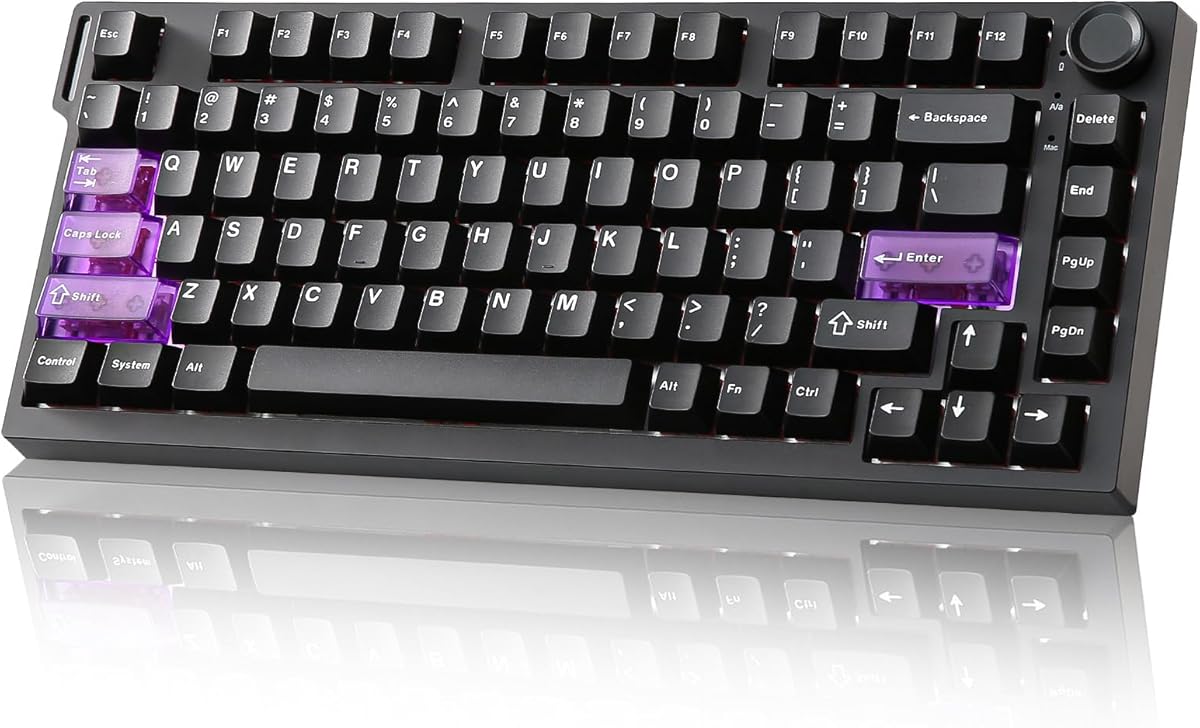
The Redragon K686 HE proves that Hall Effect technology is accessible on a budget. It features a single control knob and ultra-fast magnetic switches for speed.
We may earn a commission when you buy through this link, at no additional cost to you.
Users get rapid trigger functionality and an 8,000Hz polling rate for instant response. The floating structure helps dampen noise while keeping costs low.
While it lacks wireless options, the included web driver makes calibration easy. The build is solid enough for daily use without compromising performance.
This is the ideal entry point for those new to Hall Effect keyboards. It delivers pro-level features like rapid trigger at a fraction of the usual cost.
You get high-speed polling and rapid trigger without paying premium prices. It is perfect for beginners testing the technology.
A dedicated knob manages media and brightness. This removes the need for complex key combos during intense gaming sessions.
We may earn a commission when you buy through this link, at no additional cost to you.
Logitech delivers a top-tier option with the PRO X TKL Rapid. It was built with pro athletes in mind for tournament-grade performance.
We may earn a commission when you buy through this link, at no additional cost to you.
The Rapid Trigger mode is excellent for FPS games where split-second decisions matter. It allows key reactivation without needing a full release.
Customization via G HUB is robust but requires the software for advanced features. The keyboard is designed to withstand heavy usage over time.
If you want a trusted name and proven reliability, this is the pick. It balances premium build quality with the advanced control needed for competitive play.
Created with esports feedback to ensure it meets the needs of high-level competition. It is tested in real tournaments.
Synchronizes lighting with game events and music. It adds a dynamic visual layer that enhances the gaming atmosphere.
We may earn a commission when you buy through this link, at no additional cost to you.
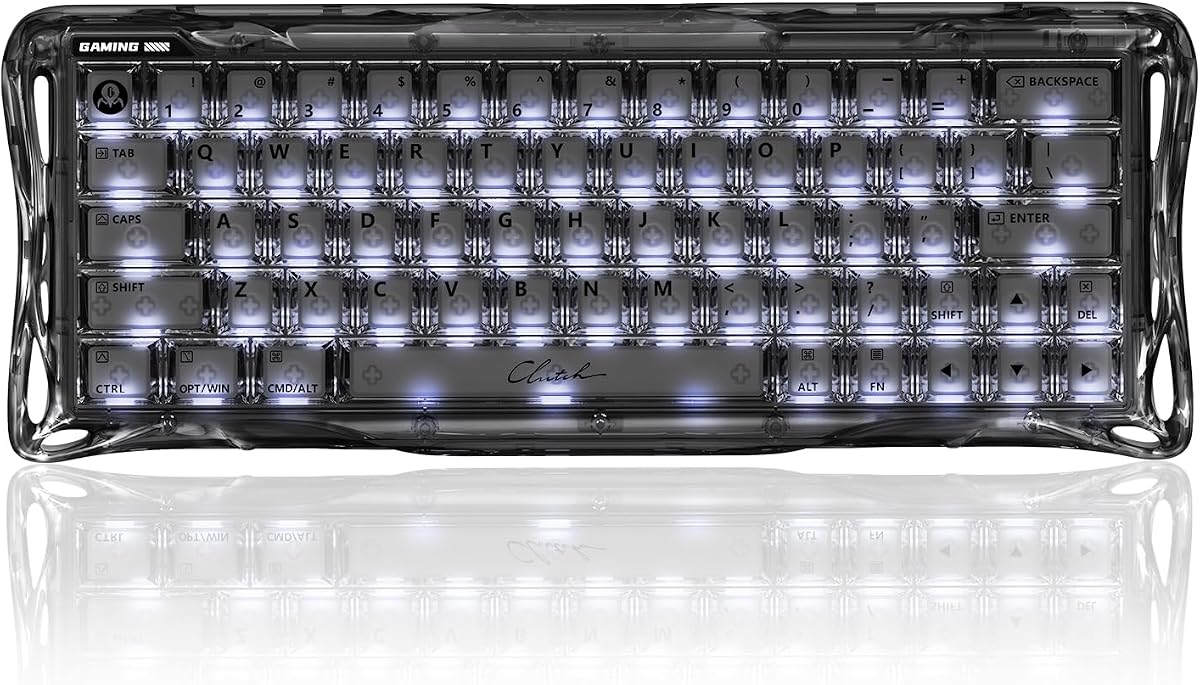
The GravaStar Mercury V60 offers an aesthetic and functional twist with its transparent crystal chassis and UFO magnetic switches. It is a statement piece.
We may earn a commission when you buy through this link, at no additional cost to you.
The magnetic switches allow actuation adjustments as fine as 0.005mm which is incredibly precise. Rapid Trigger and Snap Tap further boost competitive advantage.
Hot-swap capability lets you change switches without soldering. The acoustic foam helps reduce vibration and create a satisfying thock sound.
If you want a keyboard that looks like a sci-fi prop and performs like a tank, this is it. It stands out visually while maintaining top speed.
The Onyx Crystal chassis lets RGB light flood through transparent keys. It creates a stunning next-generation battle station vibe.
Switches offer up to 0.005mm accuracy for ultra-sensitive movement. This helps with precise counter-strafing in shooters.
We may earn a commission when you buy through this link, at no additional cost to you.
The ROG Falchion Ace packs Hall Effect speed into a compact 65% layout. It is designed to free up desk space for mouse movement.
We may earn a commission when you buy through this link, at no additional cost to you.
A multi-function touch panel handles media and lighting adjustments without taking up space. It also features dual USB-C ports for quick switching.
The five-layer dampening makes typing smoother and quieter than typical TKL boards. PBT keycaps add durability for long sessions.
For players who value portability and clean setups, this is a strong contender. It keeps essential controls while maximizing desk space efficiently.
The 65% size is nearly identical to a 60% keyboard. This frees up mouse space for low-sensitivity gaming.
Two USB-C ports allow switching between devices instantly. You can connect two PCs or peripherals simultaneously.
We may earn a commission when you buy through this link, at no additional cost to you.
The EPOMAKER HE80 features a 75% functional layout that balances size and features. It offers rapid triggers with zero dead zones for fluid movement.
We may earn a commission when you buy through this link, at no additional cost to you.
Customization is handled via a web driver which simplifies setup across devices. The double-shot PBT keycaps are durable and resist shine.
Its 8K polling and 32K scan rate ensure inputs are processed instantly. SOCD logic helps prevent freezes during complex gaming maneuvers.
This keyboard is great for those who want a standard layout with fast magnetic switches. It offers reliability and speed for work and gaming.
The web driver allows adjustments without downloading heavy software. It simplifies macro and lighting setup.
The 75% size keeps arrow keys and function rows. It is efficient without being too small.
We may earn a commission when you buy through this link, at no additional cost to you.
Razer brings its signature RGB to Hall Effect tech with the Huntsman V3 Mini. It is a 65% layout designed for competitive FPS gaming.
We may earn a commission when you buy through this link, at no additional cost to you.
The rapid trigger and snap tap prioritize directional inputs for faster counter-strafing. Customization is handled via Synapse Web for easy access.
Durable PBT keycaps and a 5052 aluminum case ensure longevity and a solid feel. It also stores up to six profiles onboard.
If you love Razer Chroma and want speed, this fits well. It is designed for esports but may feel too small for general tasks.
Razer Chroma RGB allows vibrant lighting effects. It syncs with other Razer devices for a unified look.
Snap Tap optimizes directional movement automatically. It helps in shooters like Valorant or CS2.
We may earn a commission when you buy through this link, at no additional cost to you.
The YUNZII RT75 PRO stands out with dual 8K polling in both wired and wireless modes. It uses magnetic switches for rapid triggers.
We may earn a commission when you buy through this link, at no additional cost to you.
You can customize settings via a web driver which supports features like SOCD and DKS. It also supports hot-swap for easy switch changes.
Its 5-layer sound damping delivers a creamy acoustic experience. The 8000mAh battery supports long wireless use without frequent charging.
This is ideal for those wanting full wireless performance without speed loss. It bridges the gap between wired speed and wireless convenience.
It maintains 8K polling even in wireless mode. This reduces lag significantly compared to standard wireless.
The PCB allows swapping switches without tools. You can try different magnetic or mechanical switches freely.
We may earn a commission when you buy through this link, at no additional cost to you.
The Corsair K70 PRO TKL delivers magnetic speed in a classic tenkeyless layout. Its MGX Hyperdrive switches allow precise per-key adjustment.
We may earn a commission when you buy through this link, at no additional cost to you.
Dual actuation lets you trigger two actions from one keypress for faster combos. The double-rail structure reduces wobble for stability.
It supports simultaneous SOCD and rapid trigger for advanced control. RGB lighting is customizable via the Corsair software ecosystem.
If you want a sturdy TKL board with granular control, this is strong. It fits well into most setups with its slim profile.
These pre-lubricated switches are smooth and fast. They support millions of keystrokes for long-term durability.
Each key can be adjusted individually for sensitivity. This allows tailored setups for different games.
We may earn a commission when you buy through this link, at no additional cost to you.
The RK ROYAL KLUDGE M75 offers a feature-rich 75% keyboard with magnetic switches. It includes a dedicated metal volume knob for quick control.
We may earn a commission when you buy through this link, at no additional cost to you.
Its hot-swappable PCB makes it easy to experiment with different switches. Rapid trigger and adjustable actuation provide the edge in competitive games.
Dye-sublimated legends keep legends vibrant while underglow enhances aesthetics. It uses aluminum plates for a solid feel.
This is an excellent value choice for enthusiasts wanting customization. It balances build quality with magnetic speed at a reasonable cost.
The metal knob provides tactile mute and scroll control. It adds a premium touch to a budget-friendly board.
Swap switches easily without soldering. It allows you to tailor the tactile feel to your liking.
We may earn a commission when you buy through this link, at no additional cost to you.
Choosing the right Hall Effect keyboard involves looking at polling rates, switch types, and layout preferences for your needs.
Polling rate determines how often your keyboard sends data to your computer. Higher rates like 8K Hz reduce latency significantly.
Look for 8000Hz polling to ensure split-second responses during fast-paced matches.
Rapid trigger resets the input instantly on release allowing for faster movement resets. It is crucial for FPS games.
Ensure your keyboard supports this feature to gain a competitive advantage in shooting titles.
Hall effect switches allow you to adjust where a key actuates. This lets you customize sensitivity for different keys.
Choose models that offer adjustable actuation points for tailored control over movement speed.
Sizes range from full-size to 60% and compact TKL. A smaller layout gives more desk space for mouse movement.
Decide on a layout that fits your desk and gameplay needs without losing essential keys.
Wired connections offer the lowest latency but wireless provides flexibility. Some models support both modes with minimal lag.
Select wired for pure speed or wireless if you prefer a clean desk setup.
Good software allows you to remap keys and customize RGB lighting. Web drivers can simplify cross-platform customization.
Check if the software supports advanced features like macros and actuation tuning.
Look for durable materials like aluminum cases or high-quality plastics. Gasket mounts often improve typing comfort.
A solid build ensures the keyboard withstands intense gaming sessions over time.
Prices vary widely depending on features and brand. Budget options offer great value while premium boards have more features.
Set a budget that aligns with your performance needs without overspending on extras.
Download the official software or web driver to configure your settings. Set your preferred actuation points and key mappings for your games.
Keep the keyboard clean by regularly removing dust and debris. Use a soft cloth to wipe the surface and keycaps gently.
Store it in a safe place when not in use. Avoid exposing it to extreme temperatures or moisture to maintain performance.
Hall effect switches use magnets instead of physical contacts. This reduces mechanical delay and allows rapid trigger features.
Most Hall Effect keyboards are designed for PC and Mac. Console support varies by model and usually requires adapters.
For competitive gamers, the speed and precision justify the investment. Casual users may not notice the difference as much.
Yes most Hall effect keyboards allow per-key actuation adjustments. This lets you set different trigger points for different keys.
They are generally quieter than mechanical keyboards but depend on switches. Dampening foam helps reduce the sound further.
Rapid trigger helps with quick movement changes in shooters. It allows you to stop and start moving without fully releasing keys.
Hall effect keyboards offer a significant speed boost for competitive play. The models we reviewed provide excellent features across various price points.
Prioritize polling rates and rapid trigger support when making your choice. A compact layout can also help improve your mouse movement comfort.
Prices may vary so check current listings before you buy. Investing in a quality board enhances your overall gaming experience.