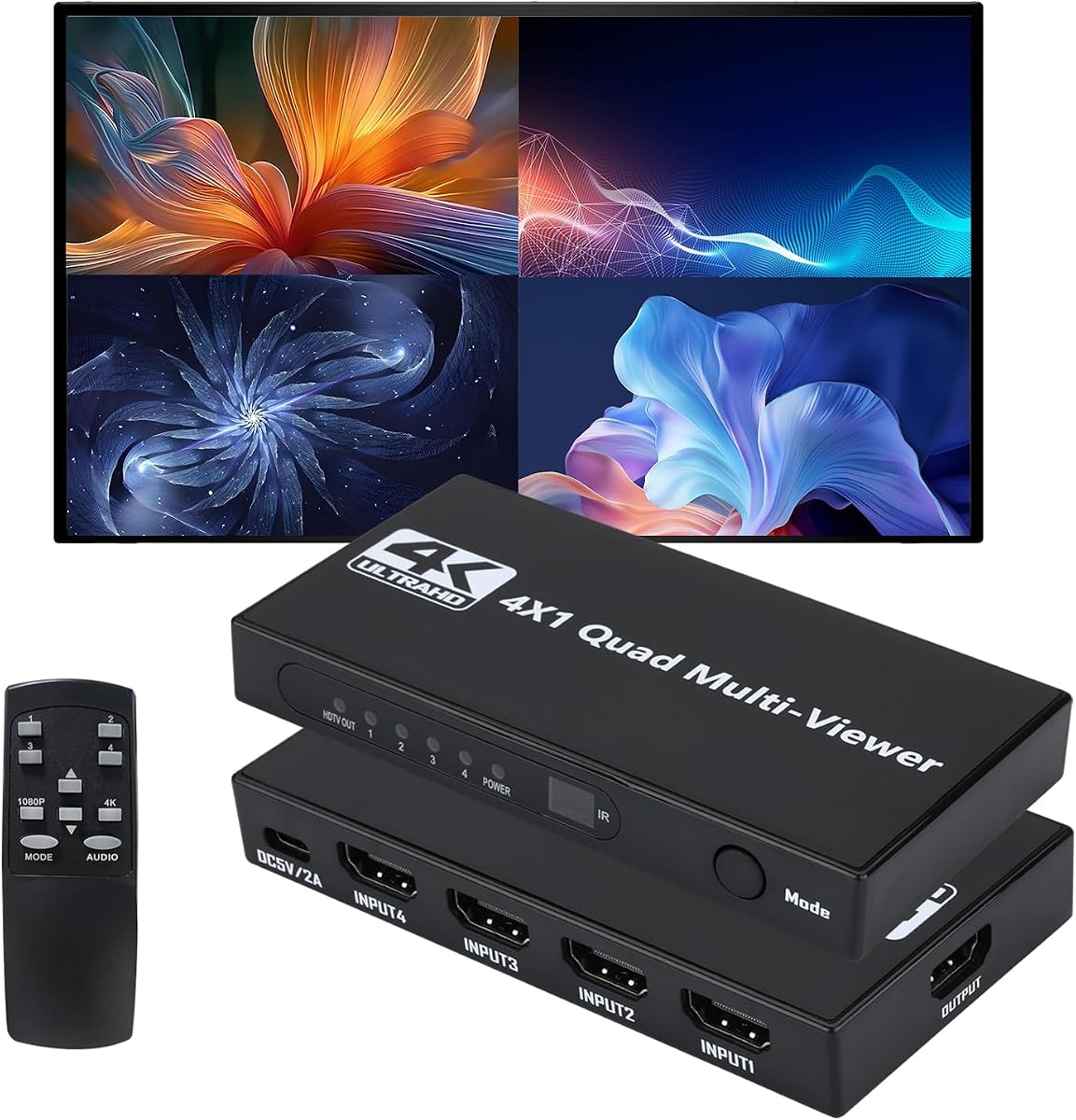
HDMI Multiviewer Switch 4 in 1 Out HDMI Quad Multi-Viewer switcher
4.8Editor score
12 Display Modes
4K@30Hz Support
IR Remote Control
This comprehensive guide compares the top HDMI Multiviewer models for seamless switching, high resolution, and multiple display modes to help you choose the
Finding the right HDMI Multiviewer can transform how you manage multiple video sources on a single display. Whether for security monitoring, gaming setups, or professional presentations, a quality unit ensures smooth transitions and crisp visuals without needing extra hardware.
We evaluated ten leading HDMI Multiviewer options based on resolution support, viewing modes, audio extraction, and build quality. Our analysis focuses on real-world performance, compatibility with common devices, and ease of use through remote or panel controls.
Each pick highlights specific strengths like budget friendliness or premium 4K support. Note that product availability and pricing fluctuate frequently, so verify current details on the manufacturer site before making your final purchase decision today.
4.8Editor score

4.3Editor score

4.0Editor score
The following table provides a side-by-side comparison of all ten selected HDMI Multiviewer models, highlighting key specifications such as resolution limits, input/output configurations, and special features like audio extraction or remote control options.


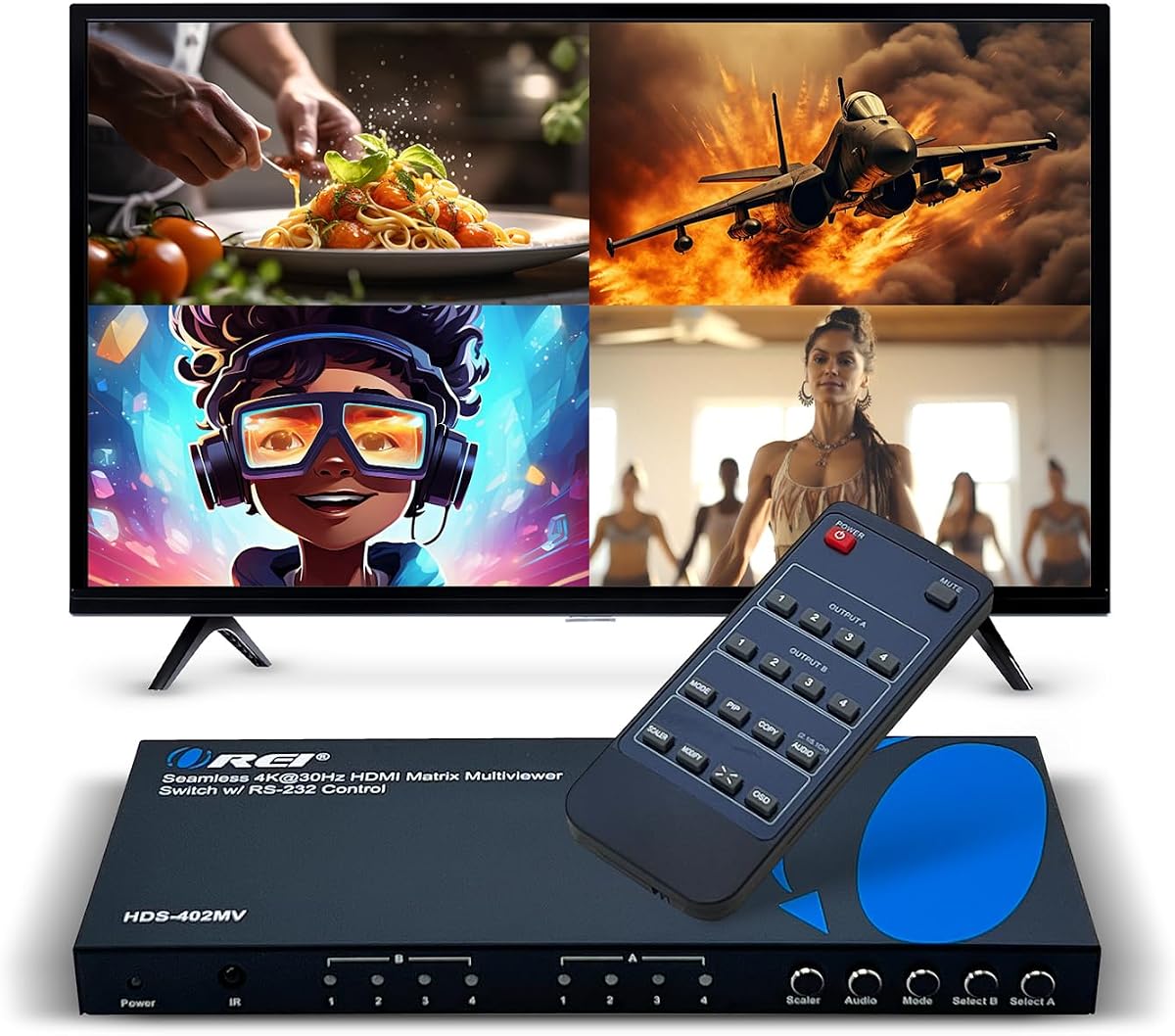


The PORTTA HDMI Multiviewer Switch stands out as a versatile solution for managing multiple video sources on a single screen. With a strong rating and robust features like seamless switching, it ensures smooth transitions between inputs without noticeable delay.
We may earn a commission when you buy through this link, at no additional cost to you.
Its six viewing modes including dual side-by-side and Picture-in-Picture provide significant flexibility for monitoring setups. The support for 1080p at 60Hz ensures crisp visuals for gaming or security feeds, while Toslink and 3.5mm audio outputs cater to diverse sound systems.
While it lacks 4K resolution support, the device excels in 1080p environments where clarity and speed are paramount. The inclusion of RS232 control adds a professional layer of integration for advanced users needing automated switching routines.
This model is ideal for home theaters, security setups, or gaming rooms where reliable quad-screen viewing is essential. We recommend it for anyone prioritizing seamless performance and broad device compatibility over ultra-high-definition resolution needs.
The device eliminates waiting time during input changes, making it perfect for full-screen mode applications where continuity is critical for viewing experience.
Works with security cameras, PCs, consoles, and media players ensuring it fits into almost any existing HDMI ecosystem without requiring additional adapters.
We may earn a commission when you buy through this link, at no additional cost to you.
This HDMI Quad Multiviewer Switcher offers exceptional value with the highest customer rating among budget options. It provides twelve distinct display modes and supports 4K at 30Hz in full screen mode, making it a surprising performer for its price.
We may earn a commission when you buy through this link, at no additional cost to you.
The ability to switch between inputs via IR remote or panel buttons adds convenience without requiring extra software. It supports stretching images from 16:9 to 4:3 which is helpful for older content sources that need specific aspect ratios.
While multiviewer mode caps at 1080p for stability, the full screen 4K capability ensures high fidelity when viewing single sources. The plug-and-play design means you avoid complex driver installations across different operating systems like Windows or Mac.
Perfect for residential surveillance or casual gaming, this unit balances cost and features effectively. Choose this if you need a reliable, versatile switcher without breaking the bank on premium enterprise features you may not use.
Supports 4K@30Hz in full screen mode ensuring sharp visuals for high-quality sources while maintaining 1080P@60Hz for efficient multiviewer layouts.
No drivers needed for installation allowing immediate use across Windows Linux and Mac systems which simplifies setup for non technical users.
We may earn a commission when you buy through this link, at no additional cost to you.
The OREI 4×1 Multi HDMI Viewer delivers top-tier performance with 4K@60Hz support and advanced HDCP 2.2 compatibility. It stands as a premium choice for those needing high fidelity and robust control options for professional environments.
We may earn a commission when you buy through this link, at no additional cost to you.
Its audio capabilities are extensive supporting formats like Dolby TrueHD and Master Audio with simultaneous digital and analog outputs. The RS-232 control allows for integration into larger automation systems which is rare in consumer grade devices.
While more expensive than entry models, the dual voltage supply ensures international use without extra converters. The comprehensive audio converter allows you to route sound flexibly though note only one source outputs audio at a time.
Ideal for high-end home theaters or commercial displays this unit justifies its cost with performance and versatility. It is the clear choice for professionals needing 4K speed and enterprise-grade control interfaces.
Supports DTS Digital Dolby TrueHD and Master Audio formats with simultaneous digital and analog audio output across all channels.
RS-232 control interface allows for integration into larger automation systems making it suitable for commercial or advanced setups.
We may earn a commission when you buy through this link, at no additional cost to you.
OREI delivers a reliable and budget friendly solution with this quad screen multiviewer. It offers five display modes and includes a VGA output which makes it suitable for older monitors or legacy setups requiring analog connections.
We may earn a commission when you buy through this link, at no additional cost to you.
Despite HDMI 1.4 limitations it supports 4K compatible inputs ensuring future readiness even if output caps at 1080p. The IR remote simplifies switching between sources making it accessible for daily use without technical knowledge.
The device is compact and easy to set up with dual voltage support for international travelers. While it lacks the advanced features of premium models it covers basic multi-viewing needs efficiently.
Best for simple home office or classroom setups where cost is a primary concern. Choose this if you need a straightforward switcher with basic multiview capabilities.
Includes VGA output for connecting older monitors ensuring compatibility with existing hardware beyond modern HDMI displays.
We may earn a commission when you buy through this link, at no additional cost to you.
This model adds professional features like RS-232 control and EDID management to a solid 4K multiviewer base. It supports resolutions up to 4K at 30Hz and includes an integrated audio converter for flexible sound routing.
We may earn a commission when you buy through this link, at no additional cost to you.
The dual voltage supply and international adapter make it ideal for travel or global offices. Five unique viewing modes allow customization for different tasks without requiring software configuration.
While slightly pricier, the audio extraction and automation options justify the cost for advanced users. It ensures stable signal recognition across various source devices with its EDID capabilities.
Suitable for small studios or offices needing professional control without full video wall complexity. Opt for this if automation and audio flexibility are priorities.
Built-in EDID management ensures stable signal recognition across various source devices without manual configuration.
We may earn a commission when you buy through this link, at no additional cost to you.
Unique for its two HDMI output ports this model supports dual display setups while maintaining quad input flexibility. It offers 4K at 30Hz support and includes mounting brackets for professional installation in fixed environments.
We may earn a commission when you buy through this link, at no additional cost to you.
Five display modes ensure you can switch between quad view and full screen easily. The OSD menu and RS-232 interface provide robust control options for managing multiple screens simultaneously.
Ideal for control rooms or dual monitor workstations where split signal routing is needed. The package includes brackets making installation neat and secure.
Consider this if you need redundancy or dual monitor viewing for productivity or monitoring. It bridges the gap between a standard switcher and a full matrix.
Designed with 4 input ports and 2 output ports allowing for dual display setups with flexible signal routing.
We may earn a commission when you buy through this link, at no additional cost to you.
This unit offers high resolution support with 4K at 60Hz capability ensuring smooth playback for demanding video content. Eight viewing modes including PIP provide flexible layout options for daily use.
We may earn a commission when you buy through this link, at no additional cost to you.
HDCP 2.2 support ensures compatibility with modern protected content sources without handshake issues. The plug-and-play functionality makes it easy to connect and switch between sources instantly.
While ratings are slightly lower than others it still delivers core features like synchronized audio and seamless switching. It is a viable choice for users prioritizing resolution over brand support.
Best for those seeking 4K@60Hz performance without paying premium prices. Use it for gaming or media centers needing fast refresh rates.
Supports 4K@60Hz ensuring smooth playback for demanding video content without frame drops or lag.
We may earn a commission when you buy through this link, at no additional cost to you.
A straightforward and highly rated option this switcher simplifies multi-viewing with twelve display modes. It supports 4K at 30Hz in full screen mode making it versatile for various content types.
We may earn a commission when you buy through this link, at no additional cost to you.
The device allows stretching images from 16:9 to 4:3 which is useful for legacy content. IR remote control and panel buttons offer dual ways to switch inputs quickly.
While it caps multiviewer mode at 1080p it remains reliable for standard HD setups. The included mounting brackets help secure it in place for professional setups.
Ideal for basic setups where simplicity and reliability matter most. Choose this for home use or small offices needing flexible viewing.
Offers two ways to switch between input sources via remote or buttons allowing easy access during operation.
We may earn a commission when you buy through this link, at no additional cost to you.
J-Tech offers professional features including advanced audio extraction with RCA and Optical outputs. It supports 4K at 60Hz ensuring sharp visuals and zero latency switching for demanding tasks.
We may earn a commission when you buy through this link, at no additional cost to you.
The On-Screen Display and PC software allow precise rearrangement of sources and aspect ratio adjustments. This prevents image stretching and ensures perfect framing across different screens.
While setup can be complex the lifetime technical support provides peace of mind. It is a robust solution for studios needing professional grade audio and video control.
Best for advanced users who need precise control over audio and video layout. Use it if you require extensive customization options.
Equipped with RCA and Optical audio outputs to easily send sound to external amplifiers or sound systems.
We may earn a commission when you buy through this link, at no additional cost to you.
This is the most capable device on the list featuring full matrix routing for four inputs and four outputs. It supports 4K at 60Hz input and offers ten video wall modes for complex layouts.
We may earn a commission when you buy through this link, at no additional cost to you.
LAN and web control enable remote management which is essential for large installations or command centers. The built-in 180 degree rotation adds flexibility for mounting and viewing orientation.
While expensive and overkill for simple needs it delivers unmatched versatility. It ensures seamless switching with no visible delay or picture loss across any output combination.
Best for control rooms or enterprise environments needing full routing flexibility. Invest if you need to connect any input to any output dynamically.
Route any of four HDMI input sources to any combination of four outputs with seamless switching.
We may earn a commission when you buy through this link, at no additional cost to you.
Selecting the right HDMI Multiviewer requires balancing resolution, inputs, and control features against your specific needs.
Look for models supporting at least 1080p at 60Hz for smooth multiviewer performance. If you need high fidelity for single sources ensure the unit supports 4K at 30Hz or 60Hz in full screen mode to match your display capabilities.
Verify that the output resolution matches your monitor or TV to avoid unnecessary upscaling or downscaling that might reduce visual clarity.
Most standard models offer 4 inputs and 1 output which suits typical home or office setups. If you need to display content on two screens simultaneously check for 4×2 units that provide dual output ports.
Ensure the number of inputs covers all your current devices including consoles cameras and media players without needing extra splitters.
Units with multiple display modes allow you to switch between quad screen dual screen and full screen easily. More viewing modes give you better control over how much information is visible at once.
Choose a model with at least six modes to ensure you can adapt the layout to different scenarios like gaming or monitoring.
If you want separate audio control look for Toslink or 3.5mm outputs. This allows you to connect external sound systems or headphones without relying solely on the monitor speakers.
Check if the device supports simultaneous digital and analog audio to maximize flexibility for different audio setups.
Remote controls and front panel buttons offer convenience for manual switching. For advanced users RS-232 or LAN control enables integration into home automation systems for remote management.
Prioritize models with remote support if you plan to switch inputs frequently from a distance or without direct access to the device.
HDCP ensures you can play protected content from streaming devices or Blu-ray players. Look for HDCP 2.2 support if you use 4K services to prevent black screens.
Ensure the device matches the HDCP version of your source devices to avoid handshake errors.
Reliable brands often offer better build quality and longer warranties which protect your investment. Check for dual voltage power supplies if you travel internationally or need flexible power options.
Look for mounting brackets if you plan to install the unit behind a TV or in a rack for a professional look.
Budget models often sacrifice 4K support or advanced audio options but work well for basic needs. Premium models justify their cost with higher resolutions and automation features.
Balance your budget with essential features to avoid overspending on capabilities you will not use daily.
Connect your source devices like consoles or cameras to the HDMI input ports on the back of the multiviewer. Then use a high quality HDMI cable to link the single output port to your monitor or TV.
Power on the device using the included power adapter and press the power button if available. Use the included IR remote or front panel buttons to cycle through the available display modes until you find your preferred layout.
Keep the unit in a well ventilated area to prevent overheating. Avoid covering vents with objects and ensure cables are not pinched. Periodically check firmware updates on the manufacturer site for performance improvements.
Most HDMI Multiviewers limit output to 1080p when showing multiple screens simultaneously to ensure stable performance. However, many support 4K at 30Hz or 60Hz in full screen mode for single source viewing.
No most HDMI multiviewers are plug and play devices requiring no driver installation. Simply connect the HDMI cables and power source then configure settings via remote or front panel buttons.
RS-232 control allows you to automate the multiviewer via software which is essential for commercial setups. It enables remote switching without needing physical access to the device.
Yes many models feature Toslink or 3.5mm audio outputs allowing you to connect external speakers. This bypasses the monitor speakers for better sound quality.
Standard units support four HDMI inputs but professional matrix models can handle eight or more. Check the product specifications for maximum input counts.
Most quality models introduce minimal latency but for competitive gaming use full screen mode. Multiviewer modes may add slight lag due to processing multiple signals.
We have reviewed ten top HDMI Multiviewer options ranging from budget friendly units to professional grade matrices. Each model offers unique strengths like seamless switching or 4K support to fit different needs.
Prioritize resolution and input flexibility based on your primary use case. If you need audio extraction or automation ensure the model supports RS-232 or dedicated audio outputs.
Remember that product details may change so always verify specs before buying. Check current availability to ensure you receive the exact model with the features you require.