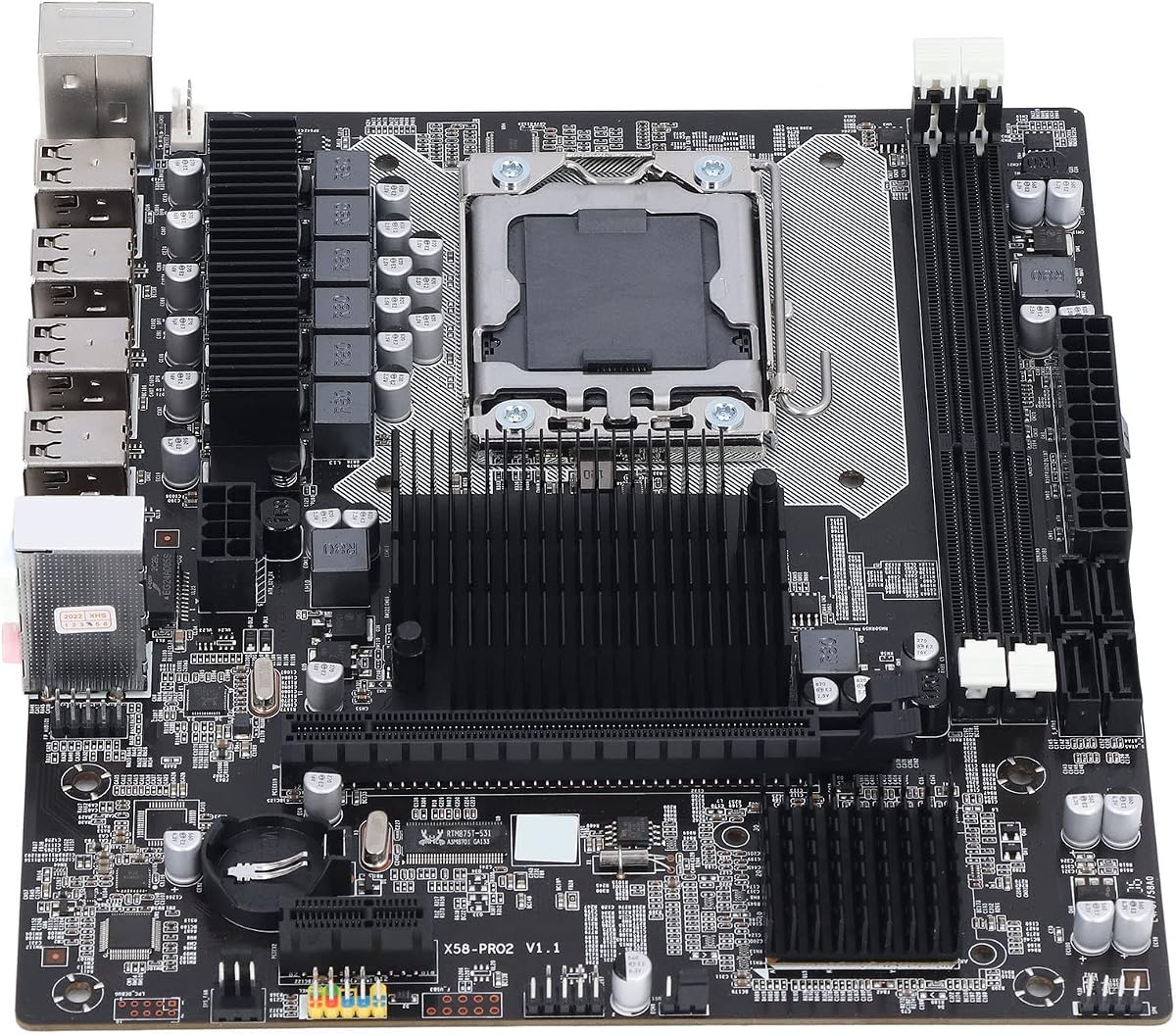
X58 Gaming Motherboard
Solid Capacitor Design
ECC Memory Support
Standard ATX Power
This guide compares the top Lga 1366 Motherboard models for legacy builds, detailing features, connectivity, and performance for enthusiasts seeking high core
Finding the right Lga 1366 Motherboard is crucial for building a high-performance legacy system. These boards support powerful Core i7 processors and offer triple-channel memory for exceptional multitasking.
We evaluated ten top models based on chipset quality, expansion slots, and reliability. Our analysis focuses on boards that deliver stable power delivery and robust connectivity for demanding workloads.
Each pick highlights unique strengths like USB 3.0 support or advanced overclocking tools. Remember that availability and pricing can vary so check current listings before making your final choice.

5.0Editor score

The following table provides a side-by-side comparison of all ten selected Lga 1366 Motherboard models to help you quickly identify the best fit for your specific needs.



The ASUS P6T7 WS SuperComputer stands out as a top-tier choice for users needing extreme multi-GPU capabilities. It supports up to 3-Way SLI and offers dual gigabit LAN for networking redundancy.
We may earn a commission when you buy through this link, at no additional cost to you.
Its Intel X58 chipset paired with nVidia NF200 controllers ensures smooth data transfer between GPUs and CPUs. The board also supports Core i7 Extreme Edition and Xeon processors for versatile workstation use.
While expensive, the investment pays off for professionals requiring high-end rendering power. The dual LAN ports and extensive USB headers make it ideal for complex system setups.
This board is recommended for serious enthusiasts and workstation builders who need maximum expansion. Its stable design ensures long-term reliability under heavy computational loads.
The 3-Way SLI support allows for seamless integration of three graphics cards for rendering tasks.
Dual Realtek 8111C controllers enable teaming for faster network throughput or failover.
We may earn a commission when you buy through this link, at no additional cost to you.
This X58 Gaming Motherboard offers an accessible entry point for legacy system builders. It supports ECC and non-ECC memory which adds flexibility for workstation upgrades.
We may earn a commission when you buy through this link, at no additional cost to you.
Built with all solid capacitors it ensures stable power delivery and improved durability under load. The straightforward power connectors make setup easy for standard ATX power supplies.
While it lacks modern USB 3.0 it provides reliable USB 2.0 connectivity for essential peripherals. This makes it suitable for users prioritizing core performance over peripheral speed.
Ideal for budget-conscious builders needing a solid foundation. It balances cost and reliability effectively for basic desktop or light gaming configurations.
Support for ECC memory allows for error checking in critical data processing tasks.
Solid capacitors provide consistent voltage stability essential for long-term system health.
We may earn a commission when you buy through this link, at no additional cost to you.
The Supermicro X8DTN+ is a premium board designed for heavy enterprise workstation tasks. It supports up to 288GB of DDR3 memory and Intel Xeon processor series.
We may earn a commission when you buy through this link, at no additional cost to you.
Its Intel 5520 chipset provides high bandwidth and QPI speeds for multi-core processing. Dual-port gigabit Ethernet ensures reliable connectivity for networked environments.
While it demands an EATX case it offers unmatched expandability for high-end builds. The registered ECC memory support guarantees data integrity for mission critical applications.
Best suited for professional server or rendering farms. Its robust design ensures stability under continuous heavy loads typical in data centers.
With support for up to 288GB RAM it handles massive datasets with ease.
Dual Xeon support enables parallel processing power for complex computational tasks.
We may earn a commission when you buy through this link, at no additional cost to you.
The ASUS P6X58D Premium was one of the first to bring USB 3.0 to the X58 platform. It features Stack Cool 3+ for effective heat dissipation and fanless design.
We may earn a commission when you buy through this link, at no additional cost to you.
TurboV allows for real-time precise tuning which helps enthusiasts push CPU performance. The 16+2 Phase Power Design ensures stable power for demanding tasks.
While the BIOS might feel dated its functional for legacy support. The inclusion of SATA 6Gb/s improves storage throughput significantly over older standards.
Recommended for users wanting early adoption tech. It balances performance and thermal management well for enthusiast desktop builds.
TurboV provides real-time tuning for precise control over system frequencies and voltage.
Stack Cool 3+ ensures heat is dissipated efficiently keeping temperatures low.
We may earn a commission when you buy through this link, at no additional cost to you.
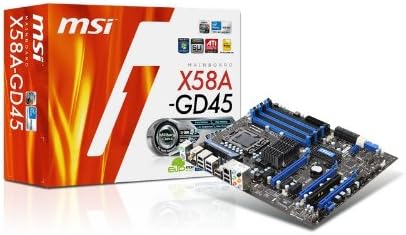
The MSI X58A-GD45 offers a strong combination of storage and expansion capabilities. It supports next-gen SATA III with 6Gbps bandwidth for faster data transfer.
We may earn a commission when you buy through this link, at no additional cost to you.
Active Phase Switching dynamically controls power demand which boosts efficiency and reduces heat. The board supports both SLI and CrossFire for multi-GPU setups.
Its stability and safety features make it a reliable choice for daily use. The SuperSpeed USB 3.0 provides necessary speed for external drives and peripherals.
A great option for gamers needing balanced performance. It offers robust features without the extreme cost of workstation-grade boards.
SATA III support doubles data transfer rates allowing for faster SSD and HDD access.
Active Phase Switching optimizes power usage dynamically based on system load demands.
We may earn a commission when you buy through this link, at no additional cost to you.
The Dx58So Extreme Series provides a solid foundation for legacy Core i7 builds. It ensures full compatibility with Extreme Edition processors for maximum potential.
We may earn a commission when you buy through this link, at no additional cost to you.
Its design focuses on stability and high performance over modern bells and whistles. The layout is straightforward making it easy to install standard ATX components.
While it lacks USB 3.0 it delivers reliable performance for older systems. This board is ideal for enthusiasts maintaining or upgrading older high-end rigs.
Best for users focused on pure processing power. It delivers consistent results for tasks requiring high clock speeds and stable power.
Fully supports Core i7 Extreme Edition ensuring all CPU features are utilized effectively.
High performance design ensures consistent operation even during extended workloads.
We may earn a commission when you buy through this link, at no additional cost to you.
The ASUS P6X58D-E combines modern connectivity options with a solid feature set. It includes both USB 3.0 and SATA 3 ports for improved peripheral speed.
We may earn a commission when you buy through this link, at no additional cost to you.
The board supports Core i7 processors and Turbo Boost technology effectively. Realtek audio codec provides high quality sound for multimedia enthusiasts.
Network performance is enhanced by Marvell controllers ensuring reliable connectivity. The mix of legacy and modern ports makes it versatile for various setups.
Recommended for users needing a balanced board. It offers essential modern features without compromising on core X58 performance.
USB 3.0 and SATA 3 ports ensure high speed data transfer for external drives.
Realtek ALC889 codec delivers high definition audio for immersive sound experiences.
We may earn a commission when you buy through this link, at no additional cost to you.
The Supermicro X8STI is designed for reliable workstation environments requiring stability. It supports both Core i7 and Xeon processors for flexibility.
We may earn a commission when you buy through this link, at no additional cost to you.
Dual Intel LAN ports provide robust networking capabilities for servers or heavy users. Integrated Matrox graphics ensure display output even without a dedicated GPU.
The board supports up to 24GB of ECC memory for error-free calculations. SATA RAID support allows for faster storage arrays using standard hard drives.
Ideal for professionals needing a stable platform. It balances workstation features with consumer compatibility for diverse use cases.
Dual Intel LAN controllers allow for load balancing or network failover setup.
ECC memory support ensures data integrity critical for scientific or financial tasks.
We may earn a commission when you buy through this link, at no additional cost to you.
The Asus P6T Deluxe V2 remains a proven choice for legacy performance builds. It supports up to 2000MHz memory speeds for high throughput multitasking.
We may earn a commission when you buy through this link, at no additional cost to you.
Its layout follows standard ATX dimensions making it compatible with most PC cases. The Intel X58 chipset ensures stable triple channel memory performance.
While it lacks USB 3.0 it offers reliable USB 2.0 connectivity for standard peripherals. Dynamic Speed Technology optimizes performance based on current CPU load.
Best for users maintaining older high-end rigs. It offers solid stability and speed for applications designed around X58 architecture.
Support for 2000MHz memory ensures data moves quickly between CPU and memory.
Standard ATX layout ensures compatibility with a wide range of mid-tower cases.
We may earn a commission when you buy through this link, at no additional cost to you.
The Intel DX58SO Extreme represents the official reference design for the X58 platform. It ensures maximum compatibility with Intel Core i7 processors.
We may earn a commission when you buy through this link, at no additional cost to you.
With 12 USB ports and 7.1 audio it offers solid multimedia capabilities. The board supports SLI or CrossFire for graphics performance scaling.
Its reference design means BIOS updates are reliable and stable for the chip. This makes it a safe choice for builders seeking standard performance.
Recommended for users preferring manufacturer reference boards. It delivers solid stability and feature support for legacy systems.
Twelve USB ports provide ample connectivity for multiple legacy peripherals simultaneously.
7.1 Dolby Digital audio provides immersive surround sound for media and gaming.
We may earn a commission when you buy through this link, at no additional cost to you.
Selecting the right Lga 1366 Motherboard requires attention to specific features that impact performance and compatibility for legacy systems.
The chipset must be the Intel X58 to ensure triple-channel memory support and QPI speeds. Check that the board supports your specific Core i7 or Xeon processor generation.
Always verify CPU socket compatibility before purchasing to avoid fit issues.
Look for boards offering at least 4 DDR3 slots to reach 24GB capacity. Ensure support for the memory speed you plan to use such as 1600MHz.
Triple channel architecture is critical for maximizing memory bandwidth in these builds.
For multi-GPU setups check for at least two x16 slots running at x16 speeds. Confirm support for SLI or CrossFire if you plan to use multiple graphics cards.
Ensure there are enough PCIe x1 or PCIe x4 slots for expansion cards like capture cards.
Prioritize models with USB 3.0 and SATA 6Gb/s if you use external storage or SSDs. Older models may only have USB 2.0 which limits data transfer speeds.
Check rear port counts to ensure you have enough connections for your devices.
A strong VRM with 12+2 or 16+2 phases ensures stable power during overclocking. Solid capacitors improve longevity and electrical efficiency under load.
Verify the board supports 8-pin CPU power connectors for stable high-end operation.
Dual gigabit LAN controllers offer redundancy or teaming for faster network speeds. Check controller brands like Intel or Marvell for better driver support.
Network stability is key for file servers or remote access workstations.
Confirm the board size is ATX or EATX to match your current PC chassis. Some premium boards require larger cases due to expanded features.
Always measure your case space before selecting a larger motherboard.
Look for dedicated tools like TurboV or AI Tuning that allow real-time adjustments. A robust BIOS interface makes fine-tuning voltages and frequencies easier.
Strong cooling solutions like heat pipes help maintain stability during overclocking.
Install the board on a stable anti-static surface to prevent electrical damage during setup. Ensure all power connectors are fully seated before powering the system.
Use thermal paste on the CPU to maintain efficient heat transfer to the cooler. Tighten screws evenly to prevent warping the motherboard during installation.
Update the BIOS to the latest version to ensure compatibility with newer CPUs and improve stability. Regularly clear dust from heatsinks to maintain cool operating temperatures.
They are viable for legacy builds needing high core counts without buying new hardware. These boards support older i7 processors that offer excellent multi-threaded performance.
They support Intel Core i7 processors like the 920 and 950 as well as Xeon 3500 series. Check BIOS support for newer Nehalem chips before purchasing.
No these boards require DDR3 RAM specifically. They do not support DDR4 memory slots or controllers natively.
Officially Windows 11 requires specific CPUs not found in this generation. You may need to run Windows 10 instead for full support.
Most boards support up to 24GB using six 4GB DIMMs. Some models support up to 48GB with higher density memory.
Yes most Lga 1366 Motherboards support hardware RAID 0 and 1. You can also configure RAID via software using the included drivers.
We selected top options ranging from the ASUS P6T7 WS for multi-GPU needs to the X58 Gaming for budget builds.
Prioritize memory and power stability to ensure smooth performance across your workstation tasks.
Always verify current listings as availability for these legacy boards can fluctuate over time.