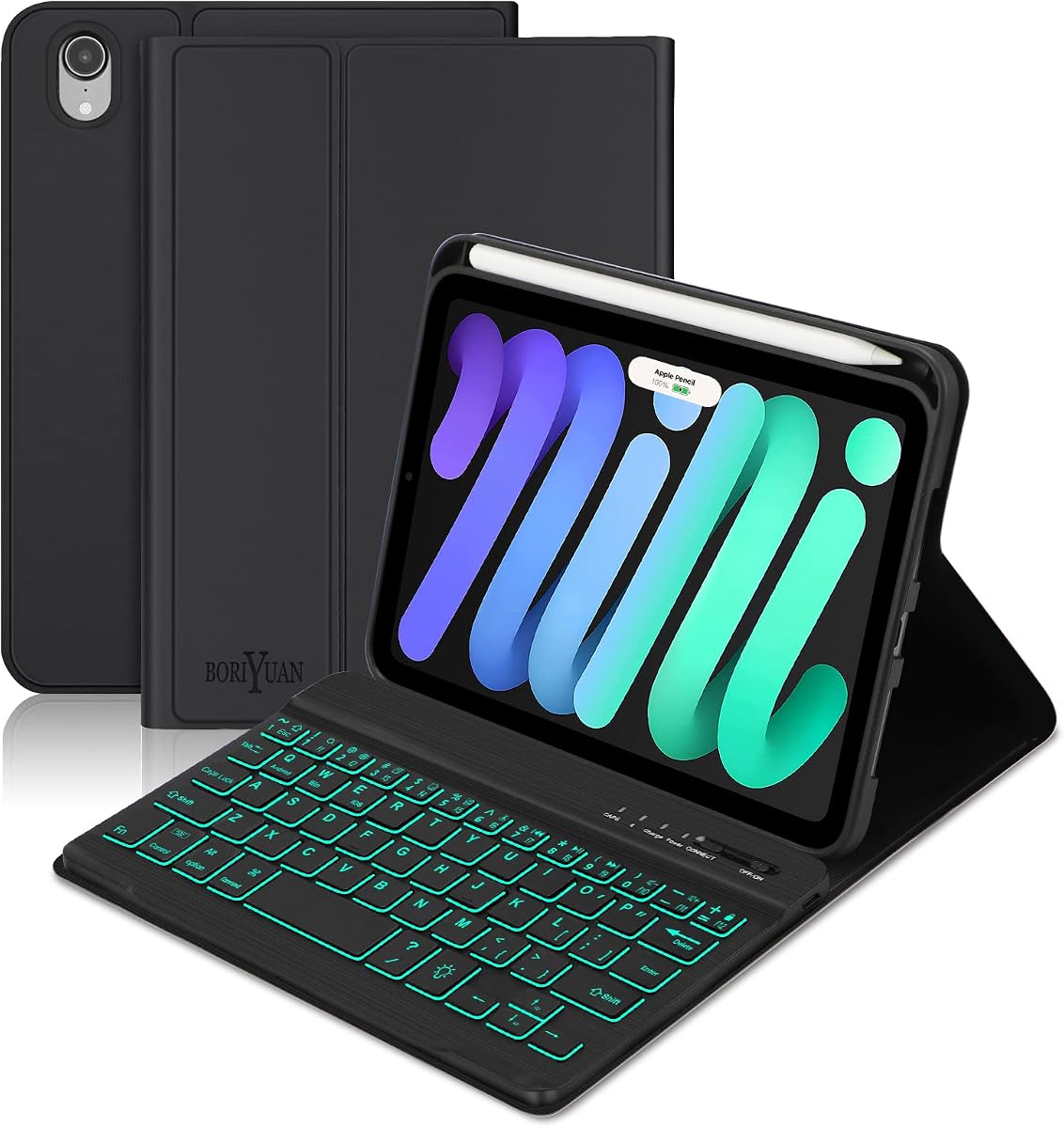
iPad mini 7th Gen 2024 (A17 Pro) & iPad mini 6 Keyboard Case 2021
4.2Editor score
Detachable wireless keyboard
Slim folio cover design
Built-in pencil holder
Finding the right iPad Mini Folio Case with Keyboard transforms your tablet into a portable workstation. You need durable protection, responsive keys, and a stable stand for productivity on the go. This guide helps you choose the perfect accessory for your device.
We compared ten leading keyboard cases based on typing quality, trackpad precision, battery life, and build durability. Our analysis focuses on real-world usability for students, professionals, and creatives who rely on their iPads daily for work and entertainment tasks.
Each pick highlights unique strengths like magnetic attachment, rotating hinges, or backlight options. Prices and availability change frequently, so check current listings before buying. Use this guide to invest in a case that truly enhances your iPad Mini experience.
4.2Editor score

4.6Editor score

4.3Editor score
As an Amazon Associate we earn from qualifying purchases.
This side-by-side comparison highlights key features across all ten options to help you decide quickly. We focus on compatibility, typing experience, protection level, and extra tools like trackpads or pencil holders for daily use.
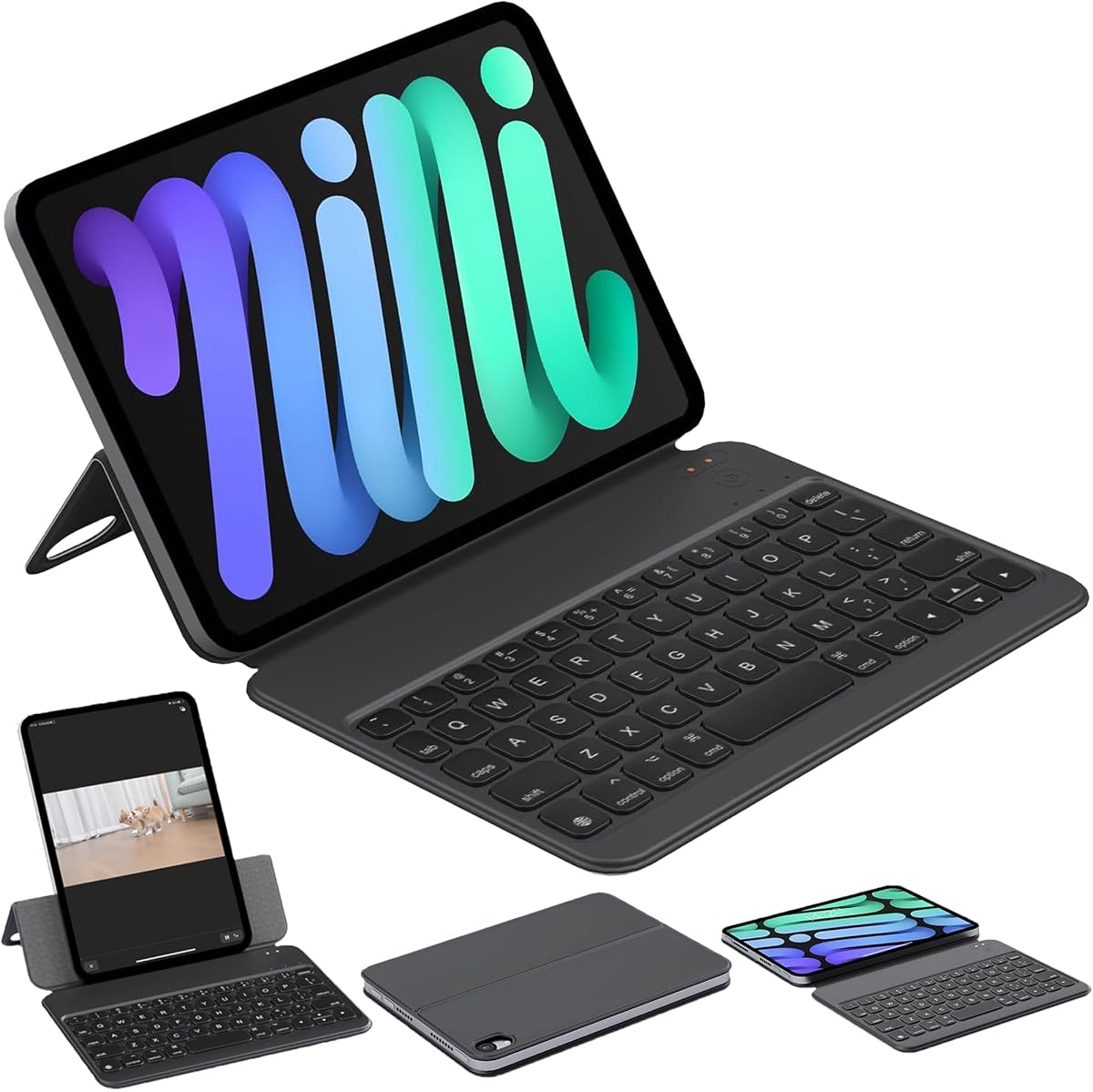


The Magic-Style Keyboard Case stands out as the Editor's Choice for those seeking a premium laptop-like experience on their iPad Mini. With a high rating of 4.6, it excels in providing a stable typing surface and intuitive navigation tools.
We may earn a commission when you buy through this link, at no additional cost to you.
Its standout feature is the multi-touch trackpad, which supports tapping, pinching, and swiping for seamless app navigation and file management. The ultra-lightweight detachable case adds protection without bulk, while the floating stand offers versatile angles for work or entertainment.
While the price is higher than basic models, the build quality and functionality justify the investment. Users should note that the compact keys might take getting used to if they prefer larger spacing for long typing sessions.
This case is ideal for professionals and students who need reliable daily productivity features. Its combination of a smart trackpad, customizable backlight, and secure magnetic attachment makes it the top recommendation for most users.
The smart trackpad allows multi-finger gestures like pinching and scrolling, replacing the need for an external mouse and speeding up workflow efficiency.
The widened hinge and floating stand design prevent the keyboard from tipping backward, ensuring a stable typing angle on various surfaces like laps or desks.
We may earn a commission when you buy through this link, at no additional cost to you.
The Boriyuan Keyboard Case offers the best budget-friendly option without sacrificing essential features. Rated 4.2, it delivers a reliable typing experience with a detachable Bluetooth keyboard that can be used separately from the folio cover.
We may earn a commission when you buy through this link, at no additional cost to you.
Its slim design and PU leather material provide full protection against bumps and scratches. The built-in pencil holder keeps your stylus secure, and the 230-hour battery life ensures you can type for days without needing a recharge.
While it lacks a trackpad, the wireless keyboard connectivity works smoothly for most tasks. The only trade-off is the limited viewing angles, which are fixed at three positions rather than infinitely adjustable.
This case is perfect for casual users and students on a tight budget. It covers all the basics well, making it an excellent choice for those who prioritize value and protection over advanced navigation tools.
The detachable Bluetooth keyboard allows you to place the iPad at a distance while typing, offering more freedom in how you set up your workspace.
With a built-in 420mAh battery, this keyboard can last up to 230 hours on a single charge, reducing the frequency of recharging significantly.
We may earn a commission when you buy through this link, at no additional cost to you.
The Dexnor Keyboard Case is a top choice for users who want a premium feel and laptop-style ergonomics. With a rating of 4.3, it features a distinctive floating cantilever stand that provides stable support for typing and viewing.
We may earn a commission when you buy through this link, at no additional cost to you.
The high-precision multi-touch trackpad allows for smooth cursor control and gestures like scrolling and swiping. The durable aluminum alloy hinge guarantees a sturdy connection, and the rechargeable battery offers long working hours with or without backlight enabled.
Users should be aware that the keys are compact to save space, which might be less comfortable for long sessions. Additionally, the single white backlight lacks the color variety found in other models.
This case is best for professionals who prioritize stability and trackpad precision. Its build quality and floating design make it a premium option that transforms your iPad Mini into a true portable workstation.
The floating cantilever stand raises the iPad to an ergonomic height, reducing neck strain during extended typing sessions.
The multi-touch trackpad supports pinch, scroll, and swipe gestures, offering a laptop-like experience without needing an external mouse.
We may earn a commission when you buy through this link, at no additional cost to you.
The HOU Keyboard Case prioritizes portability and magnetic strength. With a rating of 3.9, it weighs only 240g and features a slim 8mm profile, making it easy to carry in any bag or sleeve.
We may earn a commission when you buy through this link, at no additional cost to you.
Its key feature is the use of 30 high-strength magnets for secure attachment, preventing the iPad from slipping during use. The auto key lock function disables keys in reading mode to prevent accidental touches, and the shaft allows infinite angle adjustments.
While it is very slim, some users report connectivity or stability issues, reflected in its lower rating. It is best for those who want a minimal accessory without extra bulk or complex features.
This case suits travelers who value lightness above all. It offers essential typing and viewing functions, ensuring your device remains secure and accessible during daily commutes or business trips.
Weighing only 240g, this case adds minimal weight to your iPad, preserving the tablet's original portability and ease of handling.
With 30 magnets ensuring strong adsorption, the iPad stays firmly attached to the keyboard, reducing the risk of accidental drops or misalignment.
We may earn a commission when you buy through this link, at no additional cost to you.
The typecase Keyboard Case brings exceptional versatility with its 360-degree rotating hinge. Rated 4.3, it allows you to switch between typing, reading, and presentation modes easily, adapting to any scenario you encounter.
We may earn a commission when you buy through this link, at no additional cost to you.
It includes a multi-touch trackpad for smooth navigation and supports 11-color backlighting with three brightness levels. The hinge is tested for 20,000 cycles to ensure long-term reliability, and it includes a pencil holder for convenience.
While the rotating design adds some bulk compared to flat cases, it offers unmatched flexibility. The battery life is good for typical usage, though frequent backlighting may reduce longevity slightly.
This case is ideal for creative professionals who need multiple angles for drawing or showing content. Its robust build and colorful backlight make it a standout for those who value adaptability and style.
The 360-degree swivel hinge allows you to rotate the iPad for portrait mode calls or landscape typing, providing maximum flexibility in how you use the device.
With 11 backlight colors and adjustable brightness, you can match the keyboard to your environment or mood for a personalized typing experience.
We may earn a commission when you buy through this link, at no additional cost to you.
The GreenLaw Keyboard Case combines style with functionality through its rotating design. With a 4.3 rating, it features a smart trackpad for efficient control and a 360-degree hinge for versatile usage angles.
We may earn a commission when you buy through this link, at no additional cost to you.
Its 7-color backlight offers a balance of style and utility, letting you switch colors easily. The keyboard enters sleep mode when not in use to save power, and the Type-C interface ensures fast charging when connected.
Users should note that the Type-C cable is sold separately, which is a minor inconvenience. The compact keys might require adaptation if you are used to full-sized keyboards.
This case is great for users who value both productivity and aesthetics. Its rotation capability and trackpad make it a strong contender for daily work, while the backlight adds a touch of personality.
The smart trackpad supports multi-gesture control, allowing you to edit documents and browse the web with intuitive finger movements.
Automatic sleep mode activates when the keyboard is idle, conserving battery life so you can work longer on a single charge.
We may earn a commission when you buy through this link, at no additional cost to you.
The Ultra Magic Keyboard Case focuses on durable materials and stability. It features a 3.8 rating and uses high-quality anti-yellowing fabric to keep the look clean and fresh over time.
We may earn a commission when you buy through this link, at no additional cost to you.
Its upgraded hinge shifts the center of gravity forward, preventing the keyboard from tipping backward during use. The magnetic backplate ensures a secure connection, and the 11 backlight colors provide plenty of customization.
While the fabric is stylish, it might collect lint more than leather. The lower rating suggests some inconsistency in quality control, so checking recent reviews is advisable before purchase.
This case is best for those who prefer fabric textures and want a stable typing platform. Its forward-shifted hinge design is a key differentiator that improves ergonomics significantly.
The hinge is designed to shift weight forward, ensuring the keyboard stays flat and stable on any surface without tipping.
The anti-yellowing fabric repels dirt and stains, keeping the case looking new even after months of daily use.
We may earn a commission when you buy through this link, at no additional cost to you.
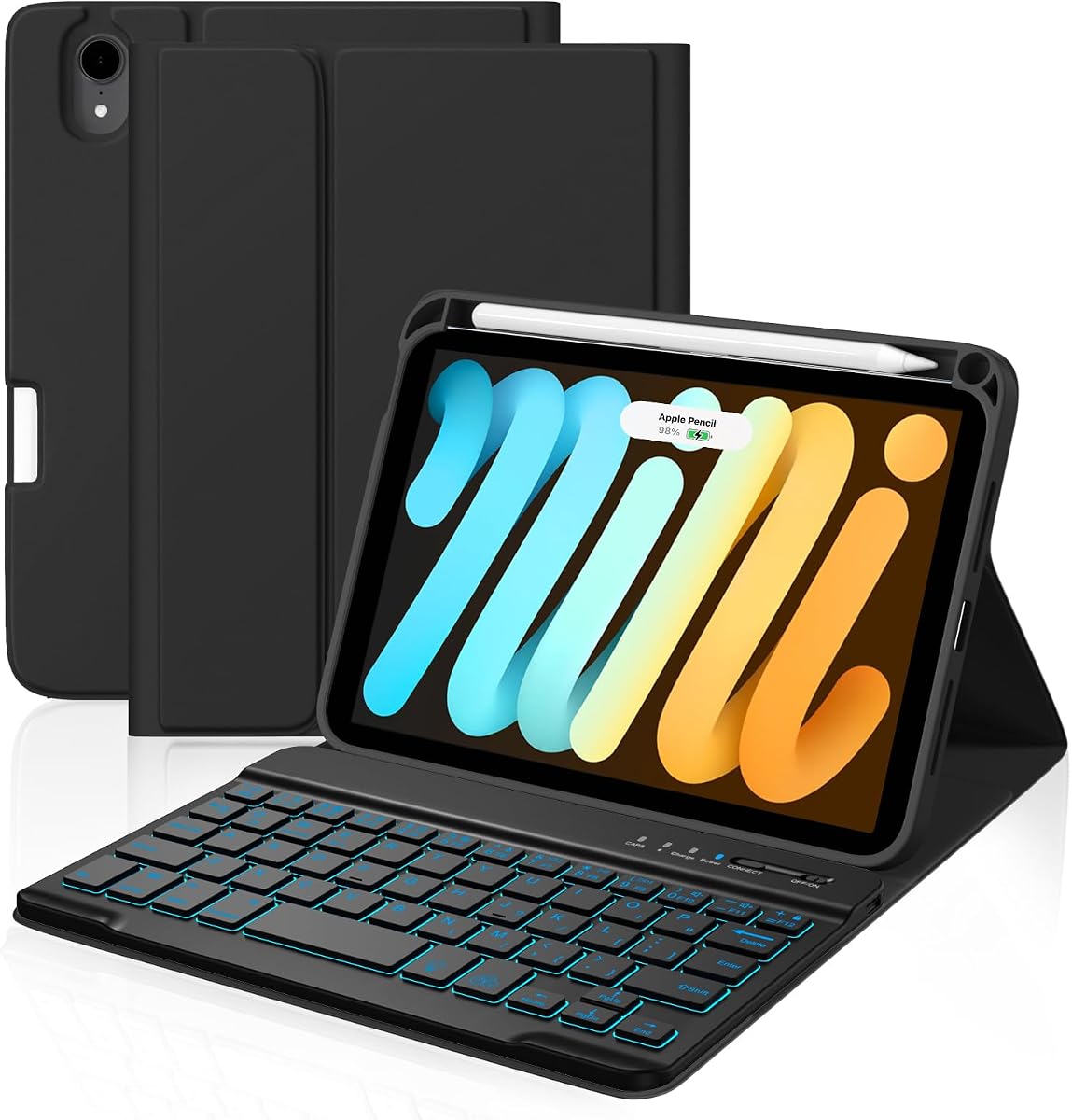
The Boriyuan Keyboard Case offers excellent versatility with its detachable wireless keyboard. It scores 4.2 for its reliable Bluetooth connectivity and durable PU leather protection that guards against daily wear.
We may earn a commission when you buy through this link, at no additional cost to you.
Its 7 color backlight options add visual flair to typing sessions, while the high-capacity battery provides long-lasting power. The pencil holder keeps your stylus safe, and precise cutouts ensure full port access.
This case does not include a trackpad, and the viewing angles are fixed at three positions. However, its detachable design gives you freedom to use the keyboard separately from the case when needed.
It is a solid choice for budget-conscious users who value battery life and protection. The combination of features at this price point makes it a practical tool for everyday productivity tasks.
The detachable Bluetooth keyboard allows you to use the iPad without the keyboard attached, offering more flexibility for media consumption.
With a built-in 420mAh battery, you can enjoy extended use without needing frequent charging, making it ideal for long days.
We may earn a commission when you buy through this link, at no additional cost to you.
The Generic Keyboard Case offers a straightforward solution for typing and storage. Rated 4.4, it provides a stain-resistant protective case that keeps your device safe from daily scratches and spills.
We may earn a commission when you buy through this link, at no additional cost to you.
Its keyboard is detachable and features 7-color backlighting for visibility in dark environments. The pencil holder slot ensures your stylus is always within reach, and the battery life ranges between 40 to 80 hours per charge.
While it lacks advanced features like a trackpad, it covers the basics efficiently. The design is simple but effective, focusing on core functionality rather than extra flair.
This case is best for users who need reliable protection and a secure pencil slot. It is a practical choice for students or office workers who prioritize utility over premium features.
The protective case material is resistant to stains, spills, and dirt, helping it maintain a clean appearance with minimal cleaning effort.
The built-in pencil holder keeps your Apple Pencil safe and easily accessible, reducing the risk of losing it in bags or bags.
We may earn a commission when you buy through this link, at no additional cost to you.
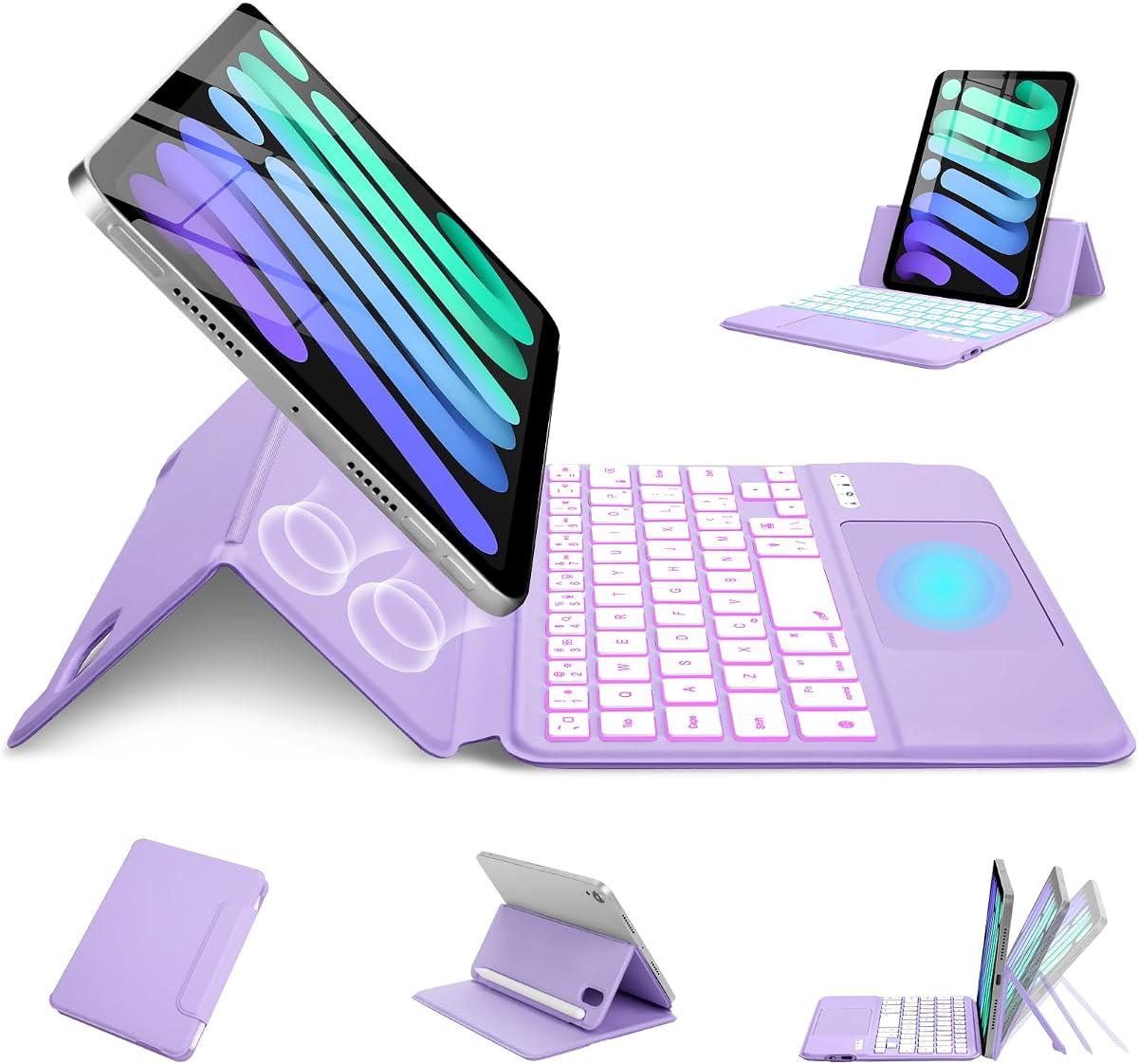
The MePadKey Magic Touchpad Keyboard Case brings a compact yet functional design. With a 4.0 rating, it offers an ultra-thin profile that is easy to carry, making it ideal for on-the-go use.
We may earn a commission when you buy through this link, at no additional cost to you.
Its smart touchpad supports multi-finger gestures for smooth navigation, and the magnetic case allows horizontal or vertical mounting for versatile positioning. The 7 backlight colors add a nice touch for low-light typing.
Users may need to adjust settings to enable tap-to-click for the trackpad, which can be a minor setup step. Battery life is moderate, suitable for daily use but not extended periods without charging.
This case is best for users who want a lightweight option with trackpad support. Its slim design and magnetic flexibility make it a handy companion for travel and casual use.
The smart touchpad supports 1, 2, and 3-finger gestures, allowing for efficient scrolling and app switching without extra peripherals.
Strong magnetic suction allows the tablet to be adsorbed horizontally or vertically, supporting both work and entertainment viewing orientations.
We may earn a commission when you buy through this link, at no additional cost to you.
Choosing the right keyboard case involves considering compatibility, typing experience, and extra features. This guide breaks down the key factors to help you select the perfect accessory for your needs.
Always verify your iPad model number before purchasing. Most cases work with the 8.3-inch Mini 6th and 7th generations, but some brands exclude specific model numbers or older sizes.
Check the product page for your specific model to ensure a secure fit. Incorrect compatibility can lead to poor alignment of buttons, ports, or charging connections.
Look for scissor-switch keys or responsive layouts that mimic a laptop. Key spacing and travel depth affect how comfortable long typing sessions will be for writing or coding.
Compact keys may save space but can be harder on the fingers. If you type often, prioritize models with full-size spacing or proven ergonomic designs.
A built-in trackpad adds mouse-like functionality, making navigation smoother without tapping the screen. Support for multi-finger gestures like pinch and scroll is a major productivity booster.
If you plan to use your iPad for complex tasks, a model with a quality trackpad will save time and improve efficiency in everyday workflows.
Durability depends on materials like aluminum hinges, reinforced plastics, or high-quality fabrics. Check if the case protects corners and edges from drops or daily wear over time.
Strong magnetic connections and rigid hinges prevent tipping and sagging, ensuring the keyboard stays stable on various surfaces during use.
Battery capacity determines how often you need to recharge the keyboard. Look for cases that offer at least 80 to 100 hours of active use between charges for reliability.
Fast charging and automatic sleep modes help extend battery life, reducing downtime when you are away from power sources during travel or meetings.
Backlit keys are essential for typing in dim environments. Models with multiple colors and adjustable brightness levels let you customize visibility to match your surroundings.
Choose a case with enough color and brightness settings to suit your preferences. Some offer breathing modes or static settings for better visual comfort.
If you use an Apple Pencil, a built-in holder ensures it stays attached to the case or in a dedicated slot. This keeps the stylus safe and within reach when needed.
Some cases support wireless charging of the pencil while attached, which adds convenience. Check if your preferred model has a secure slot or magnetic support.
Rotating hinges and detachable keyboards offer versatility for different use cases. Decide if you need a fixed layout or a design that allows portrait and landscape viewing.
Detachable keyboards allow you to use the iPad freely without the keyboard attached, providing more options for media consumption or casual browsing.
To set up, attach the case to your iPad by aligning the magnetic points or slots until it clicks securely. Open the keyboard flap to activate Bluetooth and pair with your device in the iPad's Bluetooth settings if needed.
For best performance, adjust the viewing angle to a comfortable height before typing. Use the trackpad gestures like two-finger scrolling to navigate apps smoothly and the shortcut keys for brightness or volume control.
Clean the case with a soft, dry cloth to avoid damaging the material or sensors. Avoid exposing it to moisture or direct sunlight for long periods, and charge the keyboard regularly to maintain battery health.
Most cases are compatible with the 2nd Gen Apple Pencil and newer models like the Pencil Pro or USB-C pencil. Always check the product specifications to confirm whether it supports wireless charging or a dedicated storage slot.
Many models feature detachable keyboards that can be used separately via Bluetooth. This allows you to remove the keyboard when you only need a protective case or want more portability for viewing.
Battery life typically ranges from 40 to 150 hours depending on backlight usage. Using the backlight reduces runtime, but sleep modes help conserve power when the keyboard is not in active use.
Yes, modern cases include multi-touch trackpads that support common gestures like swiping and pinching. This makes navigation fast and efficient for most professional and creative tasks.
Most keyboards have a built-in battery charged via USB-C or micro USB. You will need to plug in the included cable to recharge when the battery runs low.
Yes, you can use the iPad while attached, but the keyboard flap may limit access to the screen. Some cases support portrait mode or allow the keyboard to fold away for full screen use.
The top picks for the best iPad Mini Folio Case with Keyboard include the Magic-Style for its trackpad, Boriyuan for budget value, and Dexnor for premium stability. Each offers unique features tailored to different needs.
Prioritize trackpad support if you want laptop-like control, or focus on durability and battery life for travel. Consider your typing habits and preferred viewing angles before making a final decision.
Prices and availability change frequently, so verify current listings on Amazon before purchasing. Use this guide to invest in a case that truly enhances your iPad Mini experience for years to come.