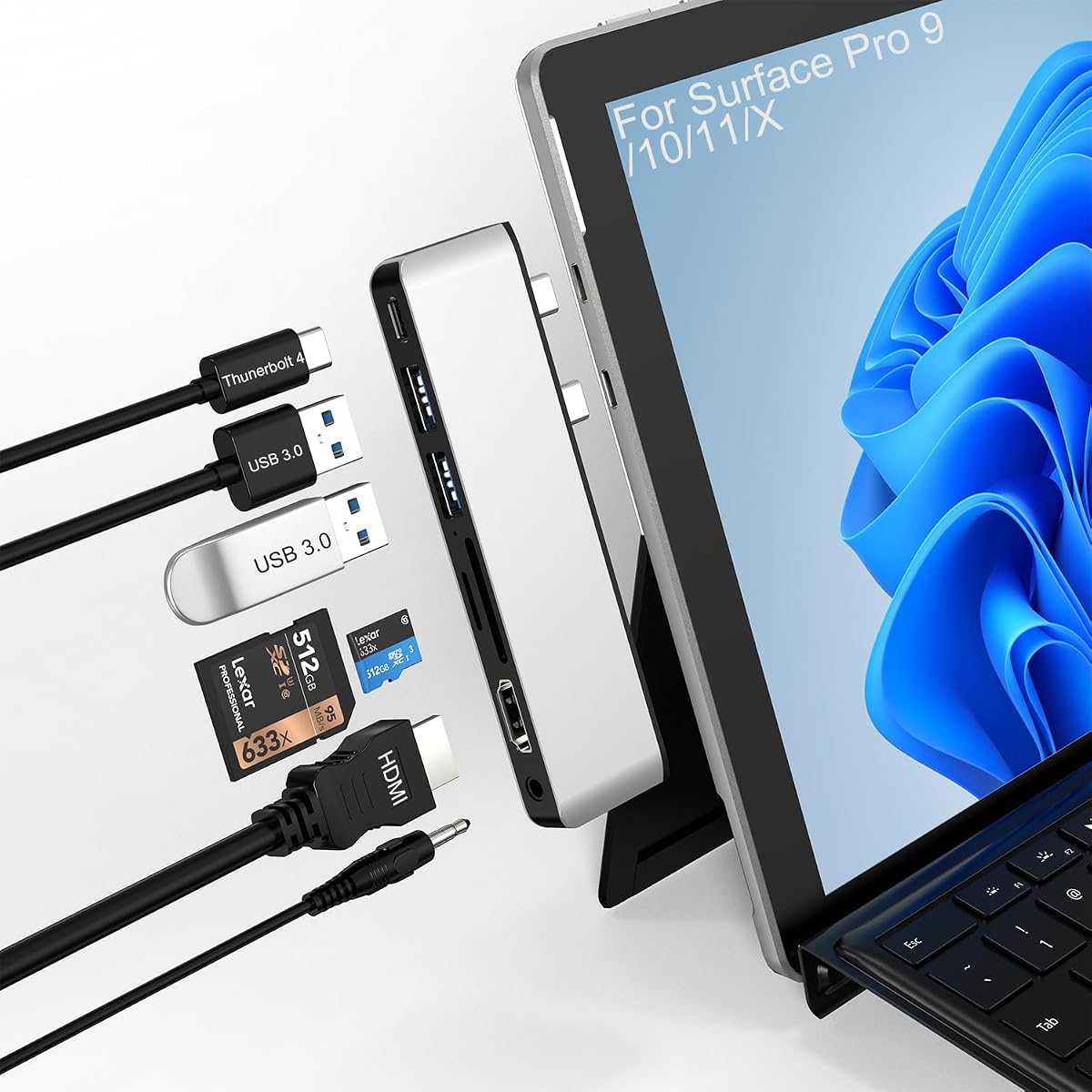
Surface Pro 2026 Docking Station
4.2Editor score
Thunderbolt 4 USB-C port
Compact aluminum design
100W PD fast charging
This guide compares the top docking stations for Surface Pro 11, evaluating ports, display support, charging, and performance to help you choose the right hub
Finding the right docking station for Surface Pro 11 is crucial for transforming your tablet into a full workstation. A quality hub expands connectivity, supports multiple monitors, and ensures stable power delivery for uninterrupted productivity throughout your workday.
We evaluated ten top-rated models based on port variety, display capabilities, data transfer speeds, and build quality. Our analysis focuses on real-world performance, compatibility with the Surface Connect port, and value for professionals and students alike.
Each pick highlights specific strengths like triple display support, Thunderbolt integration, or budget-friendly designs. Note that prices fluctuate frequently, so verify current listings before purchasing to ensure you get the best deal available today.
4.2Editor score
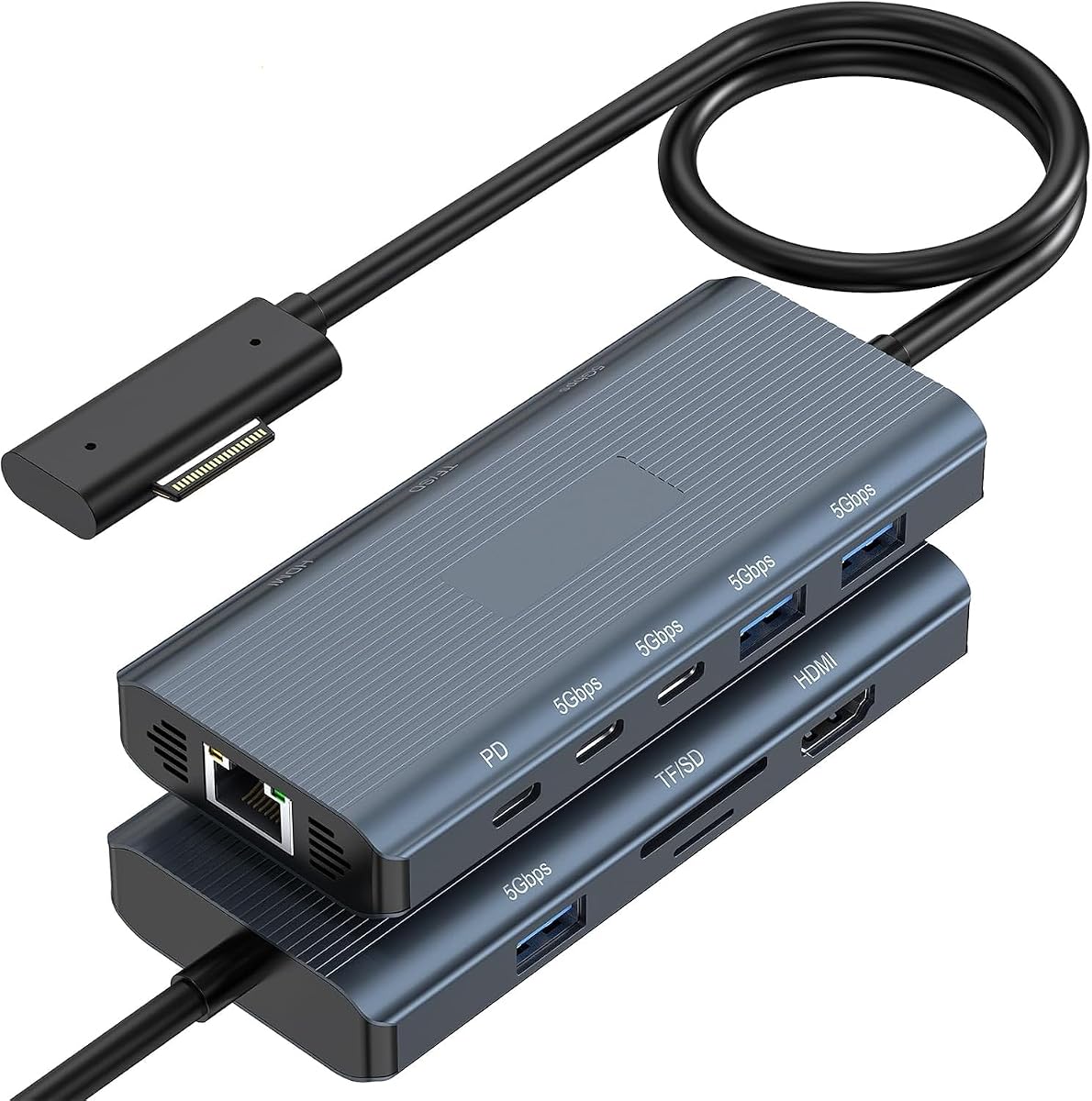
4.8Editor score

4.3Editor score
This side-by-side comparison highlights the key specifications of all ten selected docking stations. We compare display output, port types, power delivery, and data speeds to help you identify the model that best fits your specific connectivity needs and budget constraints.



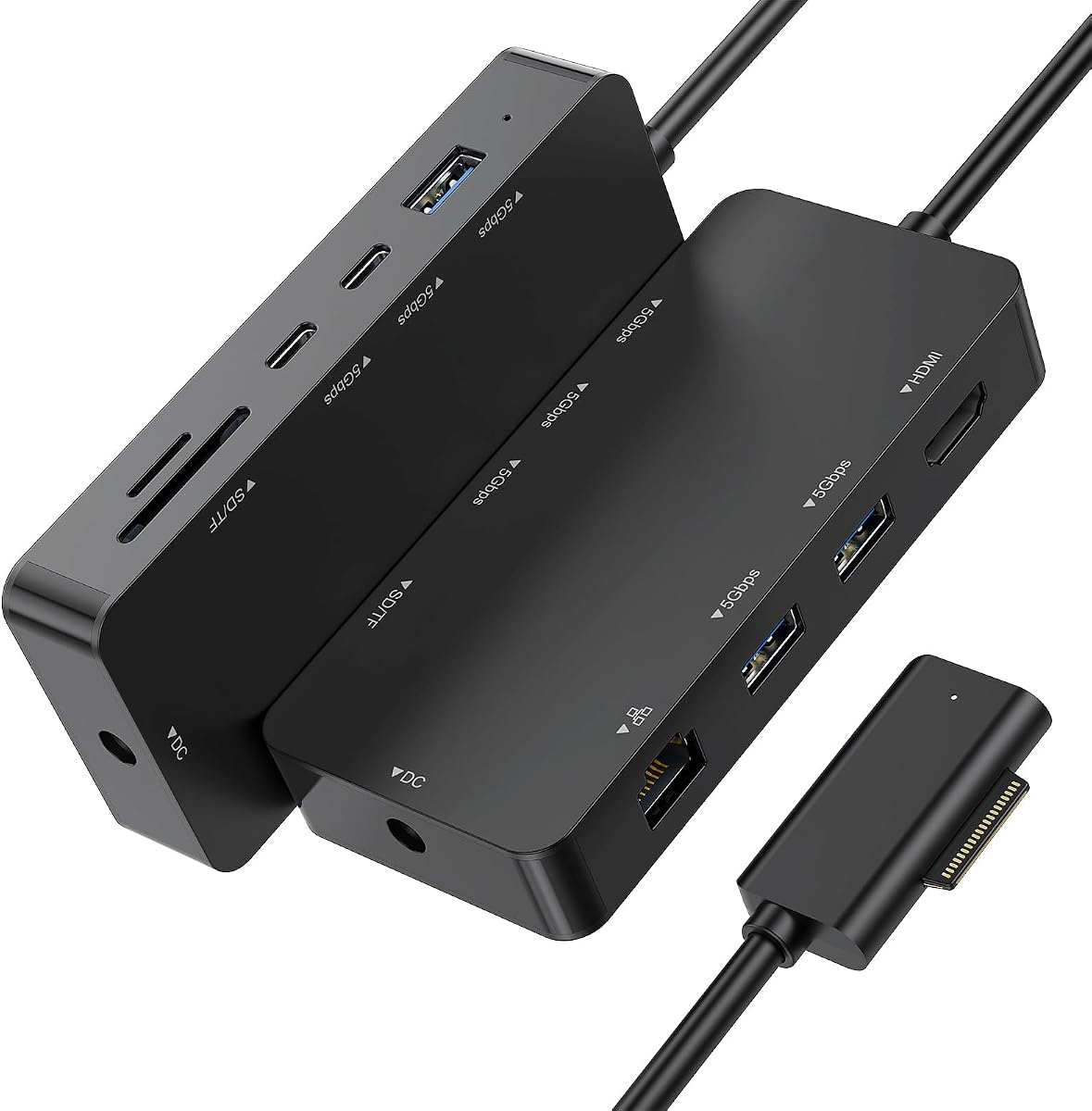
This 11-in-1 Surface Pro Docking Station stands out as the top choice for users needing robust connectivity. With a 4.8 rating, it delivers reliable performance for daily tasks and professional workflows.
We may earn a commission when you buy through this link, at no additional cost to you.
The standout feature is its 4K@60Hz HDMI support, allowing crystal-clear visuals for video editing or presentations. It also includes a 100W PD power input, ensuring your Surface stays charged while connected to multiple peripherals.
While the included power adapter is necessary for optimal function, this adds stability to long work sessions. The Ethernet port ensures lag-free network access, critical for video calls and large file transfers.
Ideal for hybrid workers, this dock bridges the gap between mobile and desktop productivity. It is the best all-rounder for those prioritizing speed and display quality.
The 4K@60Hz HDMI output ensures smooth motion and sharp text, making it ideal for creative professionals who demand high-fidelity visuals.
With three USB 3.0 ports and dual USB-C data ports, you can connect drives, keyboards, and mice without needing additional adapters.
We may earn a commission when you buy through this link, at no additional cost to you.
This dock excels for users needing extended screen real estate. It allows three external displays, making it perfect for traders or developers managing multiple windows.
We may earn a commission when you buy through this link, at no additional cost to you.
The combination of two HDMI ports and one VGA port ensures flexibility. While VGA supports up to 1080p, it is great for older monitors or reference screens.
The 72W adapter provides enough power for most Surface models while driving displays. However, the Ethernet port is limited to 100Mbps, which might be a bottleneck for heavy downloads.
Best for office workers needing wide setups. It delivers solid multitasking capabilities at a reasonable price point.
Running three monitors simultaneously boosts productivity by allowing you to keep apps separate without constant switching.
The VGA port ensures compatibility with older hardware, so you do not need to replace your existing office monitors immediately.
We may earn a commission when you buy through this link, at no additional cost to you.
This budget-friendly hub offers impressive specs for the price. The Thunderbolt 4 USB-C port supports 40Gbps data transfer, making it great for fast file syncing.
We may earn a commission when you buy through this link, at no additional cost to you.
Despite the lower cost, it includes 100W PD charging, which is rare in this range. The aluminum case helps dissipate heat effectively without active fans.
The main limitation is that it might not fit well if you use a heavy protective case on your Surface. Additionally, it only has one HDMI port compared to others.
Perfect for students or light users seeking speed without breaking the bank. It is a smart choice for travel and daily use.
The Thunderbolt 4 port allows you to move large video files in seconds, saving valuable time during tight deadlines.
Its compact and lightweight nature makes it easy to toss into a backpack without adding significant weight to your daily carry.
We may earn a commission when you buy through this link, at no additional cost to you.
This dock is built for stability. The included 72W adapter ensures your Surface charges even under heavy load. It supports dual 4K HDMI, providing excellent clarity for spreadsheets or code.
We may earn a commission when you buy through this link, at no additional cost to you.
USB-C ports are strictly for data, which is a trade-off for the high bandwidth elsewhere. However, the SD and TF card readers work simultaneously, enhancing workflow for creatives.
Setup is straightforward with clear manual guidance. The build quality feels sturdy enough to withstand daily desk use without wobbling.
Ideal for office workers who need reliable displays and fast file access. It balances performance and utility well.
The dedicated adapter prevents battery drain even when running multiple peripherals, keeping you productive through long meetings.
Accessing photos from both SD and TF cards at once speeds up your workflow without needing to swap cards repeatedly.
We may earn a commission when you buy through this link, at no additional cost to you.
Designed for mobile pros, this dock ensures seamless connectivity. The 72W power supply handles multiple monitors and drives without throttling performance during critical tasks.
We may earn a commission when you buy through this link, at no additional cost to you.
Video output is sharp on both HDMI and VGA ports. The audio jack allows direct headphone connection for private listening during calls or media consumption.
Data speeds are consistent across USB ports, making it easy to sync backup drives. However, VGA is limited to 1080p, so prioritize HDMI for primary displays.
Great for professionals moving between office and home. It offers reliable connectivity that reduces meeting setup time.
The plug-and-play nature means you can walk into a room and connect instantly without hunting for drivers or adapters.
The 3.5mm jack supports high-quality headphones, ensuring your voice is clear and your audio is crisp during conference calls.
We may earn a commission when you buy through this link, at no additional cost to you.
This premium dock delivers high-end performance. The dual 4K@60Hz HDMI ensures smooth visuals, perfect for video editors or traders needing real-time data.
We may earn a commission when you buy through this link, at no additional cost to you.
The 100W DC input is substantial, keeping your Surface fully charged while driving multiple monitors. Gigabit Ethernet provides a stable network connection for heavy uploads.
You must plug in the power adapter for full functionality, but the stability is worth it. It is a true desktop replacement when connected.
Best for power users who demand speed and reliability. If budget allows, this is the ultimate upgrade for your Surface.
The 60Hz refresh rate eliminates screen tearing, making video editing and gaming on external monitors much smoother.
With all essential ports and high-speed networking, this dock transforms your tablet into a full desktop computer instantly.
We may earn a commission when you buy through this link, at no additional cost to you.
This model strikes a balance between cost and features. It offers 10 ports including Ethernet and 4K HDMI, satisfying most daily user needs without the extra cost of premium models.
We may earn a commission when you buy through this link, at no additional cost to you.
The 65W PD power ensures you stay charged during work. The Ethernet port is reliable for secure network access, which is vital for corporate environments.
While it lacks a second HDMI port, the single one is high quality. It is a solid pick for students or small business owners.
Recommended for users who need connectivity without high refresh rates. It is efficient and dependable for general tasks.
The 65W adapter provides fast charging speeds, so your device is ready to go as soon as you disconnect the dock.
Gigabit Ethernet ensures your data is safe and fast, avoiding the latency issues often found with wireless connections.
We may earn a commission when you buy through this link, at no additional cost to you.
Versatility defines this dock. With two HDMI ports and a VGA slot, you can mix modern and legacy displays easily. The SD/TF slots support up to 2TB, perfect for photographers.
We may earn a commission when you buy through this link, at no additional cost to you.
The 72W power input handles most daily tasks without issues. It is compatible with many Surface models, ensuring you can use it across devices.
Some may find it larger than slim USB-C hubs, but the port variety is worth the footprint. It is a great choice for home offices.
Best for those needing a mix of old and new connectivity. It bridges gaps effectively without needing multiple adapters.
The 2TB card slot capacity allows you to offload large batches of RAW photos directly without needing a separate card reader.
Mixing VGA and HDMI lets you use older monitors alongside new 4K screens, maximizing your existing investment in hardware.
We may earn a commission when you buy through this link, at no additional cost to you.
This is the powerhouse option. The 120W adapter supports charging your Surface and connected peripherals simultaneously without power loss. It includes HDMI, DP, and Thunderbolt 4.
We may earn a commission when you buy through this link, at no additional cost to you.
Video quality is excellent across all ports. You can connect up to three monitors effectively. The data transfer speeds are among the fastest available.
The magnetic connection requires correct orientation, but it locks securely. The heavy adapter ensures stable power but may be cumbersome to pack.
Best for engineers or video editors needing maximum power and screen options. It is the robust choice for heavy-duty use.
The 120W adapter ensures your Surface never throttles due to low power, even when driving three external displays at full resolution.
The full-function Thunderbolt 4 port allows for rapid data transfers and video output through a single cable connection.
We may earn a commission when you buy through this link, at no additional cost to you.
This dock focuses on clean aesthetics. The magnetic 50cm cable ensures a secure connection without the hassle of aligning ports manually. The 4K@60Hz HDMI delivers crisp visuals for work.
We may earn a commission when you buy through this link, at no additional cost to you.
Gigabit Ethernet ensures stable internet. The USB-C ports support fast data transfers for external drives. It fits neatly on any desk.
The main downside is the lack of VGA, which limits legacy options. However, for modern setups, it is an excellent choice for simplicity.
Best for those who value design and ease of use. It is a reliable daily driver for most professionals.
The magnetic cable snaps into place, preventing accidental disconnections and making docking effortless every time you sit down.
Supporting 4K@60Hz ensures your video and text are smooth and clear, perfect for modern high-resolution monitors.
We may earn a commission when you buy through this link, at no additional cost to you.
Selecting the right docking station involves understanding your specific needs for ports, power, and displays. Below are key factors to consider before purchasing.
Most docks support dual HDMI, but some offer VGA or DisplayPort. Ensure the resolution matches your needs; 4K@60Hz is ideal for clarity and smoothness.
If you need three screens, check for MST support. Not all docks allow triple outputs without turning off the Surface screen.
Surface devices require consistent power. Docks with 100W input can charge while connected, whereas lower wattages might drain the battery during heavy use.
Always verify if the adapter is included. Some models require a separate Surface charger which adds to the total cost.
Look for a mix of USB-A and USB-C. If you have legacy devices, VGA or multiple USB-A ports are essential. Modern setups prioritize USB-C for versatility.
SD/TF card slots are vital for photographers. Ensure they support simultaneous access if you work with multiple memory card types.
Data transfer speeds vary between 480Mbps and 5Gbps. For large video files, prioritize 5Gbps USB ports to avoid bottlenecks.
Check if Thunderbolt 4 is included. It offers 40Gbps transfer speeds, making it ideal for high-performance tasks like 4K video editing.
Gigabit Ethernet (1000Mbps) provides faster internet speeds compared to standard 100Mbps ports. This is crucial for stable video calls and large downloads.
Wired connections are more secure and reliable than Wi-Fi. Ensure the dock supports Gigabit speeds if network stability is a priority.
Metal docks dissipate heat better than plastic. Look for aluminum designs if you run the dock for long periods without active cooling.
A sturdy build ensures durability for travel. Compact sizes are preferable if you carry your Surface daily to different locations.
Ensure the dock supports your specific Surface model. Most work with Surface Pro 11, but check for Pro 12 or 13-inch compatibility if upgrading soon.
Verify if a Surface Connect port is required. Some docks work via USB-C only, which may limit charging or display options.
Budget docks may lack high refresh rates. Premium models offer better build quality and support. Decide on your budget based on necessary features.
Look for warranties of at least 12 months. A longer warranty indicates confidence in the product's durability and manufacturer support.
Plug the power adapter into the dock before connecting your Surface. This ensures stable power delivery and prevents sudden disconnections during use.
Connect your peripherals like monitors and drives to the ports. Arrange the cables neatly to avoid tangling and ensure airflow around the dock.
Clean the dock with a soft, dry cloth regularly. Avoid using water or chemicals that might damage the ports or electrical contacts.
Yes, most models support charging via Power Delivery. Ensure you use the included adapter and connect it to a power source before using the dock.
Yes, several docks support triple displays using HDMI and VGA. Note that you may need to turn off the Surface screen to enable all three monitors.
Yes, most docks come with a dedicated adapter. Using a different charger may not provide enough power for all connected devices.
Most docks are compatible with Pro 7 through 11. Check the product page for specific compatibility details before purchasing for older devices.
Yes, many premium models support 4K@60Hz HDMI. Standard models may be limited to 30Hz which can cause motion blur.
No, these docks are designed for plug-and-play. Windows will automatically recognize the devices without needing manual driver installation.
We have reviewed ten top docking stations catering to various needs. The 11-in-1 Pro Dock leads with its high performance and reliable 4K@60Hz support.
Prioritize power delivery and display resolution based on your workflow. If you need speed, Thunderbolt 4 options are worth the extra cost.
Always check current listings to ensure you get the best deal. Prices change frequently, so verify the latest offers before completing your purchase.