
GOLDENMATE 2000VA
4.4Editor score
Lithium Battery Tech
10 Year Lifespan
High Wattage Output
This guide compares the top 10 battery backup for workstation PC models to help you protect your critical hardware from power outages and surges effectively.
Choosing a reliable battery backup for workstation PC is essential for protecting your valuable hardware and data from unexpected power outages and voltage fluctuations. Without proper protection, sudden losses can lead to hardware damage data corruption, and significant downtime that disrupts your productivity and workflow significantly.
We have carefully evaluated the top models based on performance, battery life, outlet configuration, and advanced features like sine wave output and automatic voltage regulation. Our analysis ensures you find a solution that matches your specific power requirements and budget constraints for uninterrupted operation.
Each pick below highlights key strengths and weaknesses to help you make an informed decision quickly. Please note that prices and availability can change frequently, so check the current listings before making your final purchase decision today.
4.4Editor score

4.5Editor score

4.7Editor score
The following table provides a side-by-side comparison of all ten models to help you quickly identify which unit offers the best balance of power, features, and value for your specific workstation setup.


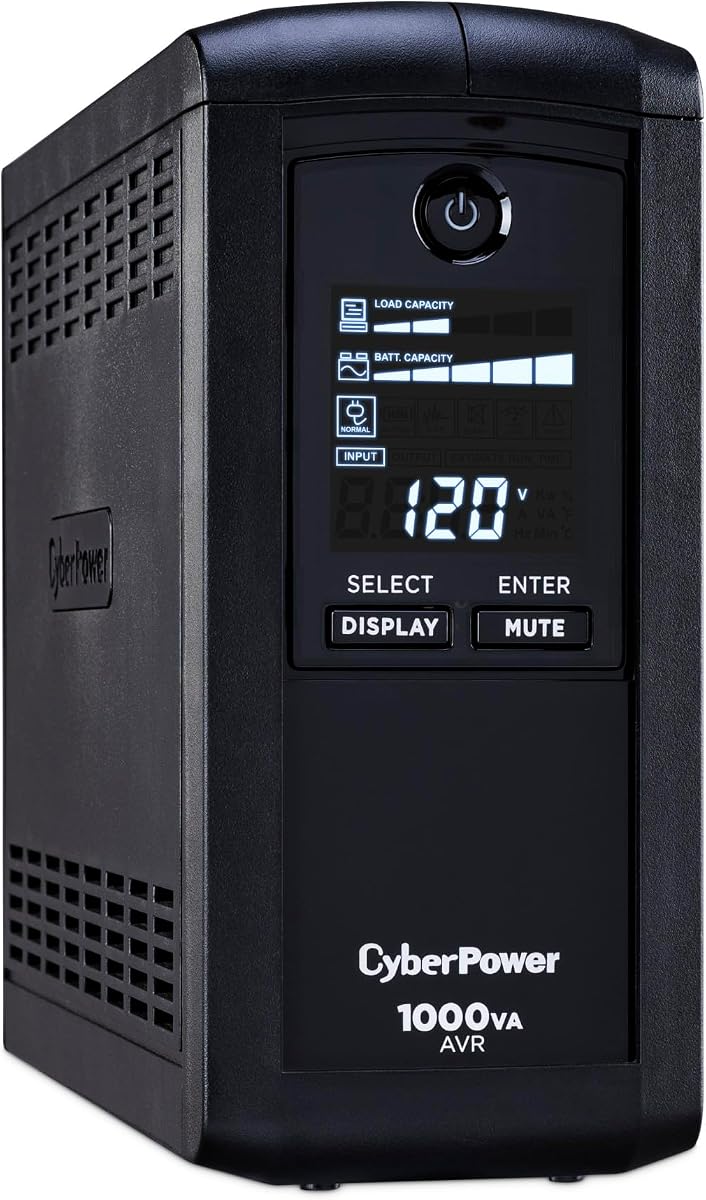


The CyberPower CP1500PFCLCD stands out as the top choice for workstation protection due to its pure sine wave output and high wattage capacity. It ensures compatibility with active PFC power supplies found in modern workstations while providing ample runtime for safe shutdowns.
We may earn a commission when you buy through this link, at no additional cost to you.
Its multifunction color LCD panel offers real-time detailed information about battery health and load conditions. This transparency helps you proactively manage power usage and avoid unexpected downtime caused by battery degradation or overloading.
While the unit is larger and more expensive than basic models, the investment pays off in reliability and equipment protection. The 12 outlets provide flexibility for connecting multiple peripherals without needing additional power strips.
This model is ideal for professionals who cannot afford downtime and need guaranteed power quality. It delivers the performance and peace of mind necessary for critical workstation environments today.
True sine wave output ensures stable power for sensitive electronics and active PFC power supplies common in high-performance workstations.
The color LCD screen provides immediate alerts and detailed status updates to help you maintain optimal power management practices.
We may earn a commission when you buy through this link, at no additional cost to you.
This model offers high capacity at a competitive price point with intelligent LCD monitoring capabilities. It provides sufficient power for most standard workstations and features a user-friendly interface for status checks.
We may earn a commission when you buy through this link, at no additional cost to you.
The color LCD panel displays vital information about battery condition and power loads instantly. This helps you stay informed about your power backup status without needing external software tools.
However the simulated sine wave output may not be suitable for the most sensitive power supplies. For general use it remains a solid option with reliable automatic voltage regulation features.
Choose this unit if you need ample outlets and monitoring features without the premium cost of pure sine wave technology.
The color LCD provides immediate insights into battery and power conditions to help you maintain system stability.
With 12 outlets you can connect multiple devices including computers and peripherals without additional surge strips.
We may earn a commission when you buy through this link, at no additional cost to you.
The EC850LCD is designed for energy efficiency with its ECO mode feature that automatically powers down peripherals when the computer is off. This helps reduce overall energy consumption and lower your electricity costs over time.
We may earn a commission when you buy through this link, at no additional cost to you.
It includes 12 outlets and a multifunction LCD panel for essential monitoring needs. The unit is suitable for small workstations or home office setups where power demands are moderate and energy savings are a priority.
While it lacks the high capacity of larger models it performs reliably for basic protection needs. The ECO mode is a standout feature for environmentally conscious users.
This model is best for budget-conscious buyers who need basic surge protection and energy-saving capabilities without extra complexity.
ECO mode automatically shuts off power to connected peripherals when the main computer is in sleep mode to reduce waste.
A cost-effective option for standard protection needs with essential LCD monitoring and surge protection features included.
We may earn a commission when you buy through this link, at no additional cost to you.
This unit brings pure sine wave technology to the mid-range price segment making it compatible with active PFC power supplies. It offers a balanced mix of performance and affordability for typical workstation setups.
We may earn a commission when you buy through this link, at no additional cost to you.
The color LCD panel provides clear visibility into system status which is crucial for maintaining hardware health. Users appreciate the detailed feedback on battery and load conditions for proactive management.
While it has slightly fewer outlets and lower wattage than top-tier models it covers most standard workstation requirements well. It is a reliable choice for those prioritizing waveform quality over maximum capacity.
Select this model if you need true sine wave protection for sensitive electronics without breaking your budget.
PFC Sinewave output ensures clean power delivery for advanced computer power supplies and sensitive electronic components.
The color LCD provides immediate and detailed status information to help you manage your power backup effectively.
We may earn a commission when you buy through this link, at no additional cost to you.
This model stands out with built-in data line protection which is critical for workstations connected to telephone or coaxial lines. It prevents surges from damaging network equipment and modems alongside your main computer.
We may earn a commission when you buy through this link, at no additional cost to you.
It boasts one of the highest customer ratings in this lineup reflecting strong reliability and customer satisfaction. The 12 outlets offer generous space for connecting multiple devices around your desk setup.
The wattage is lower than premium models making it better suited for light loads or peripheral protection. However its specialized features make it ideal for network-heavy environments.
Choose this unit if you need to protect both your computer and your network infrastructure from power surges and data line spikes.
Built-in data line protection safeguards modems and network gear from surges traveling through telephone or coaxial cables.
Top-tier customer ratings indicate consistent performance and dependable protection for everyday workstation needs.
We may earn a commission when you buy through this link, at no additional cost to you.
This unit offers a solid performance profile with a detailed LCD panel that shows runtime estimates and capacity levels. It is well-suited for general office use where precise power management is helpful but not critical.
We may earn a commission when you buy through this link, at no additional cost to you.
The automatic voltage regulation feature helps extend battery life by correcting minor power fluctuations without using battery power. This efficiency adds value to the overall system longevity over many years.
While it has fewer outlets than some competitors it covers essential needs for a single workstation setup. The simulated sine wave is adequate for most standard power supplies.
This model is a safe bet for users needing reliable backup power with clear status visibility and efficient operation.
Automatic voltage regulation corrects minor fluctuations without battery usage to extend overall battery life.
The LCD panel displays runtime and capacity estimates so you can plan your shutdowns effectively.
We may earn a commission when you buy through this link, at no additional cost to you.
This unit distinguishes itself with advanced lithium iron phosphate battery technology that offers a lifespan of over 10 years. This eliminates the need for frequent battery replacements and significantly reduces long-term ownership costs.
We may earn a commission when you buy through this link, at no additional cost to you.
Its high wattage output of 1600W allows it to handle heavy workstation loads and gaming PCs with ease. The pure sine wave output ensures compatibility with sensitive electronics and high-end graphics cards.
The unit is heavier than standard models due to the transformer and battery density but this adds to its stability. The intelligent LCD display keeps you informed of real-time status and safety features.
If you are looking for a long-term investment that minimizes maintenance and maximizes power output this is the ideal choice.
Lithium iron phosphate batteries provide 3000 cycles and 10 years of life with zero maintenance needed.
High wattage and pure sine wave support demanding workstation loads like gaming PCs and render farms.
We may earn a commission when you buy through this link, at no additional cost to you.
The ST900U is designed with a slim profile that saves valuable desk space while offering ample outlet capacity. It is ideal for smaller offices or tight workspaces where footprint matters more than high power output.
We may earn a commission when you buy through this link, at no additional cost to you.
GreenPower high efficiency design helps reduce energy consumption even while the unit is actively protecting your equipment. The wide outlet spacing accommodates larger power adapters without blocking adjacent sockets.
While it lacks advanced LCD displays its straightforward operation is a benefit for users who prefer simplicity. It provides essential surge and battery protection for basic desktop setups.
Choose this unit if you have limited space and need reliable protection for standard home or office computers.
A slim profile footprint fits under desks or in tight corners without sacrificing outlet availability.
Outlets are widely spaced to accommodate large power bricks and adapters without blocking neighboring ports.
We may earn a commission when you buy through this link, at no additional cost to you.
This model serves as an excellent entry-level option for users needing basic backup power and surge protection. It includes an intelligent LCD panel to provide essential status updates on battery and power conditions.
We may earn a commission when you buy through this link, at no additional cost to you.
The automatic voltage regulation feature helps protect against minor fluctuations without draining battery power unnecessarily. This ensures the unit is ready for full outages when needed most.
While capacity is limited it covers small desktops and basic peripherals effectively. It is a cost-effective solution for non-critical work environments.
If you need reliable protection for a standard PC setup without advanced features this unit offers great value.
Intelligent LCD displays show runtime and capacity so you can track power backup status easily.
An affordable entry point for backup protection with essential surge and voltage regulation features included.
We may earn a commission when you buy through this link, at no additional cost to you.
This unit stands out with a five-year warranty that covers the battery and equipment providing long-term security for your investment. It also offers remote management capabilities for network monitoring of your power systems.
We may earn a commission when you buy through this link, at no additional cost to you.
The color LCD panel alerts users to potential issues before they cause downtime ensuring proactive maintenance. USB charging ports add convenience for keeping mobile devices powered during outages.
While the management card is optional this unit is ready for professional environments requiring centralized control. It balances capacity and features well for growing workstation needs.
Choose this model for its exceptional warranty coverage and readiness for advanced remote management integration.
A five-year warranty on battery and equipment provides exceptional long-term protection and peace of mind.
Support for optional management cards enables remote monitoring of power systems across your network infrastructure.
We may earn a commission when you buy through this link, at no additional cost to you.
Selecting the right battery backup requires understanding your power needs, budget, and desired features. This guide covers key factors to consider for a smart purchase.
Output capacity determines how much power your UPS can deliver and for how long. For workstations, look for at least 800VA to 1000VA to handle your PC and monitor comfortably.
Ensure the wattage rating meets or exceeds the total power draw of your connected devices to avoid overloading the unit.
Pure sine wave is ideal for modern computers with active PFC power supplies as it mimics utility power closely. Simulated sine wave is cheaper but may not support sensitive electronics well.
If you have high-end workstations, prioritize pure sine wave units to ensure full compatibility and safe operation.
Traditional lead-acid batteries are common and affordable but require replacement every few years. Lithium-based options offer longer lifespans and more charge cycles for lower long-term costs.
Consider lithium if you want minimal maintenance and maximum lifespan despite the higher upfront price tag.
Check the number and type of outlets available. Many units offer a mix of battery-backed and surge-only outlets to maximize your connection options.
Look for wide spacing to accommodate large power adapters without blocking neighboring sockets.
An LCD panel provides valuable real-time data on battery health, load, and runtime estimates. Color displays offer better visibility and clearer alerts than basic monochrome screens.
Detailed monitoring helps you manage power consumption and prevent unexpected shutdowns effectively.
Warranties vary widely from three to five years. Longer coverage protects your investment better against defects and battery failures.
Choose models with robust support policies and clear replacement procedures for added security.
AVR corrects minor voltage fluctuations without switching to battery power which extends battery life. It is crucial in areas with unstable grid power.
Prioritize units with AVR to maintain stable power and reduce battery wear.
USB and serial ports allow software integration for automatic shutdown during long outages. Network cards enable remote monitoring across your organization.
Select connectivity options that match your environment whether home office or enterprise.
Connect your PC and monitor to battery-backed outlets and other peripherals to surge-only outlets for proper protection. Plug the UPS into a grounded wall outlet and ensure all cables are securely seated.
Run a self-test periodically to verify battery health and functionality. Check the LCD panel for any warning lights indicating low charge or faults.
Avoid placing the unit in hot or humid environments as heat degrades battery life over time. Keep it on a stable surface away from direct sunlight and dust accumulation.
Runtime depends on the load and battery capacity. A typical unit can provide 10 to 30 minutes for a single computer and monitor allowing time for safe shutdowns and data backup.
If your computer has an active PFC power supply, a pure sine wave output is recommended. It ensures full compatibility and prevents potential issues that simulated sine wave units might cause.
Lead-acid batteries typically last 3 to 5 years depending on usage and environment. Monitor battery health via the LCD display or software and replace proactively when capacity drops.
Yes, provided the UPS has enough wattage capacity to handle your system's power draw. Calculate total wattage and choose a unit with at least 20% headroom for safe operation.
Automatic Voltage Regulation corrects minor voltage spikes and drops without using battery power. It keeps equipment safe and extends battery life by reducing unnecessary battery cycles.
Yes, the UPS switches to battery power within milliseconds when the main supply fails. This ensures your equipment continues running without interruption for essential tasks or shutdowns.
The CyberPower CP1500PFCLCD and GOLDENMATE 2000VA top our list for their blend of power and advanced battery technology respectively. These units offer robust protection for demanding workstation needs.
Prioritize waveform quality, outlet configuration, and battery chemistry based on your specific hardware requirements. Investing in the right features now saves money and protects your data in the long run.
Remember to check current pricing and availability before buying as deals fluctuate often. Choose the model that best fits your budget and performance goals for uninterrupted work sessions.